


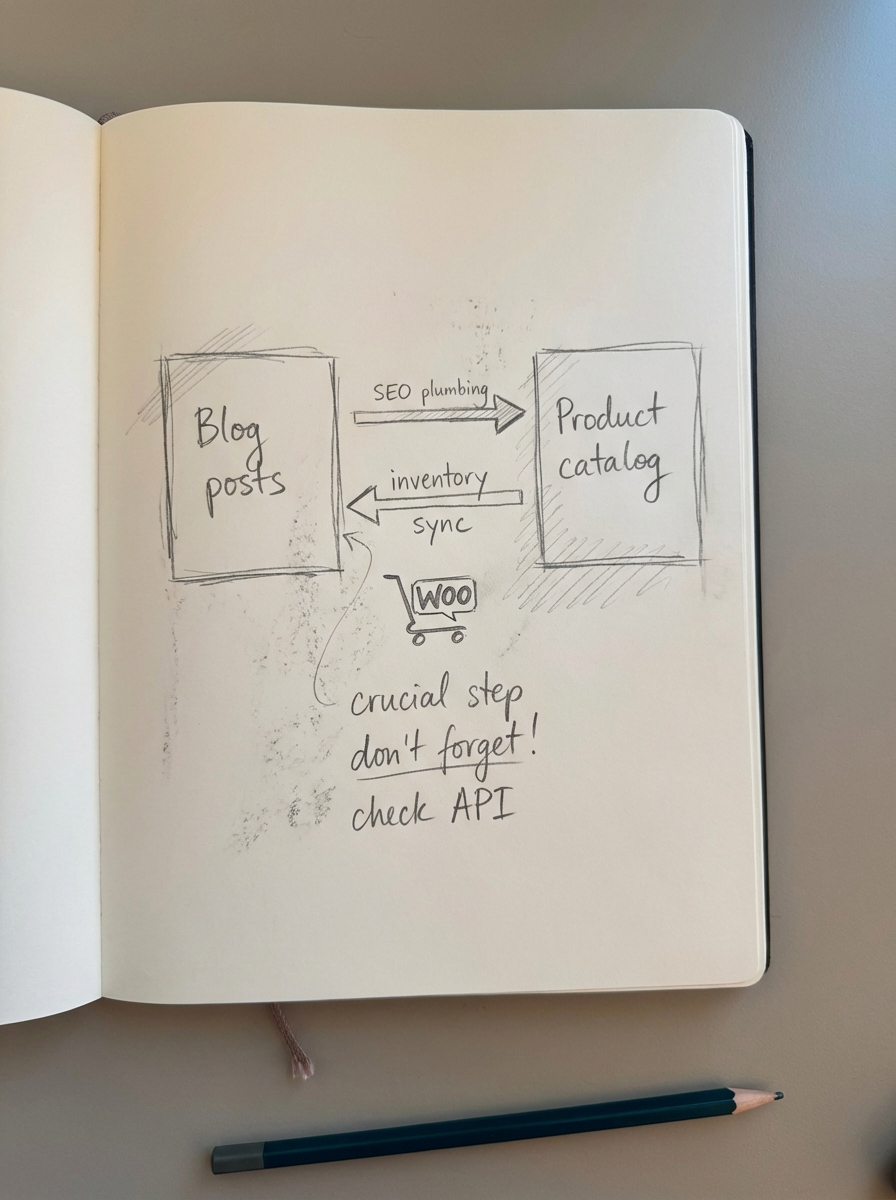
A scalable content production workflow for WooCommerce must be catalog-aware and automated, otherwise it becomes a significant source of technical debt that fails to convert readers into customers. The biggest mistake I see merchants make is treating their blog and their product catalog as two separate islands. If your content production workflow doesn’t account for real-time inventory changes, SKU updates, and category shifts, you aren’t building an asset; you’re building a maintenance nightmare. A truly scalable workflow automates the repetitive “plumbing” of SEO so your team can focus on high-level strategy and brand voice.
Define the roles in your content machine
Scalability fails when “everyone is responsible for SEO.” In my experience, even a small team needs clearly defined ownership over the different stages of the content lifecycle. When you formalize these roles, you eliminate the content production bottlenecks that usually stall publishing velocity and lead to inconsistent quality.
- The SEO Strategist: This person is responsible for keyword clustering and identifying the “pillar” topics that align with high-margin categories. They don’t just look for raw volume; they search for commercial intent and topical authority.
- The Content Manager: Acting as the air traffic controller, the manager maintains the content calendar and ensures writers are meeting deadlines while balancing the publishing frequency.
- The Subject Matter Expert (SME): This is often a product manager or the founder. Their job is to provide “information gain” – the specific details about why a certain SKU is better than another – that generalist writers might miss.
- The Editor/QA Lead: This role ensures every piece follows the content quality assurance process and matches the brand’s unique tone and legal requirements.
- The Catalog Sync Specialist: In a manual setup, this person updates links when products go out of stock. In an automated setup, this functionality is handled by a WordPress connector plugin that talks directly to your WooCommerce database to keep information current.
The ecommerce content lifecycle
A repeatable process ensures that a blog post written today is just as high-quality as one written six months from now. We’ve found that the most successful stores follow a “hub-and-spoke” model, where content is tightly clustered around product categories to build topical relevance.
Research and clustering
Stop chasing individual keywords in isolation. We use SERP-based clustering to group related queries into a single “topic” that serves a specific search intent. For example, if you sell coffee gear, keywords like “how to brew pour over” and “V60 vs Chemex” should be part of the same topic cluster that points back to your “Brewing Equipment” category. This prevents keyword cannibalization and ensures your internal linking structure makes sense to search engines.
Briefing with catalog context
An ecommerce content brief must include more than just keywords; it needs a list of “Hero SKUs” to feature based on current inventory. I always insist that my writers know exactly which products are in stock before they start writing a buyer’s guide. There is nothing worse for the user experience than a high-ranking article that links to a 404 page or an out-of-stock item, which effectively kills your conversion rate.
Production and AI-augmentation
I believe AI has permanently leveled the playing field for smaller stores that cannot afford large agencies. You can use a free AI SEO content writer to produce a comprehensive first draft that is already optimized for search intent. The goal is to get a Minimum Viable Product (MVP) live quickly, then iterate based on the performance data you see in your ecommerce SEO dashboard.
Optimization and internal linking
Internal linking is the “secret sauce” of WooCommerce SEO. Every blog post should naturally link to its parent category page, 3-5 relevant product pages, and other “spoke” articles in the same cluster. This distributes link equity across your store and guides users deeper into the funnel, turning informational seekers into buyers.
Automated maintenance
This is where most workflows break down over time as prices change and products are discontinued. To scale effectively, you need a system that “listens” to your WooCommerce catalog. At ContentGecko, we built our platform to automatically update blog posts when SKUs change or go out of stock, ensuring your content never becomes a liability or a source of customer frustration.
Essential tools for your WooCommerce stack
You don’t need dozens of expensive subscriptions, but you do need a “single source of truth” for your content collaboration. For project management, tools like Trello or Asana are excellent for tracking task status from ideation to publication. On-page SEO is best handled by plugins like Rank Math or Yoast SEO, which simplify the implementation of structured schema markup and meta tags.
For the heavy lifting of content generation and execution, ContentGecko handles the planning and writing of catalog-aware articles that stay synced with your store’s inventory. You should pair this with GA4 integrated with Search Console to track which blog posts actually drive SKU-level conversions. Finally, to keep your visual content fresh, a product image generator can create high-quality lifestyle shots for your blog without the need for a new photoshoot for every article.
Templates for scaling
Standardization is the enemy of chaos in content production. If you want to scale to 50 or more posts a month without losing your mind, you need templates for every hand-off in the process. Start with a Style Guide that documents your brand’s stance on voice, formatting, and competitor mentions. I recommend using H2s for all main points to keep the text skimmable.
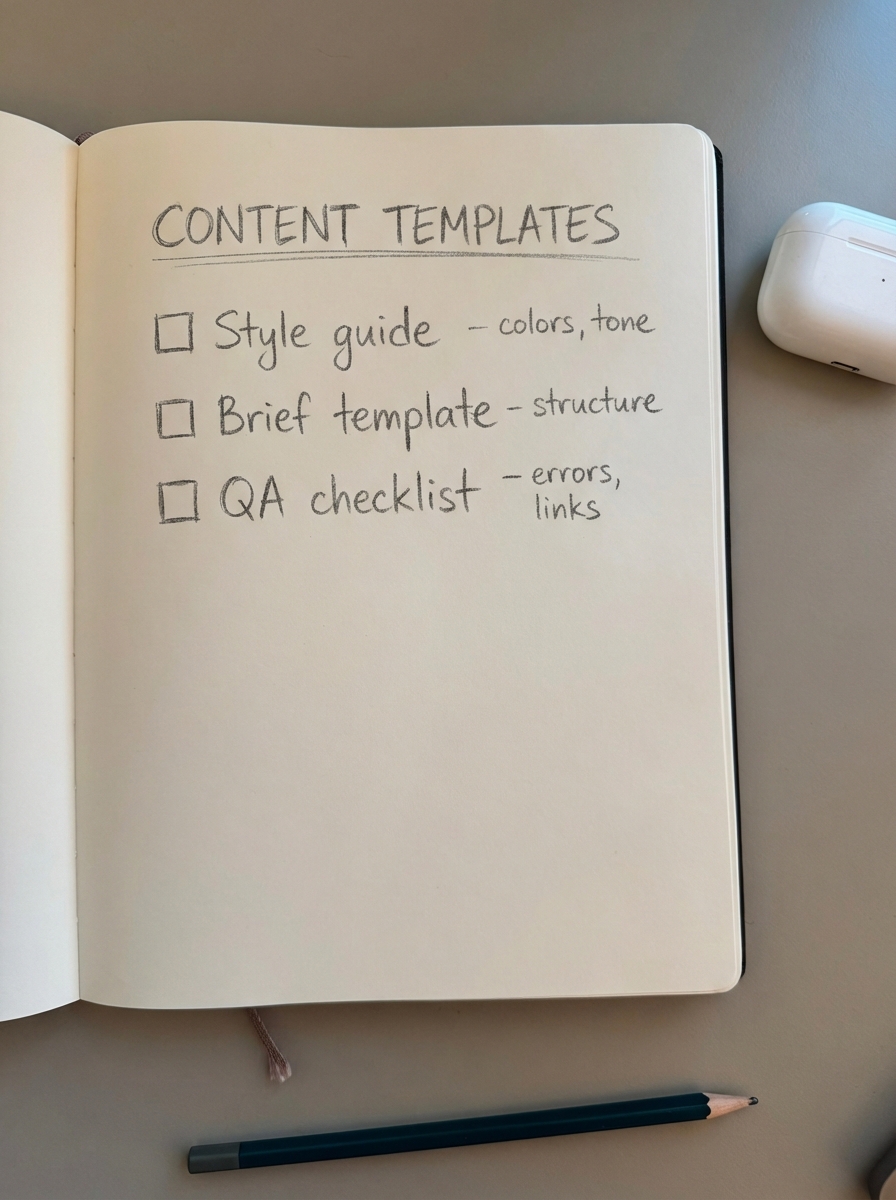
Your Brief Template must include the target keyword, search intent, internal link targets, and the specific WooCommerce category it supports. Finally, implement a QA Checklist that covers factual accuracy, broken links, mobile responsiveness, and image alt text. These standardized documents ensure that quality remains high even as you increase production velocity.
TL;DR
To run a scalable WooCommerce content workflow, you must move away from manual “one-off” publishing and toward a system-based approach. Define clear roles for your team, use SERP-based clustering to plan your topics, and leverage automation to keep your blog synced with your product catalog. Content should be treated like a product – launched as an MVP and iterated upon using data from your ecommerce SEO dashboard. When the technical maintenance is automated, your team is free to focus on the creative strategy that actually drives sales.