


Manual content production is the primary reason most WooCommerce stores hit a growth ceiling. If you are still spending 11 hours a week managing a content calendar or manually updating product links in old blog posts, you aren’t scaling; you’re just treading water. In my experience, the basics of ecommerce SEO – like fixing site speed or basic metadata – are now table stakes. The remaining opportunity for most stores lies entirely in producing a high-volume, high-quality blog that captures top-of-funnel intent. To do that without a 20-person creative team, you need an automated SEO content stack.

Identify and remove content production bottlenecks
Most content production bottlenecks stem from manual planning and disconnected workflows. When keyword research is siloed from the brief-writing process, you waste hours in strategy meetings that could be handled by an algorithm in seconds. Research shows that 93% of AI users report generating content significantly faster than with traditional methods. By moving to an automated workflow, I’ve seen teams reduce weekly strategy meetings from two hours to just 30 minutes.
The first step to scaling is automating the “boring” parts of the content production workflow. You should stop manually grouping keywords in Excel and instead use a free SERP-based clustering tool to identify which terms belong on a single page based on real-time Google data. From there, you can automate the creation of SEO content briefs that analyze competitor structures and search intent. Finally, replace generic drafting with high-quality AI writers that research current facts rather than just hallucinating text.
Automate the blog-to-catalog connection
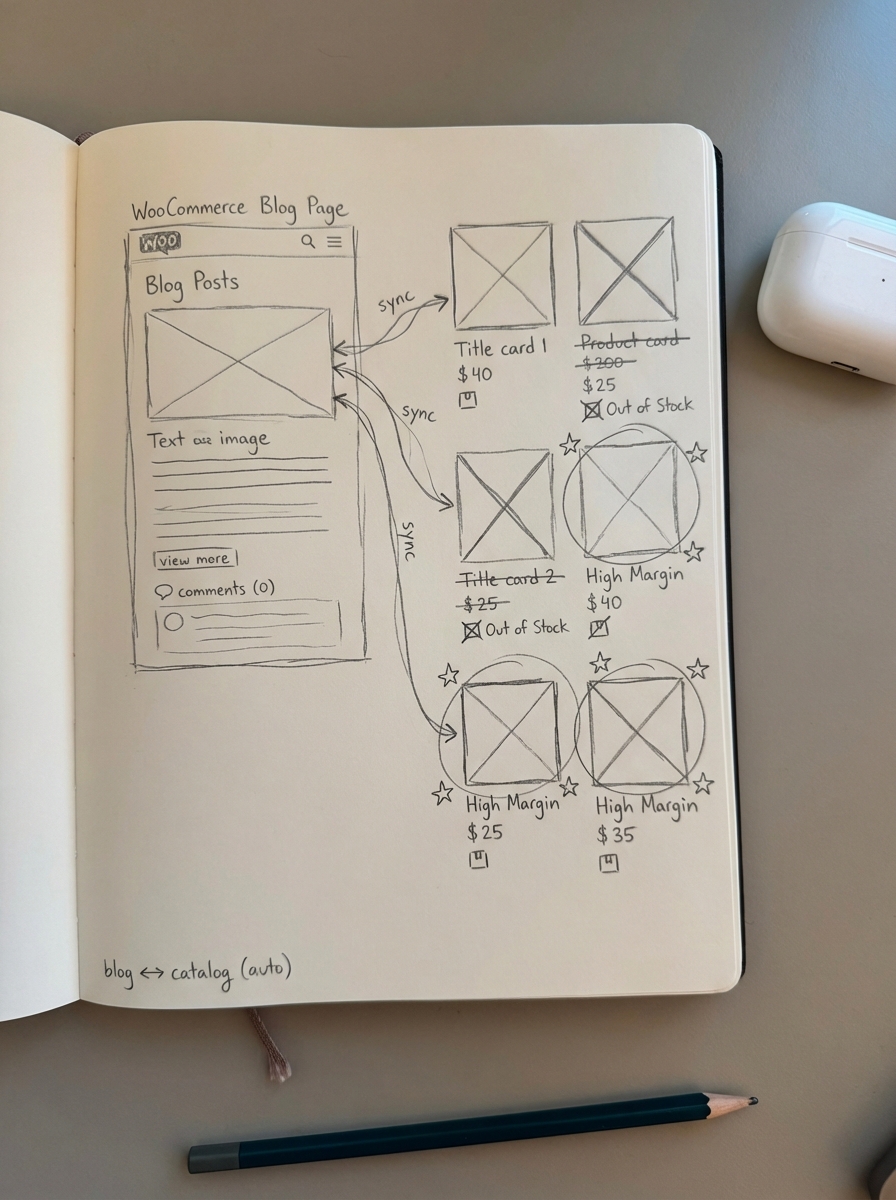
For WooCommerce marketers, the biggest challenge isn’t just writing content; it’s keeping that content synced with a moving product catalog. Traditional copywriting software can write a blog post about “hiking gear,” but it won’t know if your top-selling boot is out of stock. Manual upkeep fails once you move above 1,000 products, making automation a necessity to maintain unique titles, descriptions, and internal links across thousands of SKUs.
We built ContentGecko to solve this specific disconnect. By using a WordPress connector plugin, the platform syncs with your WooCommerce store to pull real-time data, including SKUs, prices, and stock levels. This integration allows the system to automatically update the blog post to reflect current inventory and place internal links to high-margin products without manual intervention.
This level of automation allows you to treat content like a product. I recommend launching an “MVP” article quickly using an AI SEO content writer, monitoring its performance on your ecommerce SEO dashboard, and iterating only on the pages that start gaining traction. This “launch then iterate” model is far more efficient than trying to perfect every post before it ever sees a single click.
Multi-channel distribution and repurposing
Content production shouldn’t stop at the blog. Scaling means taking one core asset and turning it into a dozen. I recommend following the “COPE” (Create Once, Publish Everywhere) method. When you transform existing content into new formats, you create multiple search entry points and target both high-volume and niche keywords without the cost of starting from scratch.
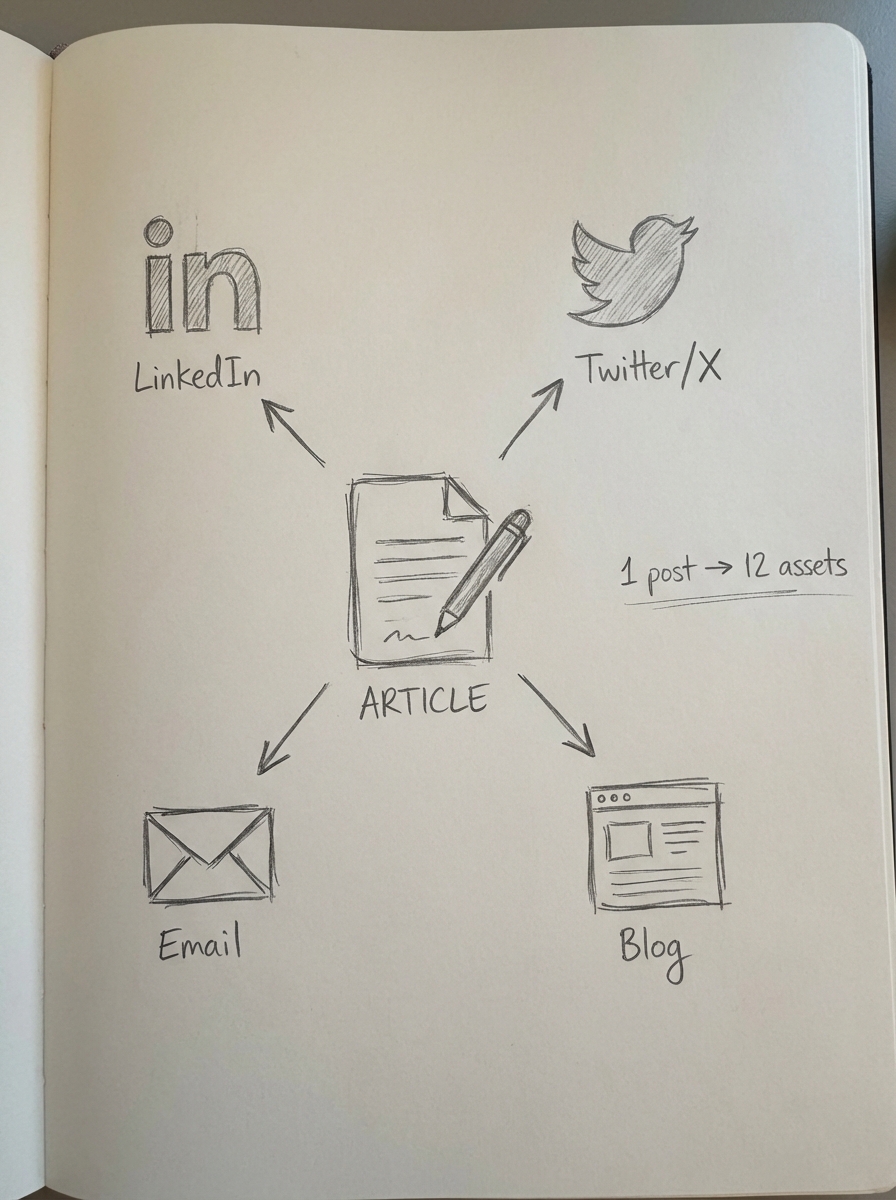
Content repurposing strategies can be almost entirely automated using tools like Zapier and SocialBee. For example, once a blog post is published via ContentGecko, you can trigger a workflow that handles the following distribution tasks:
- Generates a LinkedIn summary of the key points for professional engagement.
- Creates a series of “did you know” tweets based on the research found in the article.
- Drafts an email newsletter intro highlighting the new guide for your subscriber list.
By automating these marketing workflows, you ensure your store stays top-of-mind across all channels without increasing your headcount. This systematic approach transforms a single article into a multi-channel campaign in minutes rather than hours.
Maintain quality through automated QA
The biggest objection to automation is the fear of “AI spam.” However, the impact of AI on SEO is overwhelmingly positive when handled with a proper QA process. Automation doesn’t mean removing humans; it means removing the human “busy work.” In fact, automating the technical aspects of quality assurance often leads to fewer formatting errors and broken links compared to manual review.
I suggest using automated tools to handle fact-checking by using LLMs with search capabilities to verify claims. You should also automate the implementation of product schema and structured data, which can increase rich result CTR by up to 30% compared to standard blue links. Finally, use automation to ensure every post has correct H1-H3 structures, alt text for images, and mobile-friendly spacing without requiring a manual editor to touch every single file. This allows your best creative minds to focus on strategy and brand direction rather than fixing headers.
TL;DR
- Scaling content production requires moving from manual creation to an automated SEO stack.
- Use keyword clustering tools to plan your strategy and catalog-aware AI to write and update blog posts in real-time.
- Implement automated workflows to repurpose content across social channels and email.
- This approach can reduce content production costs by up to 73% and allow you to publish 10x more content while driving significantly more organic sales to your WooCommerce store.