


LLM-driven traffic is currently the “dark matter” of ecommerce analytics: we know it exists because of the massive growth in AI-generated answers, but it is almost entirely masked as “Direct” traffic in GA4. To stop undervaluing your Generative Engine Optimization (GEO) efforts, you must implement custom channel groups and behavioral segments to isolate these users and calculate their specific conversion impact.
Defining the LLM conversion funnel
In traditional SEO, the funnel is linear: Impression > Click > Session > Conversion. With LLM search, the funnel is fragmented. We are no longer just optimizing for a click from a search results page; we are optimizing for a citation within a generative response that either drives a referral click or triggers a brand search.
When I analyze LLMO performance for WooCommerce stores, I categorize conversions into three distinct buckets. First are Direct Referral Conversions, where users click a cited link in a platform like Perplexity or Gemini and purchase in the same session. Second are Assisted Brand Conversions, involving users who see a product recommendation in ChatGPT – which often lacks clickable links – then search for your brand specifically and convert. Finally, there are Entity-Based Conversions, where users discover your product via an AI assistant and then navigate to your site via a “Direct” visit to a deep landing page.
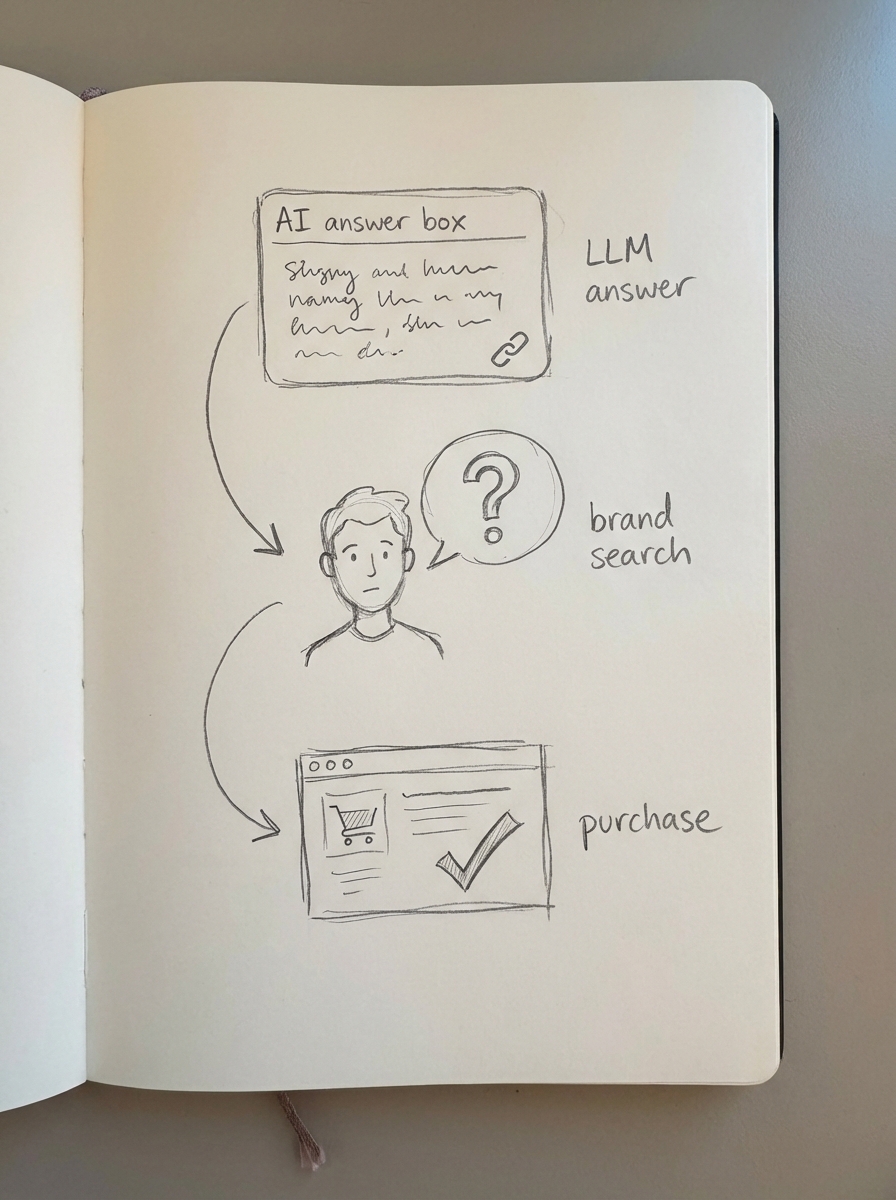
Research indicates that while AI overviews can reduce traditional clicks by up to 34.5%, the users who do click through are often much further down the funnel. In fact, some businesses using optimized workflows have reported a 3–15% revenue lift despite lower raw traffic volumes. This aligns with the 1,200% increase in AI-generated answer traffic observed between July 2024 and February 2025.
Technical implementation for tracking LLM traffic in GA4
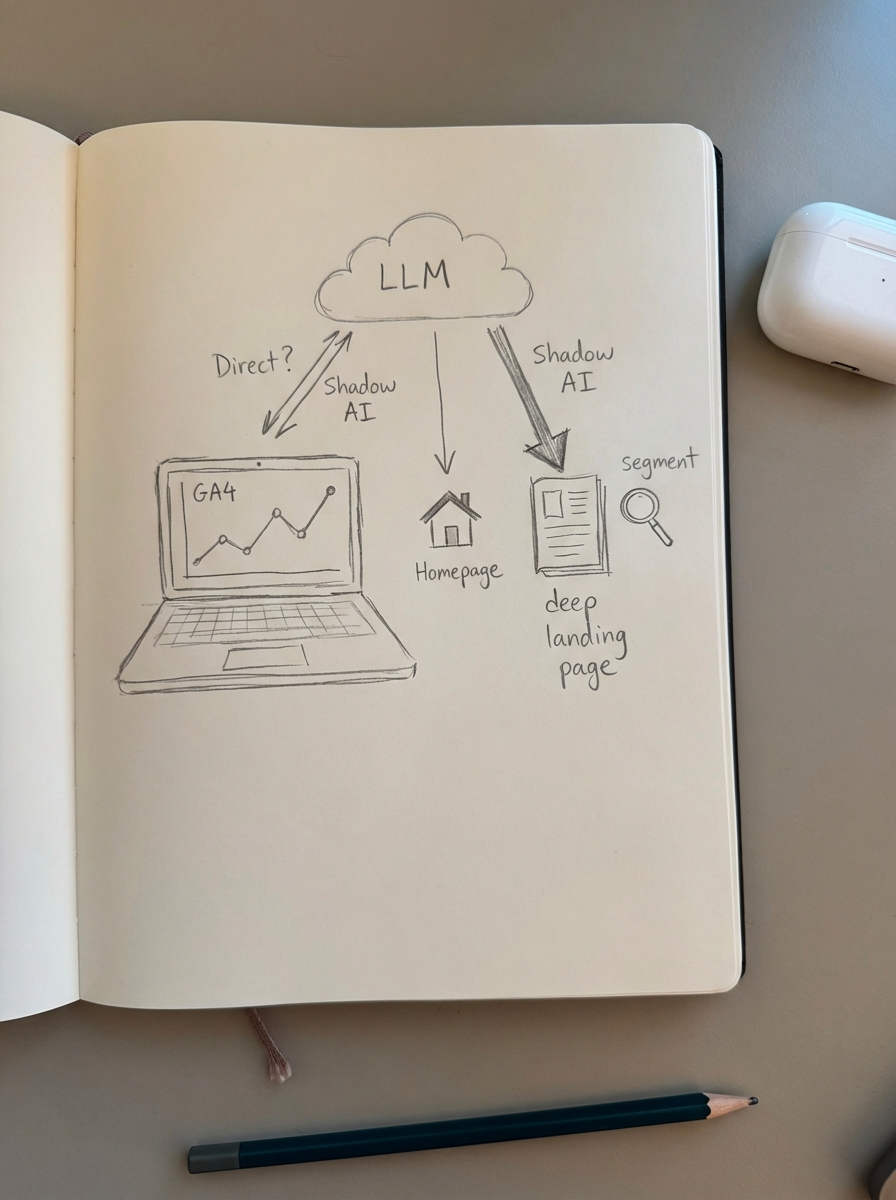
You cannot rely on GA4’s default channel groupings to catch ChatGPT or Claude. Most LLM traffic shows up as “Direct” because these platforms often strip referral headers or users copy-paste URLs. To unmask this, I recommend a dual approach using custom channel groups and behavioral segmentation.
To create a custom channel group, navigate to your GA4 Admin settings under Data Display > Channel Groups. I suggest building a “Generative AI” group where the “Source” matches this specific regex:
.*(chatgpt|openai|perplexity|anthropic|claude|gemini|bing|copilot|google-sidekick).*
For traffic that remains hidden in the “Direct” bucket, you must look for “Shadow AI” patterns. These are typically new users who land on a specific blog post or product category rather than the homepage. I verify these as AI-sourced when their dwell time and scroll depth are significantly higher than the site average, indicating the user was pre-qualified by a conversation with an AI.
Calculating the LLM conversion rate
To calculate your LLM Conversion Rate (LLM-CR), you need to combine your tracked referral data with your “Shadow AI” proxy segments. I use a formula that sums total conversions from the Gen-AI channel and conversions from Shadow AI segments, then divides that by the combined sessions of both groups.
In my experience, LLM traffic often carries a 15–20% higher conversion rate than standard organic search. This is because the LLM has already “pre-sold” the user by answering their complex queries – like “Which coffee machine is best for a small kitchen under $200?” – before they ever hit your site. By the time they arrive at your WooCommerce SEO reporting landing page, the intent is purely transactional.
Comparing LLM metrics to traditional channels
To understand the ROI of LLM optimization, you must compare it against your baseline channels using a dedicated SEO dashboard. When comparing these channels, the most striking difference is the Dwell Time. While organic search typically sees sessions of 2–3 minutes, LLM-driven traffic often stays for 6–15 minutes.
Engagement metrics like bounce rate also favor AI traffic, typically hovering between 30–45% compared to the 50–70% seen in standard organic search. While attribution complexity is high for Gen-AI traffic due to the “Shadow AI” effect, the conversion rate often exceeds traditional organic search by 1.2x to 1.8x. When a user finally clicks through to your store, they are highly educated about your product because they have already spent significant time interacting with the AI.
Optimizing the WooCommerce funnel for AI-sourced users
If your data shows high LLM traffic but low conversion, the problem is likely a “context gap” between the AI’s answer and your landing page. I use ContentGecko to bridge this gap. Because our platform is catalog-aware, it creates content that mirrors the conversational, expert-led tone that LLMs prefer to cite. When a user comes from an LLM, they expect depth; if they land on a thin product page, they bounce.
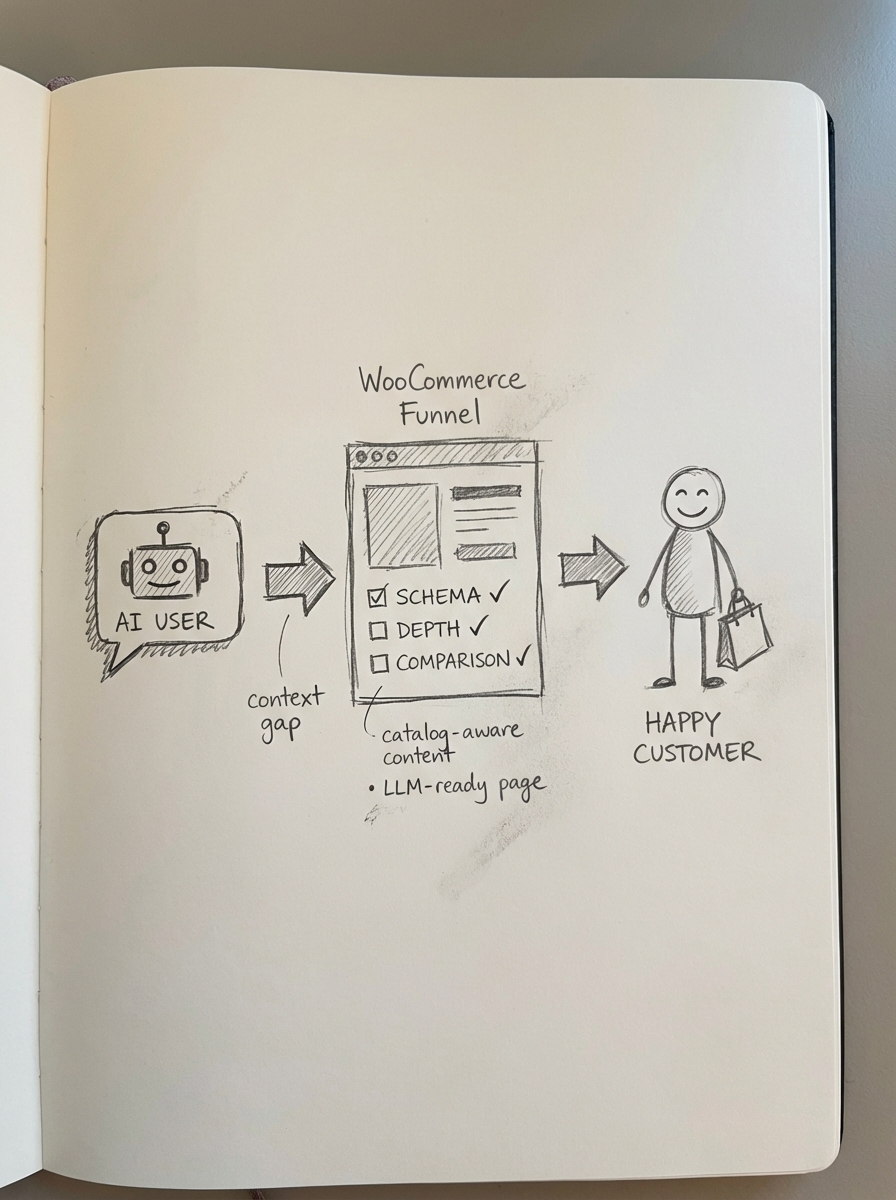
To improve LLM-specific conversion, I recommend focusing on three technical areas:
- Implement flawless Product and FAQ schema. LLMs use this structured data to verify stock, price, and specific features in real-time.
- Align your content with multi-step reasoning by including comparison tables and use-case scenarios. AI users often ask “why” or “how,” so your landing pages should facilitate structuring data for LLM retrieval by answering those deeper questions.
- Track SKU-level attribution to see which specific products are being mentioned in AI responses. I have seen stores discover that 40% of their organic revenue originates from converting long-tail keywords they were not even actively tracking in their primary search strategy.
By using the ContentGecko Connector plugin, you can automate the publication of these catalog-synced, expert-level guides, ensuring that when an AI sends a user to your store, they find exactly the information they need to complete the purchase.
TL;DR
- Use GA4 custom channel groups with regex to unmask AI referral sources currently hidden in the Direct traffic bucket.
- Identify Shadow AI traffic by segmenting new users who land deep on the site and exhibit significantly higher engagement metrics than the site average.
- Measure intent by recognizing that LLM-driven traffic typically has a much higher dwell time and conversion rate than standard organic search because the user is pre-qualified.
- Bridge the context gap by ensuring your WooCommerce store uses structured data and catalog-synced content to meet the informational expectations of AI-sourced visitors.