


Effective SEO reporting for WooCommerce stores is not about exporting a list of vanity rankings; it is about proving how search visibility translates into catalog-level revenue through your category pages and blog content. If your reports treat “organic traffic” as a single bucket, you are likely missing the specific data needed to scale your store’s most profitable segments.
Segment performance by page type to find the real winners
I have seen countless marketing managers celebrate a 20% spike in organic traffic, only to find out it was driven by a single informational blog post that does not link to a single product. To avoid this trap, your reporting must segment SEO metrics by page type – specifically distinguishing between category pages, product pages, and the blog. Each of these segments serves a different role in the buyer journey and requires distinct KPIs to measure success accurately.
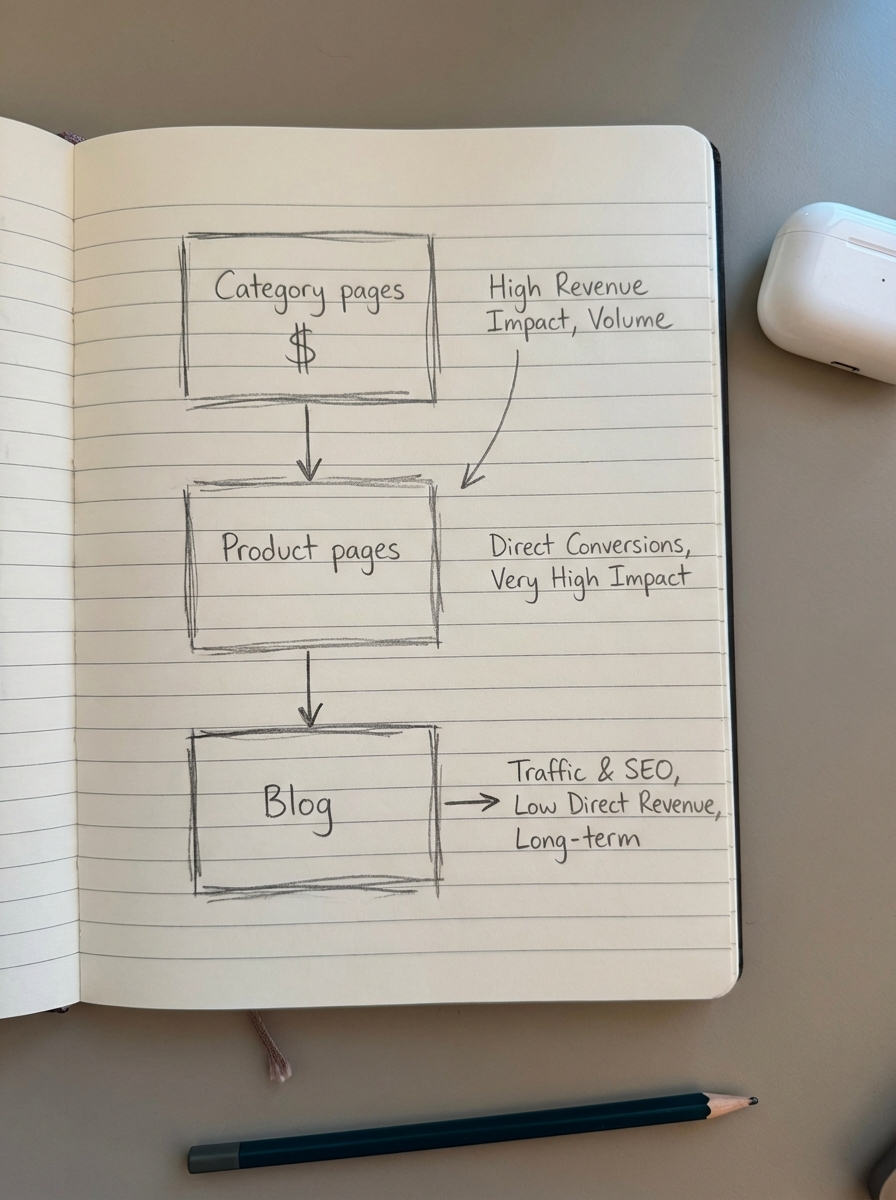
In our experience, category pages are the real “money pages” for ecommerce. While product pages often suffer from high turnover or target highly specific long-tail queries that may expire, category pages capture broader, high-intent searches that remain evergreen. We prioritize these because they represent the most stable and scalable growth opportunities for a WooCommerce store. When I review performance, I always separate category data to ensure our category name optimization efforts are actually moving the needle on high-volume keywords rather than just accumulating low-value clicks.
Connect Search Console visibility to GA4 revenue events
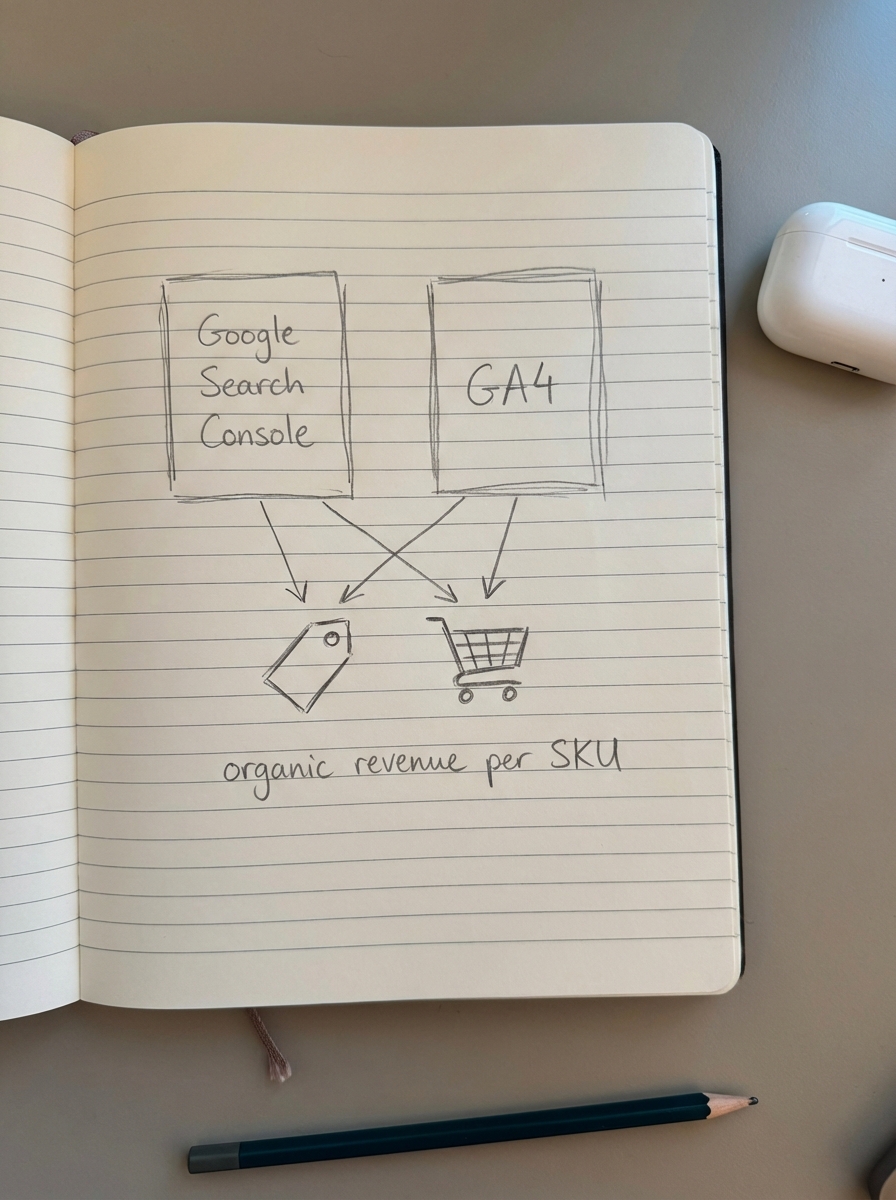
The most common technical reporting mistake in WooCommerce SEO is failing to link Google Search Console (GSC) impressions with GA4 conversion data. Ranking in the top three for a high-volume term is meaningless if the click-through rate is abysmal or if those users fail to add items to their carts. Because third-party keyword databases are often too small to represent real-world search volume accurately, your GSC data is the only reliable source of truth for visibility.
To get this right, you must ensure your GA4 item_id parameter matches your WooCommerce SKU exactly. This allows you to report on the most valuable, yet frequently overlooked, ecommerce metric: organic revenue per SKU. By combining GA4 and Search Console data, you can identify “breakout opportunities” – those keywords ranking in positions 8–15 that already show a high conversion rate but simply lack the visibility to drive significant volume.
Track catalog-synced content as a dynamic asset
For stores using automated content solutions like ContentGecko, reporting needs to reflect the dynamic nature of your blog. Unlike traditional “set and forget” blog posts that eventually decay or become obsolete as products go out of stock, catalog-synced content remains relevant by updating automatically as your SKUs, prices, and stock levels change.
When reporting on this type of content, I focus heavily on “Assisted Conversions.” A blog post comparing the best mountain bikes for the current season might not always secure the direct last-click purchase, but it frequently serves as the critical entry point for a customer who eventually converts on a category page. I recommend using the GA4 model comparison tool to demonstrate how your blog content influences the top of the funnel and successfully drives users toward your high-margin categories.
Adopt a multi-cadence reporting structure
I recommend a tiered reporting schedule to keep your team focused on both immediate tactical fixes and long-term SEO ROI. This prevents the “analysis paralysis” that comes from checking rankings daily while ensuring you don’t miss major technical shifts.
- Weekly reporting should focus on monitoring organic sessions and conversions by top categories. You should set up automated alerts for any traffic drop greater than 20%, which often signals a technical crawl error or an issue with your robots.txt file that could be deindexing critical sections of your catalog.
- Monthly reporting allows for a deeper dive into content performance metrics. This is the time to analyze the CTR and average position for your primary topic clusters. If positions are rising but your CTR remains flat, it is a clear signal to iterate on your meta titles and snippets.
- Quarterly reporting is where you analyze market share and competitive benchmarks. At this cadence, we calculate the true financial impact of SEO against other paid channels, looking at Customer Lifetime Value (LTV) and profit margins rather than just raw revenue.
Automate the data collection to focus on strategy
If your SEO team spends ten hours a week manually building spreadsheets, they are not spending those hours optimizing your site. Automating SEO reports using tools like Google Looker Studio allows you to create a “mission control” dashboard that updates in real-time, giving you back the time needed for strategic decision-making.
A professional SEO dashboard for a WooCommerce store should include a “Potential Additional Clicks” metric. This estimates the traffic you could gain if your existing ranking keywords moved to the first position. It is a powerful way to justify budget for further content production or technical fixes to stakeholders who are primarily concerned with future growth potential.
TL;DR
Effective WooCommerce SEO reporting requires segmenting data by page type to prioritize category pages, matching GSC visibility to GA4 revenue events at the SKU level, and focusing on click-through rates rather than just raw rankings. By automating these cadences, you shift from reactive data gathering to a proactive strategy that treats your SEO content as a catalog-aware, revenue-generating engine.