


Traffic is a vanity metric; revenue is the only KPI that keeps your WooCommerce store alive. To move beyond hollow ranking reports and start driving growth, you must bridge the gap between organic clicks in Google Search Console and transactions in Google Analytics 4 (GA4). I’ve seen dozens of WooCommerce merchants celebrate a 50% increase in organic traffic, only to realize months later that the new visitors are landing on low-intent blog posts that do not convert. If you aren’t measuring SEO ROI through the lens of actual sales, you are essentially flying blind.
Connecting GA4 and Search Console for WooCommerce
The foundation of conversion-based SEO analysis is a unified data ecosystem. You cannot analyze what you do not track. For WooCommerce stores, this means more than just a basic tracking snippet; you need enhanced ecommerce tracking where the item_id parameter in GA4 matches your WooCommerce SKU exactly.
I once worked with a client who thought their blog was a total failure until we properly linked GSC and GA4. We discovered that while their “how-to” guides had a low direct conversion rate, those users represented 40% of their assisted conversions. Without that link, they would have likely deleted their most valuable top-of-funnel content. To establish this baseline, you should verify your domain in Search Console using the DNS method to capture all subdomains and protocol variations, then link GSC to GA4 via the Admin panel. Finally, implement a GTM-based or plugin-driven data layer to ensure ecommerce events like view_item, add_to_cart, and purchase fire reliably with accurate SKU data.
Attributing revenue to organic landing pages
Standard reports often hide the truth about which pages are actually making money. To find your “money pages,” you need to use GA4 Explorations to build a Landing Page + Revenue report. In my experience, ecommerce managers spend too much time optimizing product pages when they should be focusing on category pages. Our internal data shows that for most WooCommerce stores, category pages have higher search intent and drive more “discovery” traffic that leads to multi-item carts.
When analyzing conversion data, I categorize pages into three specific segments to guide optimization:
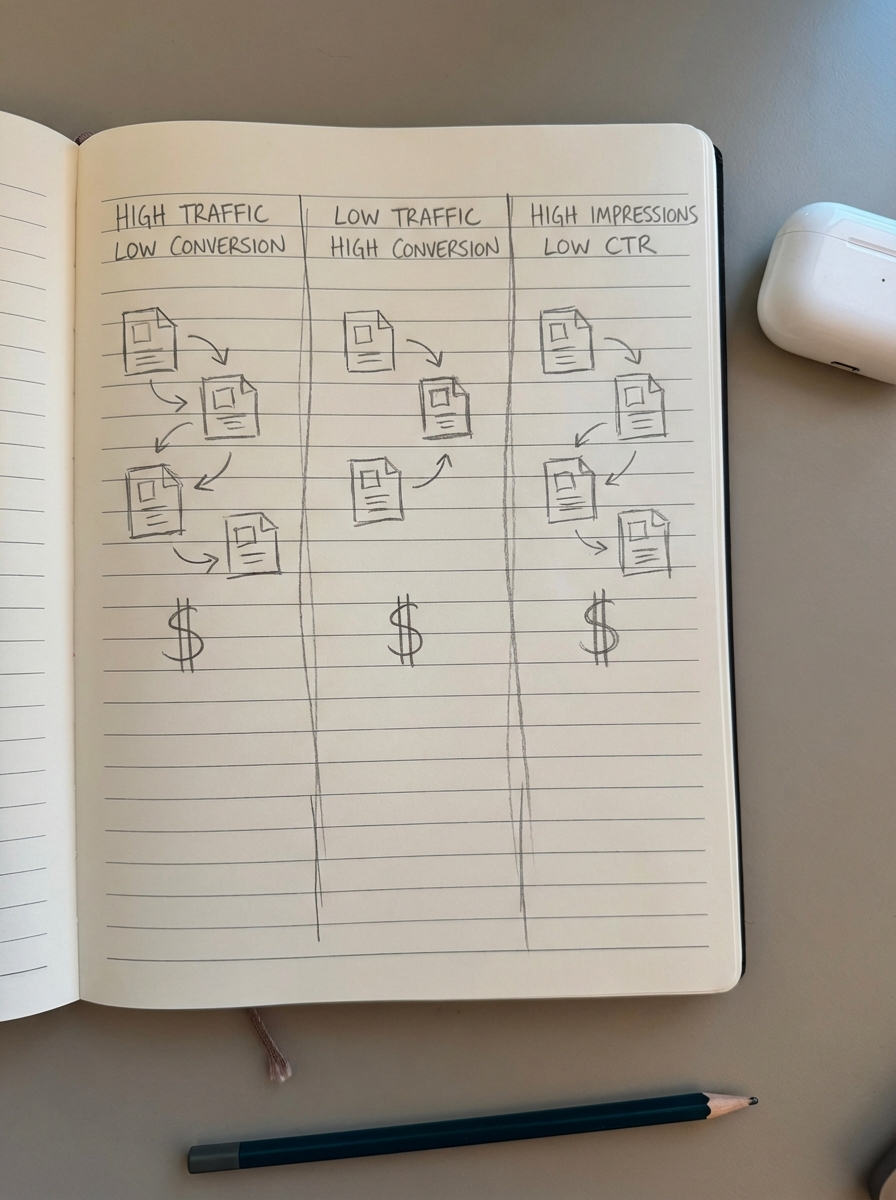
- High traffic, low conversion: These pages are effective for brand awareness but might be targeting the wrong keywords. They are prime candidates for internal linking to high-converting products to capture existing interest.
- Low traffic, high conversion: These are your “hidden gems.” Even a small ranking boost for these pages can result in a significant revenue lift because the intent is already perfectly aligned with your offering.
- High impressions, low CTR: I believe meta descriptions will be largely irrelevant by 2026 because Google continues to rewrite them, but your title tags and schema are critical. Use this Google Analytics SEO report logic to prioritize which titles to rewrite based on potential revenue rather than just click volume.
Analyzing SKU-level performance through organic search
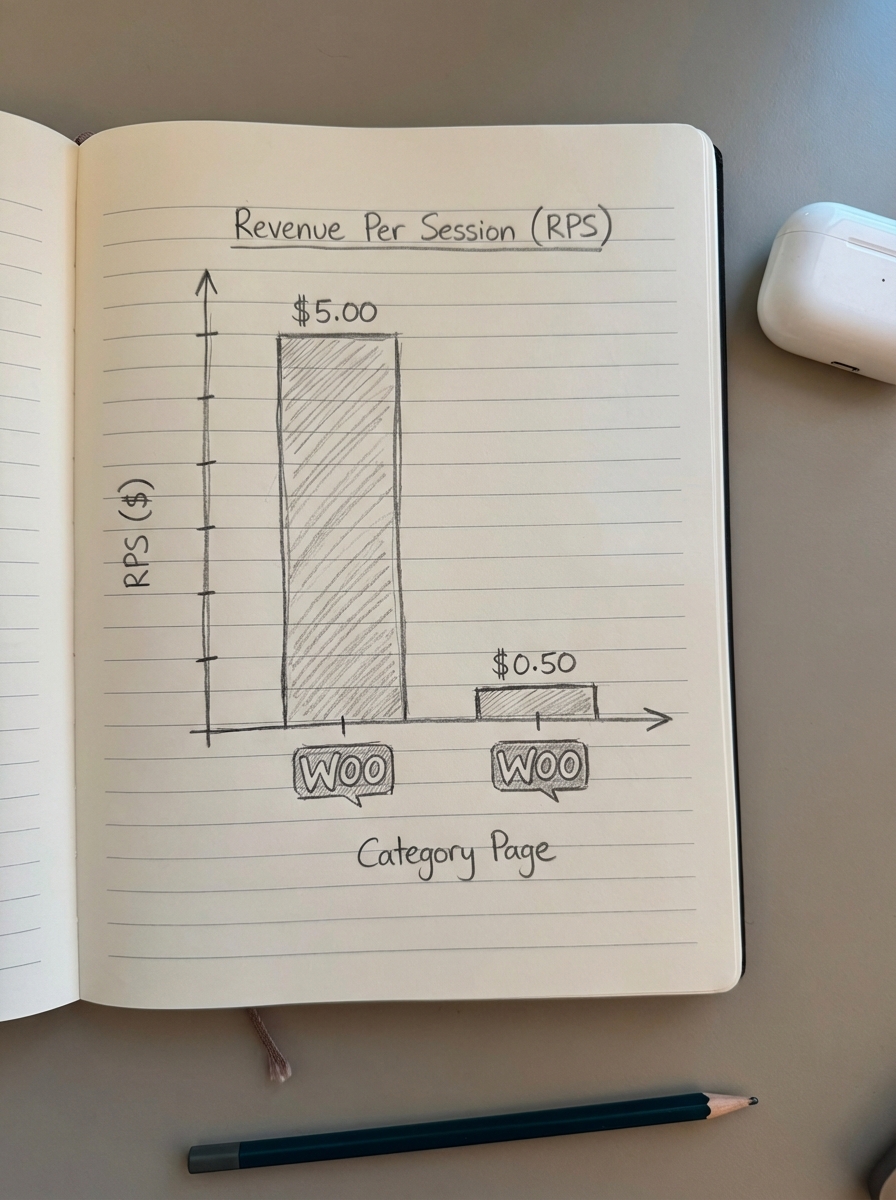
The most advanced way to use conversion data is to track which specific SKUs are being sold via organic landing pages. This requires matching GA4 organic landing page sessions to purchases in your WooCommerce database. By calculating Revenue Per Session (RPS) for your organic traffic, you can make better inventory and marketing decisions. If a specific category page is driving $5.00 RPS while another is driving $0.50, you know exactly where to double down on your content efforts.
We built the ContentGecko Ecommerce SEO Dashboard specifically to automate this. It breaks down GSC metrics by page type – Category vs. Product vs. Blog – allowing you to see trends over time and identify which segments are actually contributing to the bottom line. This level of granularity prevents you from wasting resources on technical fixes for pages that generate zero revenue.
Using conversion data to refine content strategy
Third-party keyword data from popular SEO tools is often inaccurate and fails to represent the nuances of specific ecommerce niches. Your own conversion data is the only reliable source of truth. If you see that keywords containing “vs” or “review” have a 25% higher conversion rate than general “how-to” terms, your content roadmap should shift immediately to accommodate that intent.
At ContentGecko, we use our WordPress Connector Plugin to sync catalog data – including prices and stock status – to ensure the blog content we generate is always focused on high-margin, in-stock items. This prevents the common frustration of driving traffic to a product that has been discontinued or is currently out of stock.
Prioritizing breakout opportunities
To identify high-impact wins, export your organic queries from Search Console monthly. Look for keywords in positions 8–15 that have high impression volume. Cross-reference these with your GA4 data to see if similar terms are already converting. If they are, these “breakout” terms represent your highest ROI opportunities for a content refresh. Often, a small tweak to the internal linking structure or adding a few hundred words of expert analysis can push these terms onto the first page.
Common pitfalls in SEO conversion analysis
- Ignoring multi-touch attribution: Organic search is frequently the first touchpoint in a long customer journey. If you only look at “Last Click” attribution in GA4, you will systematically undervalue your SEO efforts. I recommend using the “Conversion Paths” report to see how organic search assists other channels.
- Data latency: Remember that GSC data typically has a 24–48 hour delay when viewed within GA4. Avoid making knee-jerk reactions based on yesterday’s partial data.
- Bot traffic and internal testing: Ensure you have robust “Internal Traffic” filters configured. Nothing ruins an SEO ROI calculation faster than 1,000 “conversions” from your own development team testing the checkout flow on the live site.
TL;DR
- Link everything: Connect GSC to GA4 and ensure your WooCommerce SKUs match your GA4 item identifiers for accurate reporting.
- Focus on RPS: Use Revenue Per Session to identify which pages drive cash flow rather than just vanity clicks.
- Categories over products: Prioritize category page optimization to capture higher-intent discovery traffic.
- Use first-party data: Ignore generic keyword difficulty scores and prioritize terms that your own conversion data proves are valuable.
- Automate your stack: Leverage tools like ContentGecko to link catalog changes to your content strategy, ensuring you only drive traffic to products that are in stock and profitable.