


Dynamic product page content – conditional pricing, badges, descriptions, and sections triggered by user role, stock level, category, or attributes – directly impacts your bottom line. The data backs this up: dynamic product recommendations increase average order value by 20-35%, while personalized landing pages boost conversions by 10-30%.
The implementation path depends on your catalog complexity, team capabilities, and how often conditions change. This guide covers three approaches – native hooks, theme builders, and plugins – with tactical examples and decision criteria for each.
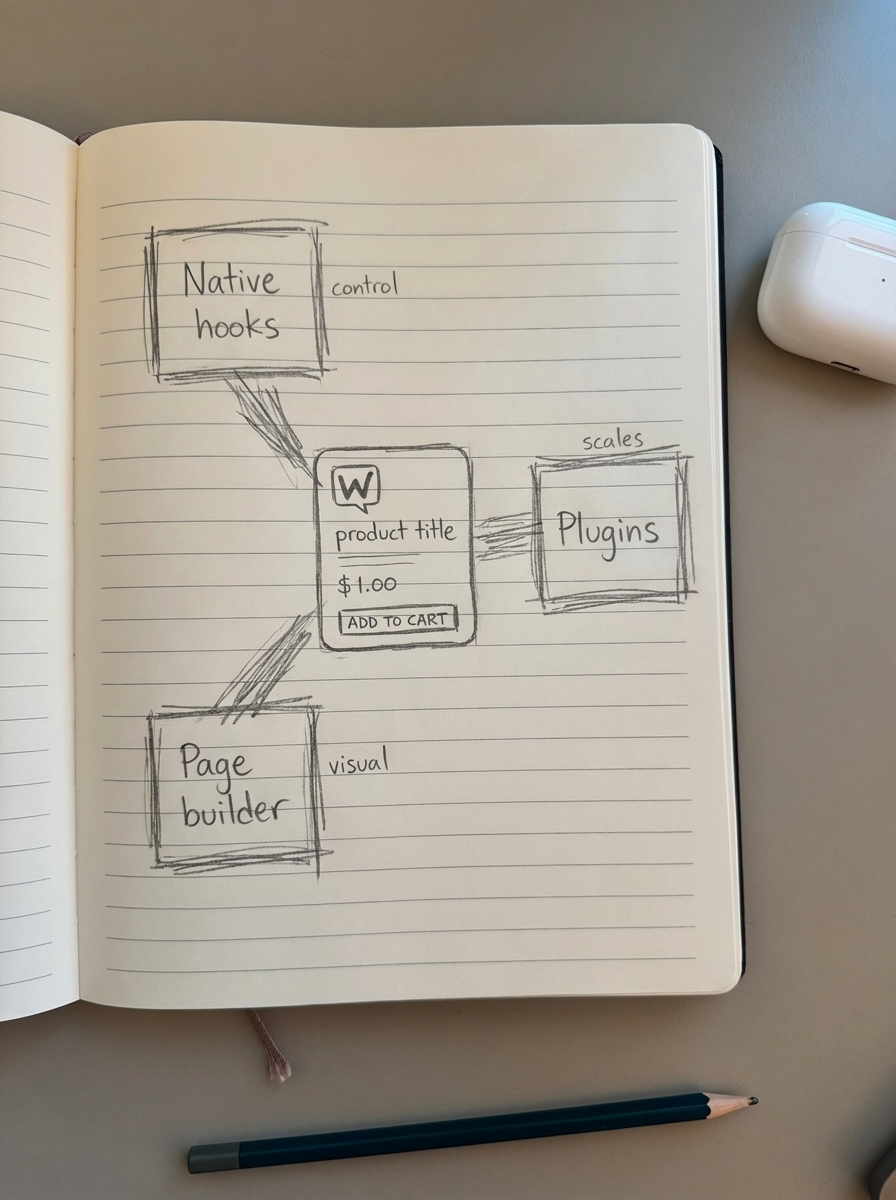
Native WooCommerce hooks and shortcodes
WooCommerce exposes conditional logic through WordPress hooks and shortcode parameters. This approach demands PHP knowledge but eliminates plugin overhead and gives you precise control.
When native implementation makes sense
Use native hooks when you have developer resources, need specific control, and maintain stable logic that won’t change weekly. I’ve deployed this for B2B stores under 500 SKUs where wholesale pricing rules are set annually – the code runs lean and performs better than plugin alternatives.
A typical use case: wholesale customers see different pricing. Add this to your child theme’s functions.php:
add_filter('woocommerce_get_price_html', 'show_wholesale_price', 10, 2);function show_wholesale_price($price, $product) { if (current_user_can('wholesale_customer')) { $wholesale_price = get_post_meta($product->get_id(), '_wholesale_price', true); if ($wholesale_price) { return wc_price($wholesale_price) . ' <small>(Wholesale)</small>'; } } return $price;}For stock-based messaging that adapts dynamically:
add_action('woocommerce_single_product_summary', 'dynamic_stock_message', 15);function dynamic_stock_message() {    global $product;    $stock = $product->get_stock_quantity();
    if ($stock <= 5 && $stock > 0) {        echo '<div class="low-stock-notice">Only ' . $stock . ' left – order soon</div>';    } elseif ($stock > 50) {        echo '<div class="in-stock-notice">In stock and ready to ship</div>';    }}
Content editors who don’t code can use shortcodes. Create a conditional shortcode:
add_shortcode('user_content', 'conditional_user_content');function conditional_user_content($atts) {    $atts = shortcode_atts(array(        'role' => 'subscriber',        'content' => ''    ), $atts);
    if (current_user_can($atts['role'])) {        return do_shortcode($atts['content']);    }    return '';}
In a product description: [user_content role="wholesale_customer"]Volume discounts available – contact us for pricing.[/user_content]
The shortcode displays content only to users with the specified role.
Where native hooks break down
Native implementation scales poorly. I once built custom pricing logic for a 2,000-SKU catalog with five user roles and category-specific discounts. The functions.php file hit 800+ lines, and performance suffered because every product load triggered multiple uncached conditional checks.
Theme updates can overwrite your work if you modify theme files directly. Always use a child theme or custom plugin to preserve changes across updates.
Native hooks excel for surgical, stable conditions – not for frequent promotional changes or complex multi-tier pricing matrices.
Page builder conditional logic
Modern page builders like Elementor Pro, Divi, and Beaver Builder offer visual conditional display rules. This bridges technical implementation with non-technical maintenance.
Elementor Pro dynamic content implementation
Elementor Pro’s Dynamic Tags system pulls WooCommerce data directly into templates. Combined with conditional visibility, you can build sophisticated product pages without touching PHP.

To create category-specific upsell sections:
- Edit your product template in Elementor
- Add a Section widget where you want the upsell
- Click the gear icon → Advanced tab → Conditions
- Set condition:
Product Category→is→Electronics - Inside the section, add a product carousel filtered to the same category
For user role-based content visibility:
- Add a Heading widget with wholesale-specific messaging
- Navigate to Advanced → Conditions
- Set
User Role→is→Wholesale Customer - The heading now displays only to wholesale users
Elementor Pro also integrates with Advanced Custom Fields (ACF) Pro for dynamic content insertion. If you store custom product attributes in ACF (like “B2B Notes”), create a Text Editor widget, use Dynamic Tags to insert the field, then restrict visibility to wholesale users.
When page builders deliver value
Page builders excel when non-developers need to maintain dynamic content without filing tickets. Marketing teams can A/B test product descriptions, swap hero images based on user segments, or display seasonal badges – all through a visual interface.
I implemented this for a fashion retailer running monthly campaigns. Their team swapped banner content, adjusted CTA copy based on cart value, and showed loyalty program messaging to repeat customers. Conversion tracking showed 18% higher engagement on personalized variants compared to static pages.
The trade-off is render overhead. Page builders add JavaScript and CSS that can slow initial load. WooCommerce 10.2’s cart improvements deliver skeleton placeholders for faster perceived performance, but Elementor’s conditional logic runs on page load and can add 200-400ms to Largest Contentful Paint on complex templates.
Test with Chrome DevTools or Query Monitor. If LCP exceeds 2.5 seconds, reduce conditional widgets or move logic server-side.
Dedicated dynamic content plugins
Purpose-built plugins handle scenarios native code makes messy: tiered pricing, bulk discounts, geo-targeted content, and multi-condition visibility rules.
Dynamic pricing plugins
WooCommerce dynamic pricing plugins let you configure complex discount rules through a UI rather than code. Popular options include:
- WISDM Dynamic Pricing: Handles cart-level, product-level, and category-level discounts with user role restrictions
- Advanced Dynamic Pricing: Supports quantity ranges, purchase history conditions, and time-limited offers
- Wholesale Suite: Focused on B2B pricing with minimum order quantities and payment term restrictions
These plugins apply discounts in real-time on product pages – not just at checkout. Wholesale customers immediately see their negotiated price when viewing products.
Implementation example with role-based pricing:
- Install Advanced Dynamic Pricing
- Navigate to WooCommerce → Dynamic Pricing
- Create rule: “Product Category” → “Electronics” → “Wholesale Customer” → 25% off
- Add condition: “Minimum quantity” → 10 units
- Enable “Show discount on product page”
The plugin injects JavaScript to recalculate displayed price as users adjust the quantity selector. Performance impact is typically 50-100ms because calculation happens client-side.
Content visibility and restriction plugins
For hiding entire sections or tabs based on conditions, use plugins like Content Control, Restrict Content Pro, or If-So Dynamic Content.
If-So Dynamic Content creates condition-based content variations:
- Install If-So and create a new trigger
- Define condition: “WooCommerce Product Category” → “is” → “Premium Gear”
- Create two content versions: default and “Premium” variant
- Insert shortcode in product description:
[ifso id="123"]
When users view premium category products, they see enhanced descriptions, warranty information, or white-glove service details. Standard products show basic content.
When plugins outperform custom code
Plugins become essential in these scenarios:
- Frequent condition changes: Marketing teams update promotions weekly or run seasonal campaigns
- Multiple user segments: Retail, wholesale, VIP, and corporate accounts each need different experiences
- Complex pricing logic: Quantity breaks, bundling rules, cross-category discounts, or time-based offers
- Limited development resources: No PHP expertise in-house or dev team focused on core features
I audited a supplements store with 15,000 SKUs and five customer tiers. They’d built custom role-based pricing – 3,200 lines of spaghetti code in functions.php. Migrating to a dedicated pricing plugin reduced page generation time by 35% because the plugin cached price calculations and used optimized database queries.
Test plugin compatibility before committing. If you run WooCommerce 10.2’s Product Collection block with carousel layout, ensure your dynamic pricing plugin supports block-rendered products. Some older plugins only hook into classic WooCommerce templates.
Conditional badges and urgency messaging
Stock-based badges (“Only 3 left”), shipping estimates (“Ships in 24 hours”), or trust signals (“30-day guarantee”) create urgency that drives conversions. You can implement these with minimal code.
Stock-based urgency badges
WooCommerce exposes stock data via $product->get_stock_quantity(). Display dynamic badges based on inventory:
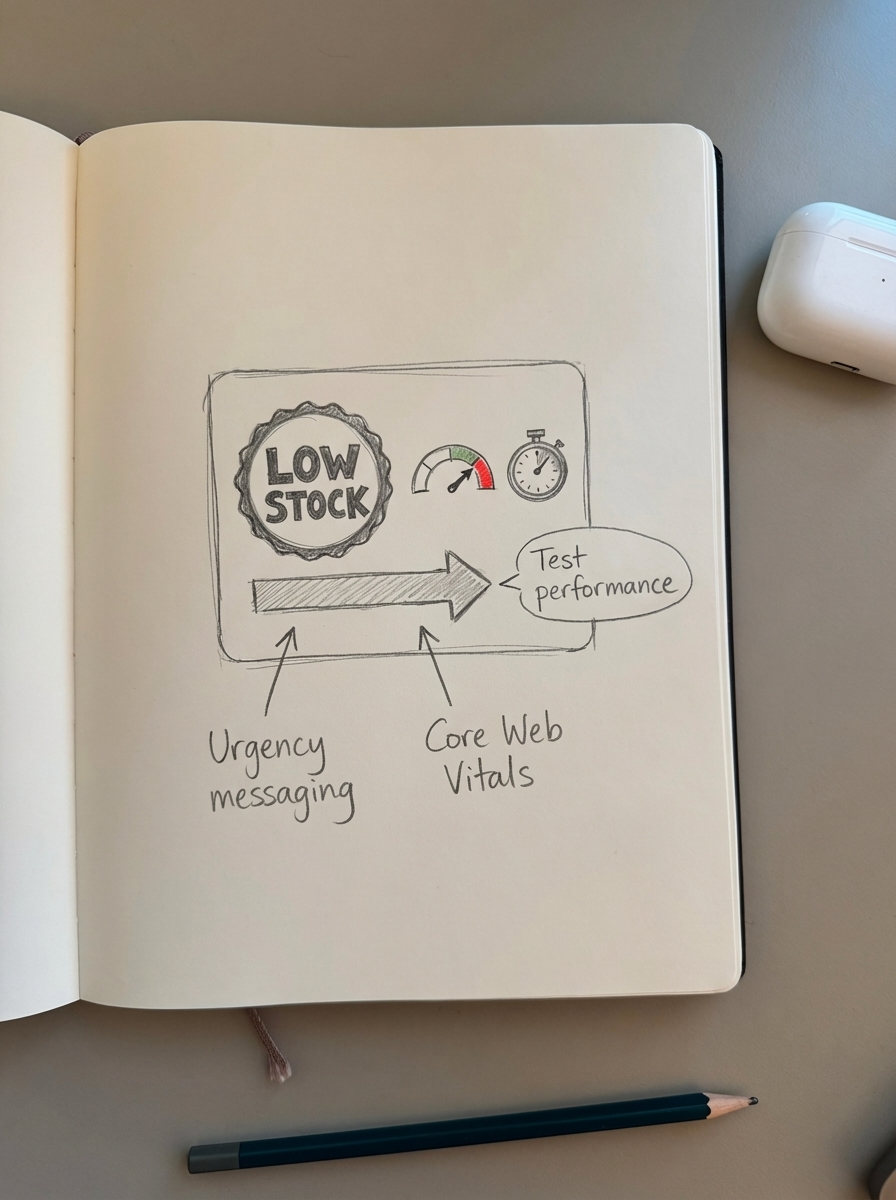
add_action('woocommerce_before_add_to_cart_button', 'stock_urgency_badge');function stock_urgency_badge() {    global $product;    $stock = $product->get_stock_quantity();
    if ($stock > 0 && $stock <= 10) {        echo '<div class="urgency-badge">⚡ Low stock: ' . $stock . ' available</div>';    } elseif ($stock > 100) {        echo '<div class="trust-badge">✓ In stock, ready to ship</div>';    }}
Style the badges with CSS:
.urgency-badge {    background: #ff6b6b;    color: white;    padding: 8px 16px;    border-radius: 4px;    font-weight: 600;    margin-bottom: 16px;}
.trust-badge {    background: #51cf66;    color: white;    padding: 8px 16px;    border-radius: 4px;    margin-bottom: 16px;}
For attribute-based badges (like “Organic” certification labels):
add_action('woocommerce_before_add_to_cart_button', 'attribute_badges');function attribute_badges() {    global $product;    $attributes = $product->get_attributes();
    if (isset($attributes['pa_certification'])) {        $values = $product->get_attribute('pa_certification');        if (strpos($values, 'Organic') !== false) {            echo '<div class="certification-badge">🌿 Certified Organic</div>';        }    }}
Geo-targeted shipping estimates
Use customer location data to show relevant delivery timeframes:
add_action('woocommerce_after_add_to_cart_button', 'delivery_estimate');function delivery_estimate() {    $user_country = WC()->customer->get_shipping_country();
    if ($user_country === 'US') {        echo '<p class="delivery-note">📦 Free 2-day shipping available</p>';    } else {        echo '<p class="delivery-note">🌍 International shipping: 7-14 days</p>';    }}
This adapts messaging based on the customer’s saved shipping address or IP geolocation.
Testing and performance optimization
Dynamic content adds conditional logic that executes on every page load. Without optimization, you’ll degrade Core Web Vitals and user experience.
Cache conditional outputs
If pricing rules or user roles change infrequently, cache computed results:
add_filter('woocommerce_get_price_html', 'cached_dynamic_price', 10, 2);function cached_dynamic_price($price, $product) {    $user_id = get_current_user_id();    $cache_key = 'dynamic_price_' . $product->get_id() . '_' . $user_id;
    $cached = get_transient($cache_key);    if ($cached !== false) {        return $cached;    }
    // Complex pricing logic here    $calculated_price = calculate_user_specific_price($product, $user_id);
    set_transient($cache_key, $calculated_price, HOUR_IN_SECONDS);    return $calculated_price;}
Clear cache when pricing rules change:
add_action('save_post_product', 'clear_price_cache');function clear_price_cache($post_id) { global $wpdb; $wpdb->query("DELETE FROM {$wpdb->options} WHERE option_name LIKE '_transient_dynamic_price_%'");}This prevents recalculating prices on every page load while ensuring updates propagate within an hour.
Lazy load dynamic sections
For non-critical dynamic content like recommended products or user-specific banners, load via AJAX after initial page render:
add_action('wp_footer', 'dynamic_content_ajax_loader');function dynamic_content_ajax_loader() {    if (is_product()) {        ?>        <script>        jQuery(document).ready(function($) {            $.ajax({                url: '<?php echo admin_url("admin-ajax.php"); ?>',                data: { action: 'load_dynamic_recommendations' },                success: function(response) {                    $('#dynamic-recommendations').html(response);                }            });        });        </script>        <?php    }}
add_action('wp_ajax_load_dynamic_recommendations', 'ajax_dynamic_recommendations');add_action('wp_ajax_nopriv_load_dynamic_recommendations', 'ajax_dynamic_recommendations');function ajax_dynamic_recommendations() {    // Generate personalized product recommendations    echo '<div class="recommendations">...</div>';    wp_die();}
This keeps Largest Contentful Paint fast by deferring personalized content until after critical rendering.
Monitor Core Web Vitals impact
After implementing dynamic content, track performance metrics in Google Search Console and ContentGecko’s ecommerce SEO dashboard. If Core Web Vitals degrade, profile bottlenecks with Query Monitor.
Common performance killers:
- Uncached database queries for user role checks
- Heavy conditional logic in tight loops (checking 10 conditions per product in archive pages)
- Page builder conditional widgets loading excessive JavaScript
Performance targets for dynamic content:
- Simple conditions (role check, stock level): <10ms overhead
- Moderate conditions (category + attribute + user meta): 20-50ms
- Complex conditions (multi-table queries, external API calls): 100-300ms with caching
If dynamic pricing adds more than 100ms to product page load, investigate query optimization or consider a more efficient plugin.
SEO considerations for dynamic content
Dynamic content affects what search engines crawl, index, and display in rich results. Handle it carefully to avoid ranking issues.
Ensure Googlebot sees canonical content
If you show different product descriptions by user role, Googlebot crawls as an anonymous visitor and indexes the default content. This is typically fine – you want to rank for the broadest audience.
The problem arises when you hide critical product details behind login or role restrictions. If specs, features, or key benefits are invisible to Googlebot, your topical relevance suffers.
Keep SEO-critical content visible to all users. Reserve dynamic content for pricing, CTAs, or supplementary sections that don’t affect ranking signals.
Structured data for dynamic pricing
When implementing role-based pricing, ensure your Product schema reflects the price Googlebot sees:
{ "@context": "https://schema.org/", "@type": "Product", "name": "Wireless Bluetooth Headphones", "offers": { "@type": "Offer", "price": "89.99", "priceCurrency": "USD", "availability": "https://schema.org/InStock" }}If wholesale customers see $64.99, don’t modify the schema – rich results must match public-facing content. For B2B-only products, add "availability": "https://schema.org/LimitedAvailability" and explain access requirements in the description.
Learn more about proper implementation in our guide to WooCommerce structured data.
Canonical tags for personalized variants
If dynamic content creates URL parameters (?customer_type=wholesale), canonicalize to the base product URL:
<link rel="canonical" href="https://example.com/product/wireless-headphones/" />Most SEO plugins handle this automatically, but verify implementation if you’re using custom code. See our detailed WooCommerce canonical tags guide for complex scenarios.
Internal linking and dynamic recommendations
If you dynamically insert related products based on user behavior, ensure those links are crawlable. Server-side rendering passes link equity; client-side JavaScript widgets may not.
For catalog-aware content that adapts to your product data, ContentGecko’s automated content platform generates blog posts and guides that link to relevant products – maintaining consistent internal linking as your catalog evolves.
Decision framework: Which approach to use
Choose your implementation based on catalog size, team capabilities, and how frequently conditions change.
Small stores (up to 500 SKUs)
Use native hooks if you have developer access and conditions remain stable. A few dozen lines of PHP in a child theme will outperform plugins on resource-constrained hosting.
Typical use cases: Display “Made in USA” badge for tagged products, show “Free Shipping” message above $50 cart value, adjust CTA copy based on stock level.
Medium stores (500-5,000 SKUs)
Use page builders with conditional logic if non-technical teams manage product pages. Elementor Pro or Divi’s visual conditions reduce maintenance overhead and let marketers test variations without developer involvement.
Typical use cases: Seasonal campaign banners on category pages, role-based upsell sections, geo-targeted shipping estimates.
Add a dynamic pricing plugin if you run promotions, wholesale tiers, or quantity discounts. The plugin UI is faster than coding every promotion manually.
Large stores (5,000+ SKUs)
Combine plugins with automation. At scale, manually maintaining dynamic content becomes a bottleneck – prices change, SKUs turnover, and promotions rotate weekly.
ContentGecko’s WooCommerce integration syncs with your catalog and auto-generates product-aware content that adapts when SKUs, prices, or stock levels change. If a best-selling item goes out of stock, blog posts referencing it automatically highlight alternatives from the same category.
This catalog-aware approach extends to product image optimization and SEO metadata for WooCommerce product pages – keeping dynamic content fresh without manual intervention.
Example: An enterprise electronics store with 15,000 SKUs, five user roles, and monthly promotional cycles uses:
- Advanced Dynamic Pricing for tiered discounts
- Elementor Pro for landing page personalization
- ContentGecko for automated blog content that adapts to product availability and pricing changes
This hybrid approach reduced content maintenance from 20 hours per week to under 2 hours while improving conversion rates by 23% through better personalization.
Common pitfalls and troubleshooting
Caching conflicts with dynamic content
Full-page caching (WP Rocket, W3 Total Cache) can serve stale personalized content. If wholesale customers see retail prices, implement:
- User role-based cache variations: Configure caching plugins to create separate cache files per role
- AJAX-loaded dynamic sections: Cache static HTML, load personalized data via AJAX
- Cookie-based cache exclusion: Set a cookie when users log in, exclude those requests from cache
Example for WP Rocket:
add_filter('rocket_cache_reject_uri', 'exclude_user_pages');function exclude_user_pages($uri) { if (is_user_logged_in()) { $uri[] = '/(.*)'; } return $uri;}Or use WP Rocket’s built-in “User Cache” feature to generate separate caches by user role.
Dynamic content not updating after product changes
If you modify product metadata but dynamic badges don’t update:
- Clear object cache (Redis, Memcached)
- Flush transients:
wp transient delete --allvia WP-CLI - Regenerate product lookup tables: WooCommerce → Status → Tools → “Regenerate product lookup tables”
For plugin-based solutions, check if the plugin includes a cache-clear button or AJAX refresh endpoint.
Schema validation errors with dynamic pricing
Google’s Rich Results Test may flag mismatches between displayed price and schema price if you implement role-based pricing incorrectly. Always output schema for the default public-facing price.
Test URLs with Google’s Rich Results Test in an incognito window to see what Googlebot sees. This prevents your logged-in session from skewing results.
TL;DR
Dynamic product content – conditional pricing, badges, descriptions, and sections based on user, stock, or product attributes – improves conversion when implemented correctly. Small stores should use native WooCommerce hooks for simple, stable conditions. Medium stores benefit from page builder conditional logic for non-technical team maintenance. Large catalogs require dedicated plugins plus automation to manage scale efficiently. Always cache conditional logic, test performance impact with Core Web Vitals monitoring, and ensure SEO-critical content remains visible to Googlebot. For stores with thousands of SKUs, catalog-synced systems like ContentGecko keep dynamic content accurate as products, prices, and inventory change without manual maintenance.