


WooCommerce stores with thousands of SKUs face an impossible choice: manually optimize every product variation, location, and category page – or watch Google index generic, low-quality pages that don’t rank. Programmatic SEO solves this by auto-generating optimized pages at scale using templates, structured data, and catalog-aware workflows.
When implemented correctly, programmatic SEO transforms your WooCommerce store from a static catalog into a dynamic traffic engine. I’ve watched stores grow from 67 monthly signups to over 2,100 in ten months through template-driven content creation, and an online electronics retailer increased conversion rates by 30% and sales by 38% within three months using automated product page optimization.
The core principle: create reusable templates that populate with catalog data – product attributes, pricing, inventory, categories – and publish SEO-optimized pages programmatically. This scales your organic footprint without scaling your workload.
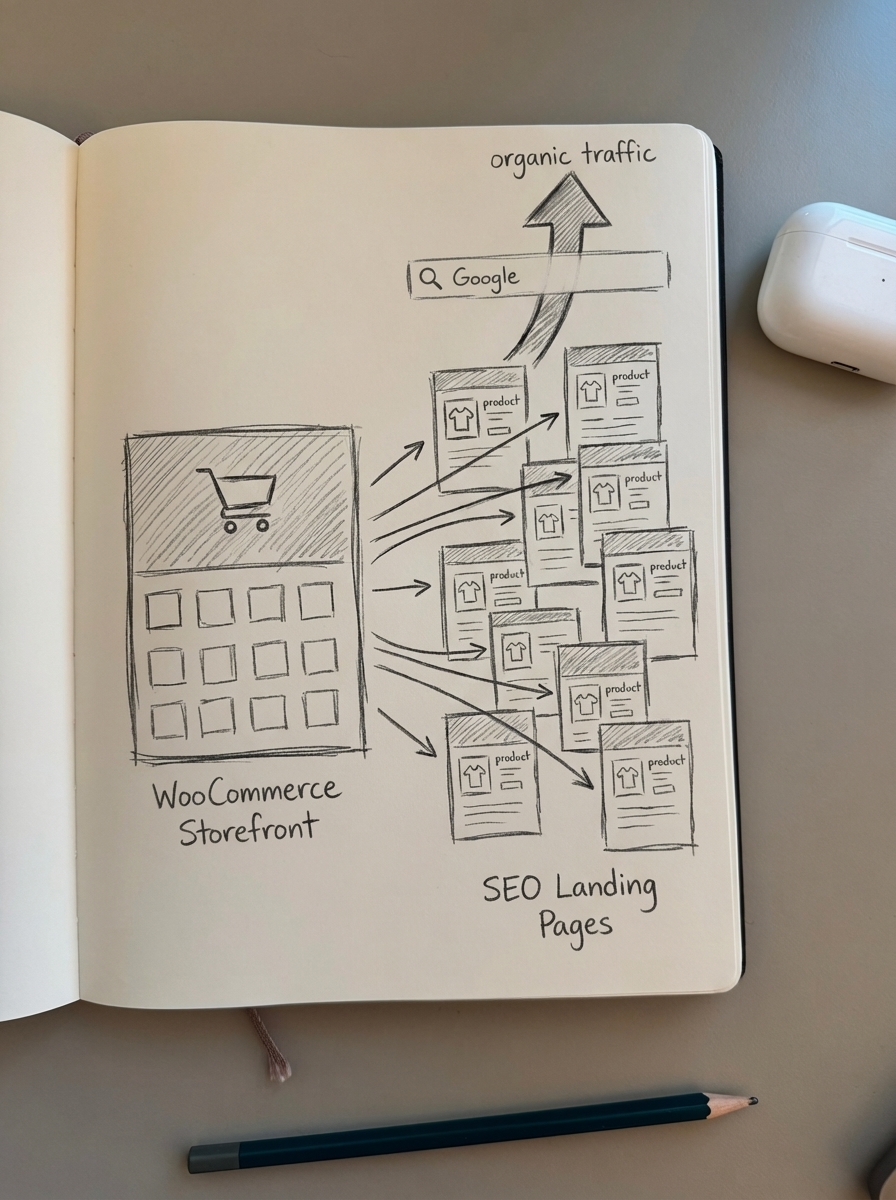
What is programmatic SEO and why WooCommerce needs it
Programmatic SEO (pSEO) means auto-generating pages using templates, database queries, and catalog feeds to target search intent at scale. Instead of manually writing descriptions for “Women’s Running Shoes Size 6” and “Women’s Running Shoes Size 7,” you create one template that dynamically fills size, color, price, and availability based on your WooCommerce inventory.
Amazon and Best Buy leverage programmatic SEO extensively for product and category pages to capture long-tail commercial queries. Your store can do the same – WooCommerce already exposes product attributes, taxonomies, and custom fields that feed pSEO workflows.
The problem: most WooCommerce stores either over-index (creating millions of thin filter combinations that waste crawl budget) or under-index (missing high-value long-tail searches because pages don’t exist). Programmatic SEO lets you selectively generate and optimize only the pages with proven search demand.
Common WooCommerce use cases for programmatic SEO:
- Product variation pages: Size/color/material combinations that users actually search for
- Category + attribute pages: “Waterproof hiking boots under $200” or “Organic cotton t-shirts”
- Location-based landing pages: “Running shoes in Seattle” or “Same-day delivery Boston”
- Seasonal collections: “Holiday gift sets 2025” or “Summer clearance dresses”
- Comparison pages: “Product A vs Product B” for competitive keywords
The programmatic SEO workflow for WooCommerce stores
Effective pSEO follows a five-step framework: identify, template, generate, validate, and maintain.
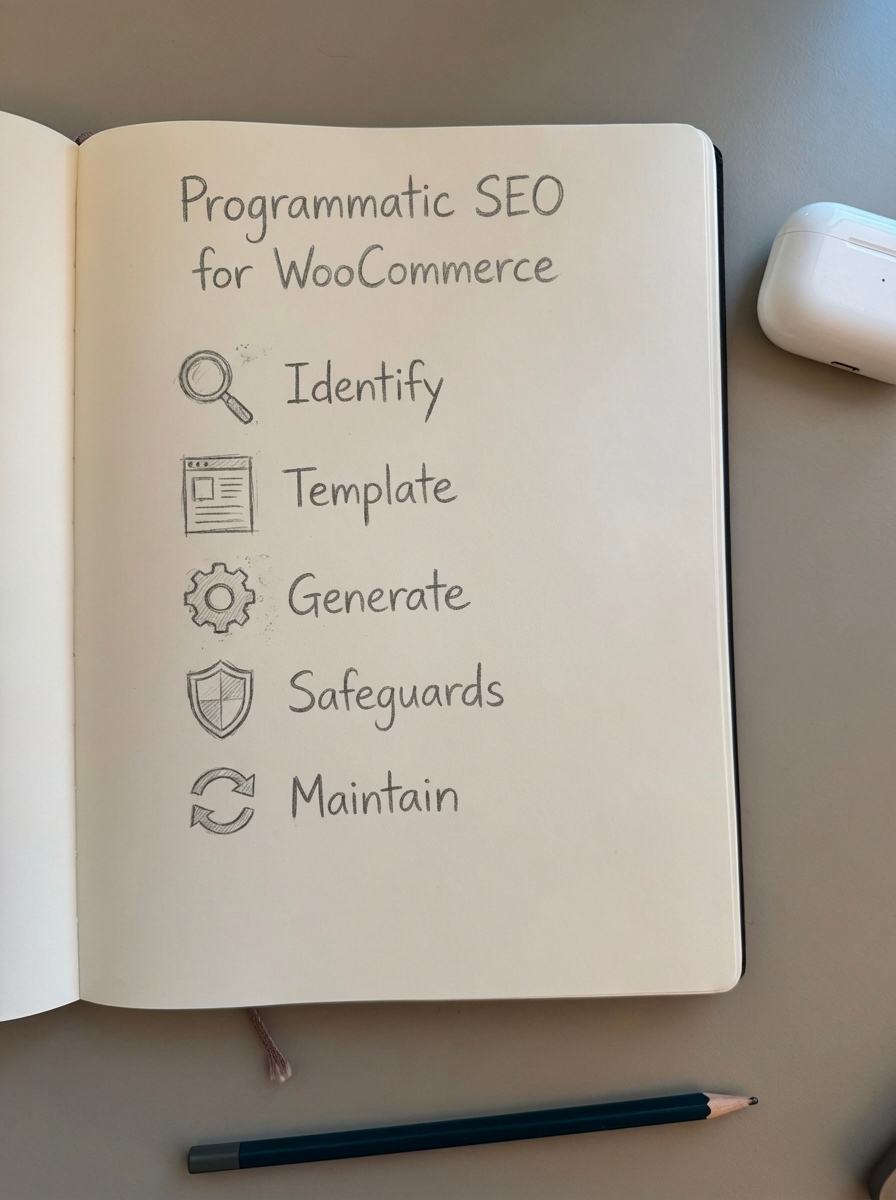
1. Identify high-value page opportunities
Don’t generate pages just because you can. Start with search demand validation using keyword research and internal site search analytics.
Use ContentGecko’s free SERP keyword clustering tool to identify keyword clusters with similar search intent – these clusters reveal which filter combinations and product variations are worth indexing. Only 0.16% of keywords get 1,000+ monthly searches, but long-tail combinations account for 39.33% of total search opportunity.
Priority targets for WooCommerce pSEO:
- Product attributes with search volume (check WooCommerce → Reports → Internal Search Terms)
- Category + filter combinations that appear in Google Search Console with impressions but no clicks
- Location queries if you offer regional shipping or local pickup
- Seasonal variations that spike during specific months
- Product comparison queries (pull from GSC “Queries” report)
I recommend auditing your current WooCommerce filters via SQL query to see which attribute combinations exist:
SELECT meta_key, COUNT(*) as product_countFROM wp_postmetaWHERE post_id IN ( SELECT ID FROM wp_posts WHERE post_type = 'product')AND meta_key LIKE 'attribute_%'GROUP BY meta_keyORDER BY product_count DESC;This shows which product attributes – color, size, material – have enough inventory depth to support dedicated landing pages.
2. Build SEO-optimized templates
Templates are the foundation of programmatic SEO. Each template defines the HTML structure, on-page elements, schema markup, and dynamic content blocks that populate from your WooCommerce catalog.
Essential template components:
- Dynamic title tag:
{attribute_value} {product_category} | {store_name}(example: “Size 6 Women’s Running Shoes | YourStore”) - Meta description: Populate from product attributes, pricing ranges, availability counts
- H1 heading: Clear, keyword-rich heading with dynamic variables
- Structured product description: Mix static brand messaging with dynamic catalog data
- Product grid: Query WooCommerce products matching the page’s attribute combination
- Schema markup: Product, BreadcrumbList, and AggregateRating schemas with catalog data
- Internal linking: Contextual links to related categories and parent pages
- Unique value-adds: Filtering tips, sizing guides, care instructions (template-specific but varied enough to avoid thin content flags)
Here’s a conceptual PHP template structure for WooCommerce attribute pages:
<?php$category_slug = get_query_var('category');$attribute = get_query_var('attribute');$value = get_query_var('value');
// Query products$products = wc_get_products([    'category' => [$category_slug],    'meta_query' => [        [            'key' => 'attribute_' . $attribute,            'value' => $value,            'compare' => '='        ]    ],    'limit' => 50]);
// Dynamic title and description$title = ucfirst($value) . ' ' . get_term_by('slug', $category_slug, 'product_cat')->name;$product_count = count($products);?>
<h1><?php echo $title; ?> (<?php echo $product_count; ?> Products)</h1><p>Shop our selection of <?php echo strtolower($title); ?>. Free shipping on orders over $50.</p>
<!-- Product grid with schema --><?php foreach ($products as $product): ?>    <div itemscope itemtype="https://schema.org/Product">        <h3 itemprop="name"><?php echo $product->get_name(); ?></h3>        <span itemprop="offers" itemscope itemtype="https://schema.org/Offer">            <span itemprop="price"><?php echo $product->get_price(); ?></span>            <meta itemprop="availability" content="<?php echo $product->is_in_stock() ? 'InStock' : 'OutOfStock'; ?>">        </span>    </div><?php endforeach; ?>
For larger implementations, use Advanced Custom Fields (ACF) to map template variables to a spreadsheet. ACF enables template-based content population by mapping data to dynamic page elements like descriptions and images.
3. Generate and publish pages at scale
Once templates are ready, populate them with catalog data via batch import or API integration.
Method 1: WP All Import for CSV-based publishing
WP All Import is consistently used for batch publishing programmatic content via CSV mapping to custom fields, URL generation, and metadata automation. This approach works well for initial bulk generation.
Process:
- Export WooCommerce product data with attributes, categories, and metadata
- Create a CSV where each row represents a programmatic page (category + attribute combination)
- Map CSV columns to WordPress custom fields: page title, slug, meta description, template ID
- Run WP All Import to create posts/pages in bulk
- Assign the appropriate template to each page type
Method 2: ContentGecko’s catalog-synced workflow
For WooCommerce stores that need ongoing automation and content updates, ContentGecko’s WordPress Connector Plugin provides a catalog-aware approach. It syncs with your WooCommerce inventory, auto-generates product-focused content using SEO-optimized templates, and publishes directly with proper schema markup and internal linking.
The advantage: ContentGecko monitors your catalog for changes – new products, price updates, stock status – and automatically refreshes generated pages. When you add “Waterproof Hiking Boots Size 11” to inventory, relevant programmatic pages update without manual intervention.
This catalog-synced approach ensures your programmatic pages stay accurate as inventory changes, a critical requirement for e-commerce pSEO where outdated pricing or availability kills trust and conversions.
Method 3: Custom WordPress REST API integration
For developers, build a script that queries WooCommerce REST API endpoints for product data and programmatically creates WordPress pages:
// Pseudocode: Generate category+attribute pages$wc_api = new WC_REST_Products_Controller();$categories = get_terms(['taxonomy' => 'product_cat']);
foreach ($categories as $category) {    $attributes = get_product_attributes($category->term_id);
    foreach ($attributes as $attr => $values) {        foreach ($values as $value) {            if (has_search_volume($category, $attr, $value)) {                create_programmatic_page([                    'category' => $category->slug,                    'attribute' => $attr,                    'value' => $value,                    'template' => 'category-attribute-page.php'                ]);            }        }    }}
The has_search_volume() function checks your validated keyword list to avoid generating pages for unsearched combinations.
4. Implement technical SEO safeguards
Programmatic SEO introduces risks: duplicate content, index bloat, and crawl budget waste. Proper technical controls prevent these issues.
Canonical tags for variations
Every programmatic page needs a canonical tag. Product variations should canonicalize to the parent product, and low-value filter combinations should point to the main category page. See WooCommerce canonical tags for implementation details.
Example: “Women’s Running Shoes Size 6 Blue” might canonicalize to “Women’s Running Shoes Size 6” if the color filter doesn’t have independent search demand.
Indexing tier system
Adopt a five-tier indexing policy as outlined in our WooCommerce faceted navigation SEO guide:
- Tier 1 (Index): Base categories
- Tier 2 (Index): High-value single attribute pages with proven search volume
- Tier 3 (Index): Strategic multi-attribute combinations (example: “waterproof hiking boots under $150”)
- Tier 4 (Noindex, follow): Lower-value filter combinations – allow crawling for internal linking but don’t index
- Tier 5 (Block via robots.txt): Extremely niche or thin combinations
Implement Tier 4 pages with:
<meta name="robots" content="noindex, follow">And block Tier 5 pages in your robots.txt configuration:
Disallow: /*?filter=*&filter=*&filter=*Structured data for every page
Implement WooCommerce structured data for all programmatic pages using JSON-LD format. Include Product, Offer, AggregateOffer, and BreadcrumbList schemas populated from your catalog.
Example JSON-LD for a programmatic category page:
{ "@context": "https://schema.org", "@type": "CollectionPage", "name": "Women's Running Shoes Size 6", "url": "https://example.com/womens-running-shoes/size-6/", "breadcrumb": { "@type": "BreadcrumbList", "itemListElement": [ {"@type": "ListItem", "position": 1, "name": "Home", "item": "https://example.com/"}, {"@type": "ListItem", "position": 2, "name": "Women's Shoes", "item": "https://example.com/womens-shoes/"}, {"@type": "ListItem", "position": 3, "name": "Size 6", "item": "https://example.com/womens-running-shoes/size-6/"} ] }, "mainEntity": { "@type": "ItemList", "numberOfItems": 47, "itemListElement": [ { "@type": "Product", "name": "CloudRunner Pro", "offers": { "@type": "Offer", "price": "129.99", "priceCurrency": "USD", "availability": "https://schema.org/InStock" } } ] }}Properly implemented structured data directly enhances CTR by displaying stock status, pricing, and ratings in search results.
XML sitemap strategy
Create dedicated XML sitemaps for programmatic pages with explicit naming. Programmatic pages require explicit sitemap naming to prioritize crawl budget and accelerate indexing.
Example sitemap structure:
/sitemap-products.xml(core product pages)/sitemap-categories.xml(main category pages)/sitemap-category-attributes.xml(Tier 2 programmatic pages)/sitemap-location-pages.xml(if using location-based pSEO)
Configure your WooCommerce XML sitemaps to include only Tier 1–3 pages. Exclude noindexed and low-value pages to preserve crawl budget.
URL structure optimization
Programmatic pages need clean, keyword-rich URLs. Follow WooCommerce URL structure best practices: use hyphens (not underscores), keep URLs short (2-3 subdirectories max), and include target keywords.
Good URL: example.com/womens-running-shoes/size-6/
Bad URL: example.com/shop/product-category/womens/running-shoes/?attribute_pa_size=6
Configure WooCommerce permalink settings under Settings → Permalinks to remove unnecessary bases like /product-category/ and use clean category slugs.
5. Maintain and update programmatically
Static programmatic pages become stale and harm performance. The key differentiator between successful and failed pSEO implementations is ongoing content freshness.
Automated catalog synchronization
When products sell out, prices change, or new SKUs are added, programmatic pages must update. ContentGecko provides automated updates when SKUs, prices, stock, or URLs change, ensuring product grids, pricing, and availability stay accurate.
For custom implementations, set up WP-Cron jobs that:
- Query WooCommerce inventory daily
- Regenerate product grids on programmatic pages when inventory changes
- Update meta descriptions if product counts or pricing ranges shift
- Trigger sitemap regeneration and Google Search Console pings
Seasonal pSEO adjustments
E-commerce sites use seasonal pSEO adjustments to increase page visibility during peak periods and reduce it off-season, mitigating index bloat risks. Schedule updates to:
- Index holiday-specific pages in October–December, then noindex them January–September
- Promote seasonal attribute combinations (example: “fleece-lined” in winter, “moisture-wicking” in summer)
- Adjust robots.txt Crawl-delay directives during peak traffic periods for enterprise stores (10,000+ products)
Performance monitoring
Track the impact of programmatic pages in Google Search Console by filtering URLs:
- Queries report: Filter by URL pattern (
/category-name/attribute-value/) - Pages report: Group by page type to see category vs programmatic page performance
- Coverage report: Monitor indexation status and identify “Crawled – currently not indexed” issues
Use ContentGecko’s Ecommerce SEO Dashboard to break down metrics by page type. It displays impressions, clicks, average position, and CTR separately for categories, products, and blog posts, helping you spot optimization opportunities.
Key metrics to watch:
- Indexation rate (percentage of programmatic pages indexed within 30 days)
- Average position for target keywords (aim for top 10)
- CTR on programmatic pages vs manual pages (validate templates are compelling)
- Conversion rate from organic programmatic traffic (track in Google Analytics with UTM parameters)
Recommended plugins and integrations for WooCommerce programmatic SEO
The right toolset makes or breaks pSEO execution. Here’s what actually works for WooCommerce stores.
SEO plugins: Rank Math vs Yoast vs AIOSEO
Rank Math offers the most WooCommerce-friendly programmatic features in the free version:
- Built-in schema types for Product, Review, AggregateRating
- Bulk editing of meta descriptions and titles for product categories
- Documented to handle 20,000+ products with premium version
- Automatic internal linking suggestions for programmatic pages
Install Rank Math and configure under Rank Math → Titles & Meta → Products to set dynamic variables for programmatic product pages.
Yoast SEO is reliable but has limitations:
- AI features require premium ($99/year)
- Performance issues with catalogs over 5,000 products
- Requires Yoast WooCommerce SEO addon ($79/year) for full schema support
All in One SEO (AIOSEO) balances features and performance:
- Dynamic tags for automated metadata generation
- Handles catalogs up to 50,000 products with proper server resources
- Smart linking for automatic internal links across programmatic pages
For stores under 5,000 products, any plugin works. Above 10,000 products, choose Rank Math or AIOSEO and avoid running multiple SEO plugins simultaneously – using multiple plugins causes rules to overwrite each other in robots.txt and creates canonical conflicts.
Schema and structured data plugins
If your SEO plugin doesn’t provide robust schema for programmatic pages, add a dedicated solution:
WP SEO Structured Data Schema (free): Generates JSON-LD for products, reviews, breadcrumbs. Works alongside Yoast/Rank Math without conflicts.
Schema Pro (premium, $79/year): Advanced schema builder with conditional logic – useful for dynamically populating schema based on product attributes or categories.
WPSSO Core (free): Automatically generates Open Graph, Twitter Card, and schema markup. Particularly strong for product image optimization in search results.
Validate all schema implementations using Google’s Rich Results Test and Schema.org’s validator.
WP All Import Pro for bulk generation
WP All Import Pro ($149/year for WooCommerce addon) is the industry standard for bulk programmatic page creation:
- Import from CSV, XML, or Google Sheets
- Map columns to WooCommerce product attributes, custom fields, and taxonomies
- Schedule automatic imports to keep programmatic pages synced with external feeds
- Supports custom post types for location pages or comparison pages
I use WP All Import for initial bulk creation (500+ pages), then switch to ContentGecko for ongoing maintenance and content updates.
ContentGecko for automated catalog-synced content
Where traditional plugins require manual configuration and updates, ContentGecko automates the entire workflow:
- Catalog synchronization: Monitors WooCommerce inventory and updates programmatic pages when products change
- Automated content planning: Identifies which product variations, categories, and comparisons to create based on search demand
- SEO-optimized publishing: Generates pages with proper breadcrumbs, schema, internal links, and metadata
- Ongoing updates: Refreshes pricing, availability, and product grids automatically
Setup via ContentGecko’s WordPress Connector Plugin: install plugin, connect via secure API, configure brand guidelines, review content plan, publish.
This approach works best for stores with 500+ products where manual management becomes impossible. ContentGecko handles the heavy lifting – keyword research, template creation, publishing, and maintenance – all synced to your WooCommerce catalog in real-time.
I’ve found the ROI justifies the investment when you’re generating 100+ programmatic pages monthly and need them to stay accurate without dev resources.
Case studies: Real results from WooCommerce programmatic SEO
Numbers matter. Here’s what WooCommerce stores achieve with programmatic SEO implementations.
Electronics retailer: 38% sales increase in 90 days
An online electronics store implemented programmatic product page optimization and saw conversion rates increase by 30% and online sales by 38% within three months. The strategy: auto-generated comparison pages for competing products (example: “Sony WH-1000XM5 vs Bose QC45”) and attribute-specific landing pages targeting buyer intent keywords (“best noise-cancelling headphones under $300”).
Key tactics:
- Created 1,200+ comparison pages using WP All Import with product data feeds
- Implemented dynamic schema markup showing pricing and feature comparisons
- Used internal site search data to prioritize which comparisons to generate
- Updated pages weekly with pricing/availability changes via WP-Cron automation
SaaS tool: 67 to 2,100+ monthly signups in 10 months
A case study demonstrated growth from 67 to over 2,100 monthly signups in 10 months using programmatic SEO, with pages automatically populated via WordPress templates, custom fields, and batch imports. While not a WooCommerce store, the methodology directly applies: template-driven content, ACF for dynamic variables, and systematic keyword targeting.
Affiliate site: 37.9% organic traffic increase
Organic traffic grew by 37.9% after creating 500 programmatic pages, with keywords ranking in top 10 increasing from 0 to 1,923 and sessions rising 38%. The pages used explicit sitemap naming and batch publishing via WP All Import.
The takeaway: programmatic SEO works if you validate search demand before generating pages, use proper technical controls (canonicals, indexing tiers, schema), and maintain content freshness as inventory changes.
Common pitfalls and how to avoid them
Programmatic SEO fails spectacularly when implemented carelessly. Here’s what goes wrong and how to prevent it.
Pitfall 1: Indexing everything (index bloat)
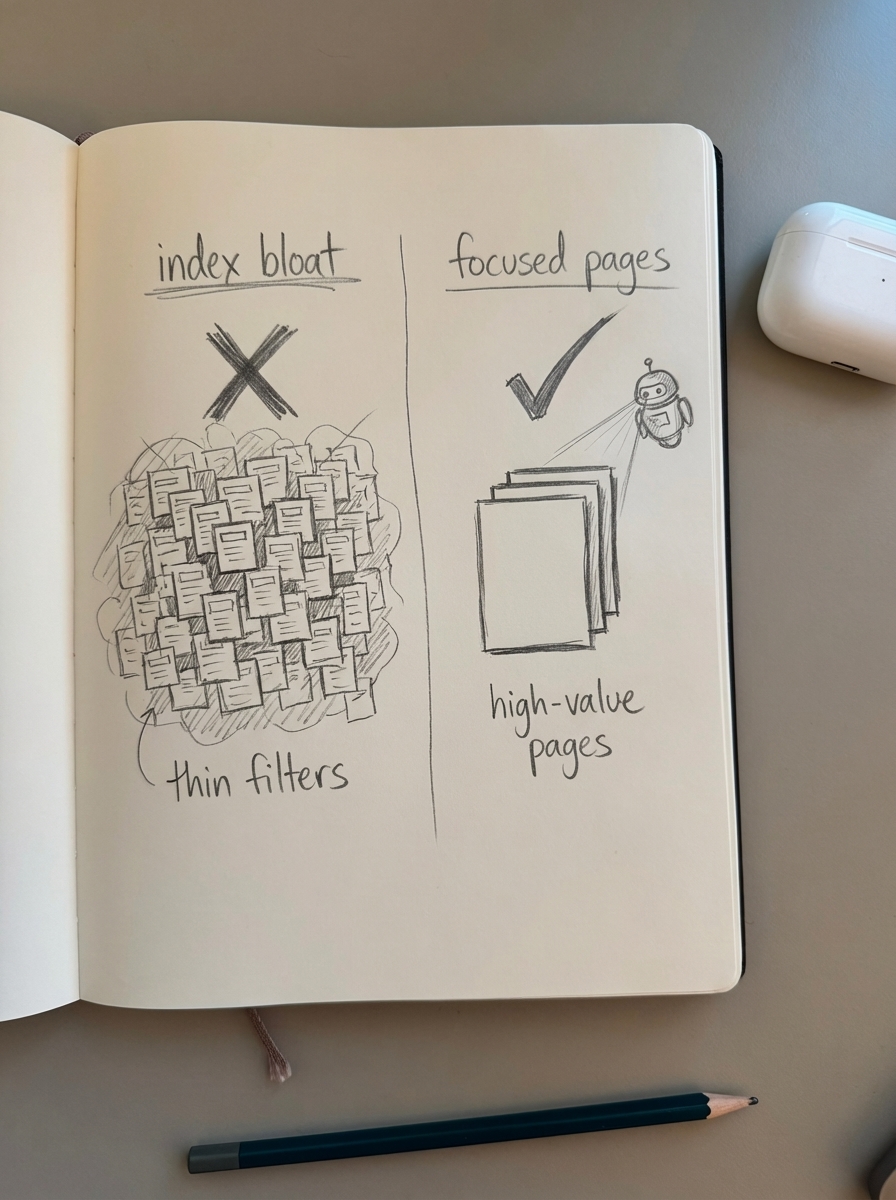
Generating 100,000 pages for every possible filter combination creates thin content and wastes up to 70% of crawl budget on low-value faceted URLs.
Fix: Use the five-tier indexing system. Only index combinations with validated search volume. Use noindex, follow for low-value combinations and block extremely thin pages via robots.txt.
Pitfall 2: Identical templates creating duplicate content
If every programmatic page uses the exact same boilerplate text with only product names swapped, Google flags it as duplicate content that dilutes SEO value.
Fix: Inject template variations. Use conditional logic to vary content blocks based on attributes (example: “Waterproof boots require different care than suede boots – here’s how…”). Pull unique product descriptions from WooCommerce and incorporate actual review snippets where available.
Pitfall 3: Stale pricing and inventory
Nothing kills trust faster than “In Stock” pages showing out-of-stock products or outdated pricing.
Fix: Automate inventory sync. Use ContentGecko’s catalog-aware updates or schedule WP-Cron jobs to regenerate product grids daily. Implement real-time availability checks using WooCommerce REST API for high-traffic pages.
Pitfall 4: Ignoring canonical tags and pagination
Forgetting to set proper canonicals or using incorrect pagination handling creates duplicate content signals and confuses Google about which version to rank.
Fix: Every programmatic page needs a canonical tag. Paginated pages should self-canonicalize (Google deprecated rel=“next”/“prev” in 2019). Use Screaming Frog to audit canonical tags across all programmatic pages monthly.
Pitfall 5: Missing or broken structured data
Schema errors prevent rich results and reduce CTR. Common issues: missing required fields (offers, availability), duplicate schema output from multiple plugins, or invalid JSON-LD syntax.
Fix: Validate every template using Google’s Rich Results Test. Monitor Google Search Console → Enhancements → Products for errors. Use only one source of schema (either your SEO plugin or custom implementation – not both).
Pitfall 6: Poor internal linking architecture
Programmatic pages that aren’t linked from your site’s main navigation or category pages become orphaned – Google won’t discover or rank them effectively.
Fix: Build hub pages that link to clusters of programmatic pages. Example: a “Running Shoes Size Guide” hub links to every size-specific programmatic page. Use automated internal linking plugins (Rank Math or Link Whisper) to add contextual links from blog content to relevant programmatic pages.
TL;DR
Programmatic SEO lets WooCommerce stores auto-generate thousands of optimized pages for product variations, category combinations, and location searches without manual work. The framework: identify high-value keywords with search demand, build reusable templates with dynamic catalog data, generate pages via WP All Import or ContentGecko’s catalog-synced workflow, implement technical safeguards (canonicals, indexing tiers, schema, sitemaps), and maintain freshness with automated inventory updates.
Success requires validating search demand before generating pages, using proper URL structure, canonical tags, structured data, and a five-tier indexing policy to avoid thin content penalties. Tools like Rank Math, WP All Import, and ContentGecko automate the heavy lifting – choose based on catalog size (under 1,000 products: any plugin; 1,000-10,000: AIOSEO or ContentGecko; 10,000+: ContentGecko or Rank Math Premium).
Real stores see 30-40% conversion rate and sales increases within 90 days. The difference between success and failure: only generate pages that target validated search queries, keep content fresh as inventory changes, and implement proper technical controls from day one.
Start with ContentGecko’s free keyword clustering tool to identify which product variations and category combinations are actually worth creating pages for, then scale from there.