


Choosing the wrong calendar tool for your WooCommerce store creates siloed data and manual maintenance work that eventually kills your organic growth. For high-volume merchants, a calendar shouldn’t just be a visual schedule; it must be a catalog-aware engine that connects your inventory to your content strategy.
Editorial calendar vs. content calendar: which do you need?
In professional ecommerce circles, we use these terms with very different intentions. An editorial calendar is your high-level strategic roadmap. It focuses on the “what” and “why” – topic clusters, search intent, and how content maps to your specific WooCommerce categories. I look at an editorial calendar as the brain of the operation, ensuring that every article published serves a long-term SEO goal.
A content calendar, by contrast, is the tactical execution. It handles the “where” and “when” – scheduling a Tuesday LinkedIn post, a Wednesday email blast, and a Friday Instagram Reel. It is focused on distribution and keeping the lights on across social channels.
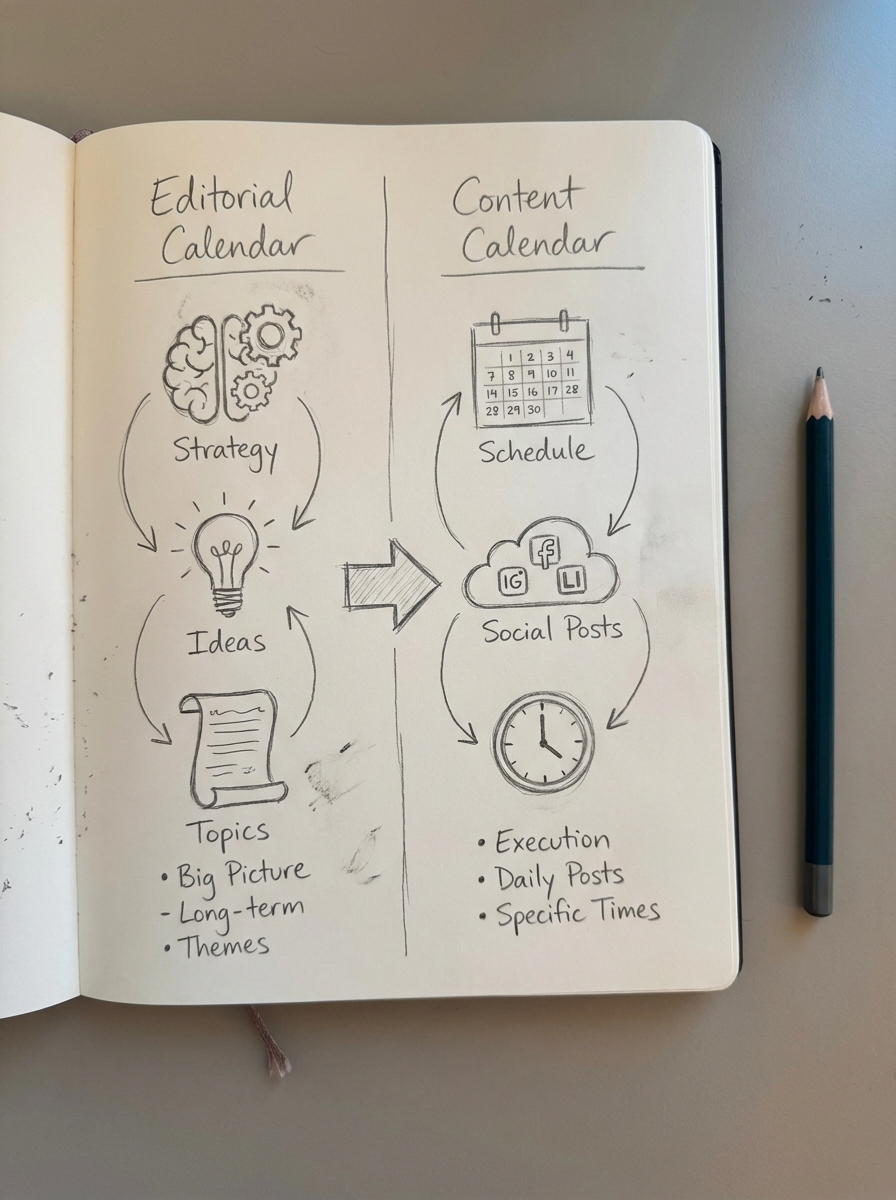
For most growing brands, the biggest missed opportunity isn’t a lack of social posts; it’s the absence of an automated editorial process. When you treat your blog as a separate entity from your products, you end up with a high-maintenance site that fails to convert. The real goal is to bridge that gap with a workflow that views your product catalog as the primary source of truth.
Top tools for omnichannel planning and distribution
CoSchedule: The omnichannel powerhouse
CoSchedule is a robust choice for teams that need a unified view of their marketing ecosystem. Its Marketing Suite allows you to sync social media, email marketing, and blog posts into a single dashboard. This visibility is vital for maintaining a consistent SEO publishing frequency when you are also managing five or more social channels.
While CoSchedule integrates well with WordPress for direct scheduling, it lacks deep ecommerce awareness. It doesn’t “know” your WooCommerce product catalog. If a specific SKU goes out of stock or a price changes, CoSchedule won’t help you update the corresponding blog content. You’ll still be left with the manual burden of auditing your posts for accuracy.
Asana or Trello: Flexible project management
Many marketing teams outgrow a basic content calendar template in Google Sheets and migrate to Asana or Trello. These tools are excellent for content collaboration because they excel at task assignments, sub-tasks, and multi-stage approval workflows.
However, the downside is the significant manual overhead. You have to manually create cards for every keyword cluster and brief, which I find is a massive time-sink for ecommerce teams managing thousands of products. If you have a large team of dedicated writers and editors who need granular oversight, these tools work well, but they don’t offer any native SEO or catalog automation.
ContentGecko: The automated editorial choice for WooCommerce
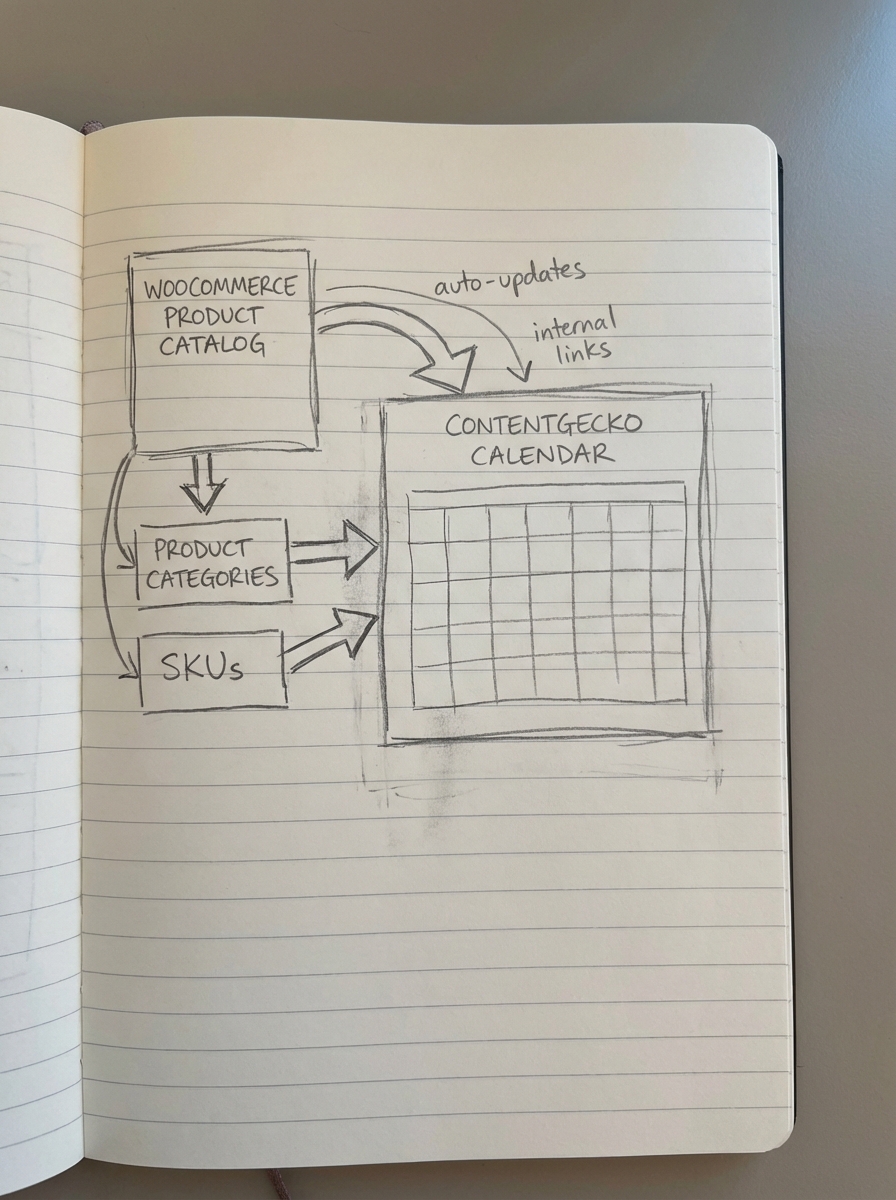
If your goal is scaling organic traffic without expanding your headcount, ContentGecko is the only platform that functions as a catalog-aware editorial engine. Unlike generic calendars, it syncs directly with your store via the WooCommerce WordPress Connector. This connection allows the platform to understand your inventory and category hierarchy from day one.
ContentGecko automates the entire content production workflow. It doesn’t just tell you when to publish; it plans articles based on your categories, writes them using AI that researches real-time facts, and publishes them with built-in internal links. Most importantly, it monitors your catalog and updates the content automatically if your prices or stock status change, ensuring your blog never becomes a graveyard of dead links.
Feature breakdown: what WooCommerce brands actually need
When evaluating these tools, don’t get distracted by “SEO optimization” features that offer gamified scores. In my experience, tools like Clearscope or SurferSEO offer little impact compared to production velocity and catalog accuracy. For a WooCommerce merchant, I recommend focusing on these three specific areas:
- Catalog synchronization: Most editorial calendars treat a blog post and a product as two separate worlds. For a successful store, they must be linked. Your calendar should understand your category hierarchies and suggest content that drives users toward your high-margin products.
- Automated updates: The most common technical SEO mistake is a bloated site with outdated links. If you use a standard calendar tool, you’ll spend hours manually fixing broken links when products are discontinued. ContentGecko’s automation monitors your catalog and swaps out out-of-stock items in your blog posts for in-stock alternatives automatically.
- Intent-based clustering: You should stop looking for individual keywords and start targeting clusters. Your editorial tool should group keywords based on SERP similarity to avoid cannibalization. We provide a free SERP keyword clustering tool to help teams group these intents before they even begin the writing phase.
Choosing based on store size and goals
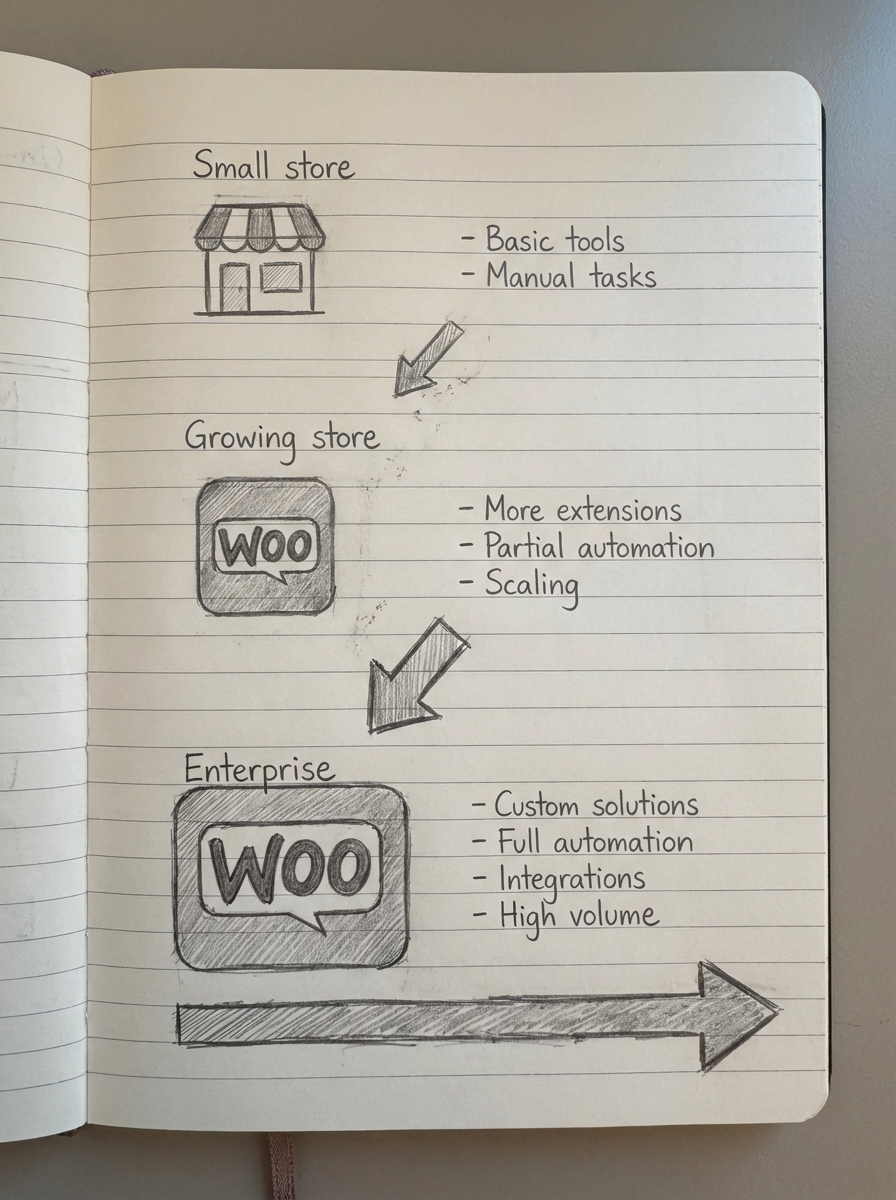
Your choice of tool should scale with your catalog size and your team’s capacity for manual work. I’ve previously outlined a WooCommerce SEO tools roadmap to help merchants identify their current needs.
- Small stores with under 500 products: You can likely manage your strategy with a manual Trello board or a basic calendar plugin. At this stage, your primary focus should be on building a foundational content brief for your core categories and ensuring your basic on-page SEO is solid.
- Growing stores with 500 to 5,000 products: This is the inflection point where manual planning typically breaks. You need an automated system to maintain quality. I recommend using the ContentGecko Starter plan to handle the heavy lifting of editorial production while using a tool like Buffer or Hootsuite for simple social distribution.
- Enterprise stores with 10,000+ products: For catalogs of this size, automation is non-negotiable. You need a platform that handles SEO content automation to maintain thousands of pages across the blog and category levels without hiring a massive team of writers.
TL;DR
If your primary focus is social media distribution and seeing your schedule in one place, use CoSchedule. If you need to manage a large, manual team of human writers with complex approval stages, use Asana. However, if you want to scale a WooCommerce blog that stays perfectly synced with your inventory and drives organic sales without manual maintenance, ContentGecko is the only catalog-aware solution built for the task. Stop wasting 10+ hours a week on manual planning and let automation handle the production cycle for you.