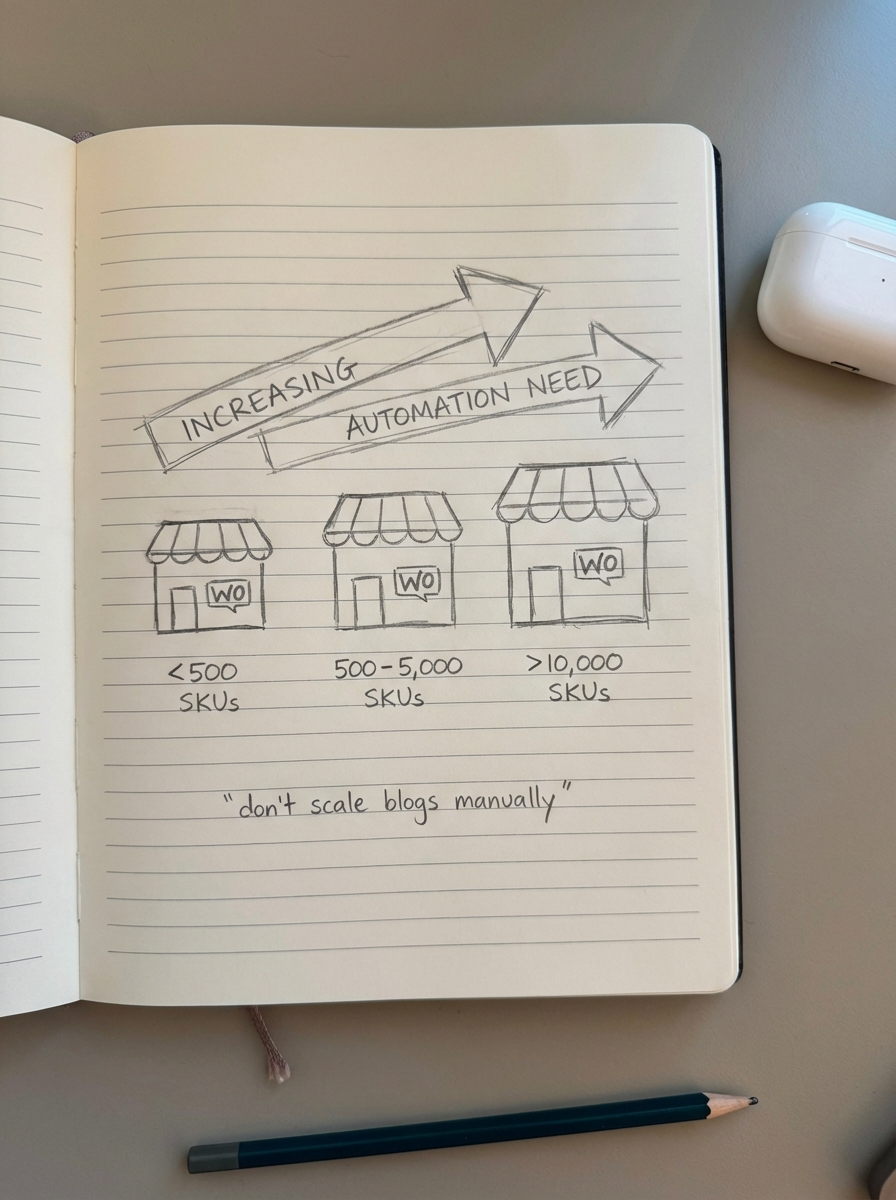
Centralized content collaboration is the only way to scale a WooCommerce store beyond a few hundred SKUs without drowning in administrative debt. Most merchants hit a ceiling because they focus exclusively on product page optimization, ignoring the fact that the real remaining opportunity in ecommerce SEO lies in producing a high-volume, high-quality blog. Effective collaboration software eliminates the manual bottlenecks that typically stall organic growth by providing a single source of truth for your entire production cycle.
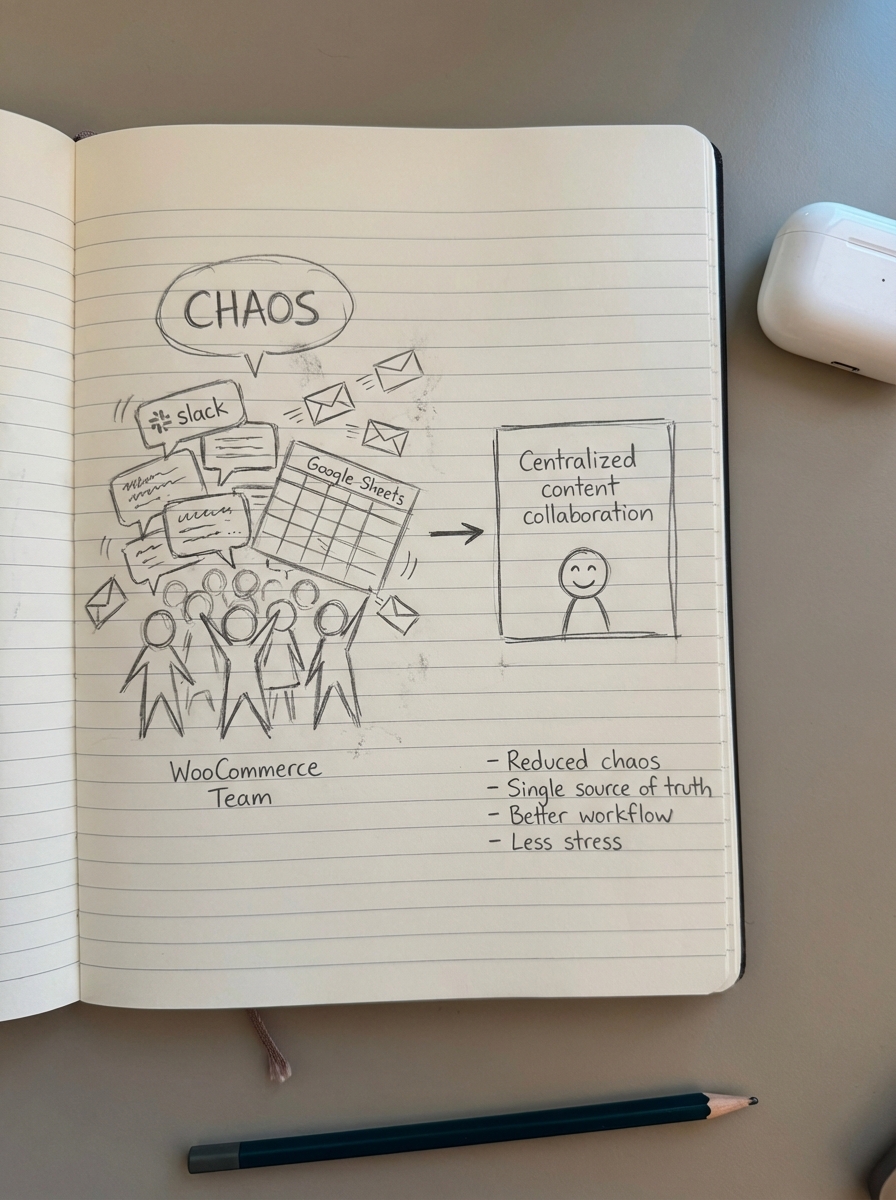
In my experience working with high-volume merchants, the primary reason SEO fails isn’t a lack of keywords – it’s a lack of execution velocity. Most teams are stuck in a cycle of manual planning, back-and-forth emails, and disconnected spreadsheets that make it impossible to maintain a consistent SEO publishing frequency. When your content operations are decentralized, you spend more time managing people than you do growing your traffic.
The hidden costs of manual content production
Managing content for a WooCommerce store via Slack and Google Sheets is a recipe for stagnation. If you have a 1,000-product catalog, manual SEO optimization alone can eat up over 300 hours monthly just for basic maintenance. When you add high-intent blog content to the mix – such as how-tos, gift guides, and buyer guides – the content production bottlenecks multiply exponentially. This friction often leads to thin content or, worse, a reliance on manufacturer descriptions that are duplicated across thousands of other stores, which essentially guarantees poor rankings.
To win in a crowded SERP, you need unique content that layers top-of-funnel information over your product data. Content collaboration software bridges the gap between your marketing vision and your inventory reality. I have seen countless merchants waste 40% of their crawl budget on low-value pages because their content team and their technical SEO team weren’t speaking the same language. A unified platform ensures that every piece of content created is strategically aligned with your catalog and your search goals.
Essential features of ecommerce content platforms
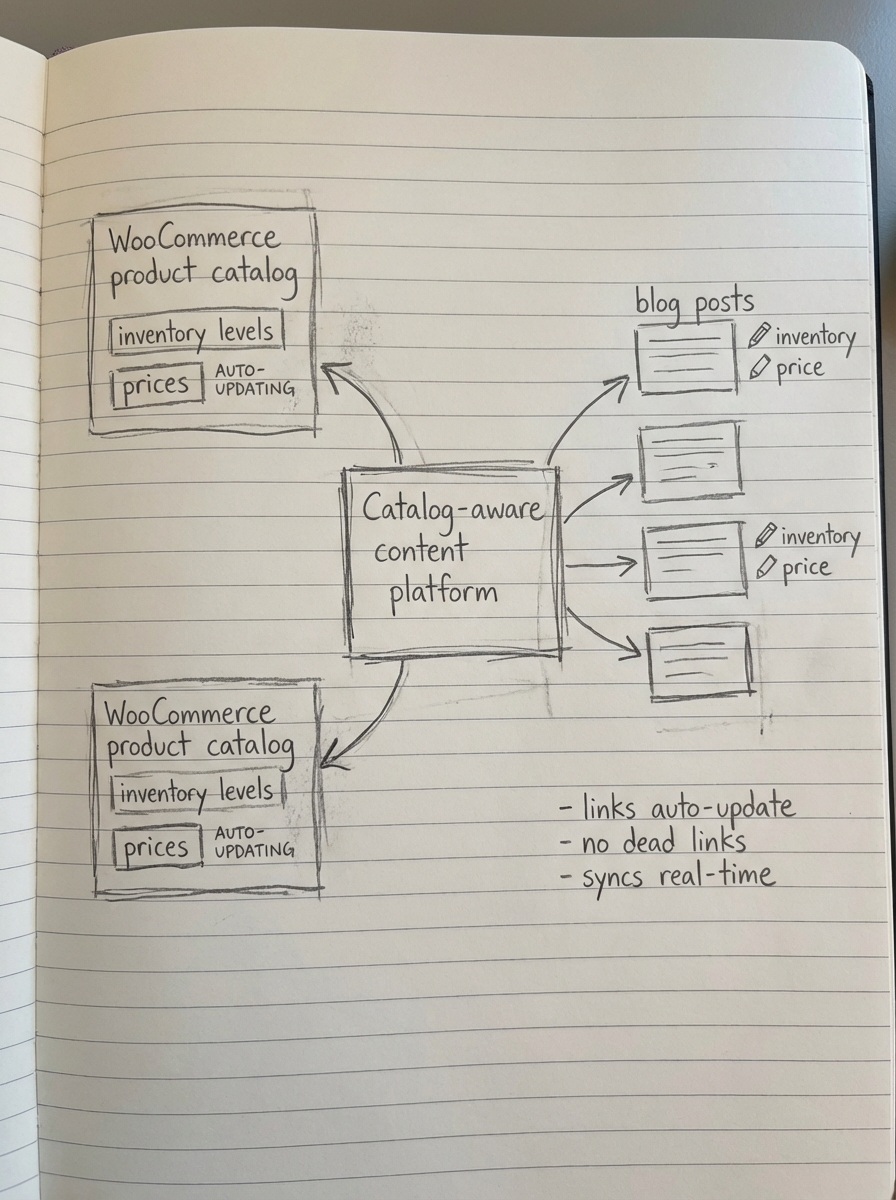
When evaluating a platform for a WooCommerce environment, generic project management tools often fall short because they lack SEO intelligence. A truly effective platform must offer deep catalog synchronization; the software needs to understand your inventory levels and pricing in real-time. If a product goes out of stock, your buyer guides should automatically update or swap the link for an in-stock alternative. This level of automation prevents the “leaky bucket” problem where organic traffic lands on out-of-stock pages, killing your conversion rate.
Beyond inventory awareness, your collaboration tool should prioritize SERP-based planning. Instead of guessing which topics might work, the platform should utilize keyword clustering to group search terms by intent. This ensures you target one representative keyword per cluster, preventing the content cannibalization that occurs when multiple pages compete for the same query. Furthermore, look for a tool that offers a secure connector plugin to allow direct publishing to your store. This handles formatting, images, and schema markup without requiring a developer, while a built-in content quality assurance process catches broken links and brand voice inconsistencies before they ever reach the user.
Comparing leading collaboration tools for WooCommerce
The right choice depends on whether you are looking to manage a human team or automate the entire production cycle, but it is important to understand the limitations of popular generalist tools. Platforms like Asana, Notion, and ClickUp are excellent for task tracking, but they require extensive manual setup to function as a content hub. While they help define “who is doing what,” they do not solve the SEO content automation problem. You still find yourself performing the keyword research and manual publishing tasks that the software should be handling for you.
Similarly, I find that many specialized SEO tools operate purely on gamification. Software like SurferSEO or Clearscope is helpful for individual article optimization, but these tools often focus too much on matching keyword counts to competitors rather than managing a holistic collaboration workflow. They don’t sync with your WooCommerce product database or handle the publishing process, leaving you with a disconnected stack that still requires significant manual intervention.
We built ContentGecko as the catalog-aware alternative for WooCommerce merchants who need to scale without adding headcount. Unlike generic tools, it syncs with your product catalog via API to plan and execute a blog that auto-updates whenever SKUs or prices change. Whether you are a Starter store with 1,000 products or a massive enterprise operation, the platform manages everything from initial keyword grouping to ongoing performance tracking via a built-in SEO dashboard.
Moving from strategy to execution
The biggest mistake I see is merchants trying to scale high-volume blogs manually and giving up after three months due to burnout. By adopting a structured content production workflow, you can reduce weekly strategy meetings from two hours to just 30 minutes. The goal is to iterate content like a product: launch an MVP using an AI SEO content writer, monitor the rankings, and then double down on the articles that show the most traction.
Automation doesn’t mean sacrificing quality; it means giving your team the space to focus on strategy while the software handles the repetitive execution. When your collaboration platform is synced to your WooCommerce store, your content becomes a living part of your inventory management rather than a static marketing asset that goes out of date the moment a price changes or a product is discontinued.
TL;DR
Content collaboration software for WooCommerce must centralize your workflow, sync with your inventory, and automate the repetitive aspects of SEO. Generic tools like Asana or SurferSEO serve specific needs but fail to provide the catalog-aware automation required for true scale.
- Small stores with under 500 products can often manage with manual processes and a basic SEO plugin.
- Growing stores with 500 to 5,000 products require automation to avoid traffic plateaus and administrative bottlenecks.
- Enterprise operations with over 10,000 products must use catalog-synced automation to maintain accurate, conversion-focused content at scale.