
January 20, 2026
12 free tools for content writing that actually scale ecommerce SEO

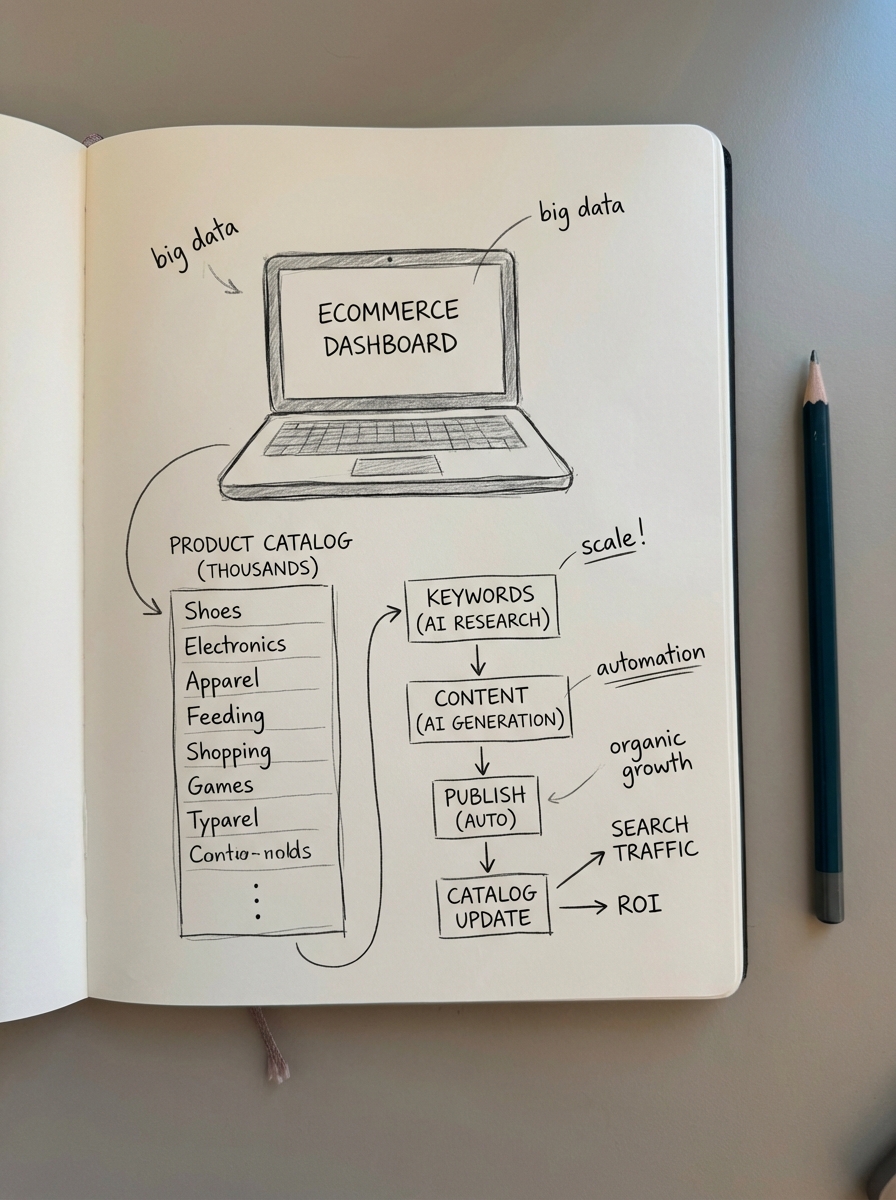
Most free content tools are glorified toys that fail the moment you try to scale a 5,000-SKU WooCommerce store. To actually move the needle, you need software that understands search intent, handles technical SEO weight, and connects directly to your product catalog. The real bottleneck in ecommerce isn’t just writing – it’s the strategy and optimization that happens before and after the draft. If you are still manually mapping keywords to product pages or category buckets, you are burning time and losing money.
I have found that the most successful stores treat their content like a product: they launch a minimum viable article, monitor performance, and iterate. To do this at scale, you need a stack that automates the repetitive labor of research and formatting. Here are the best free and freemium tools to automate your content production workflow without blowing your margins.
ContentGecko SERP keyword clustering
Most SEOs waste hours in spreadsheets trying to group keywords semantically based on word similarity. This is a mistake because semantic relevance does not always equal search intent. If “running shoes” and “athletic footwear” return different sets of URLs in Google, you need two different pages to rank for them. I rely on the free SERP-based keyword clustering tool because it fetches real-time Google data to group keywords based on URL overlap.
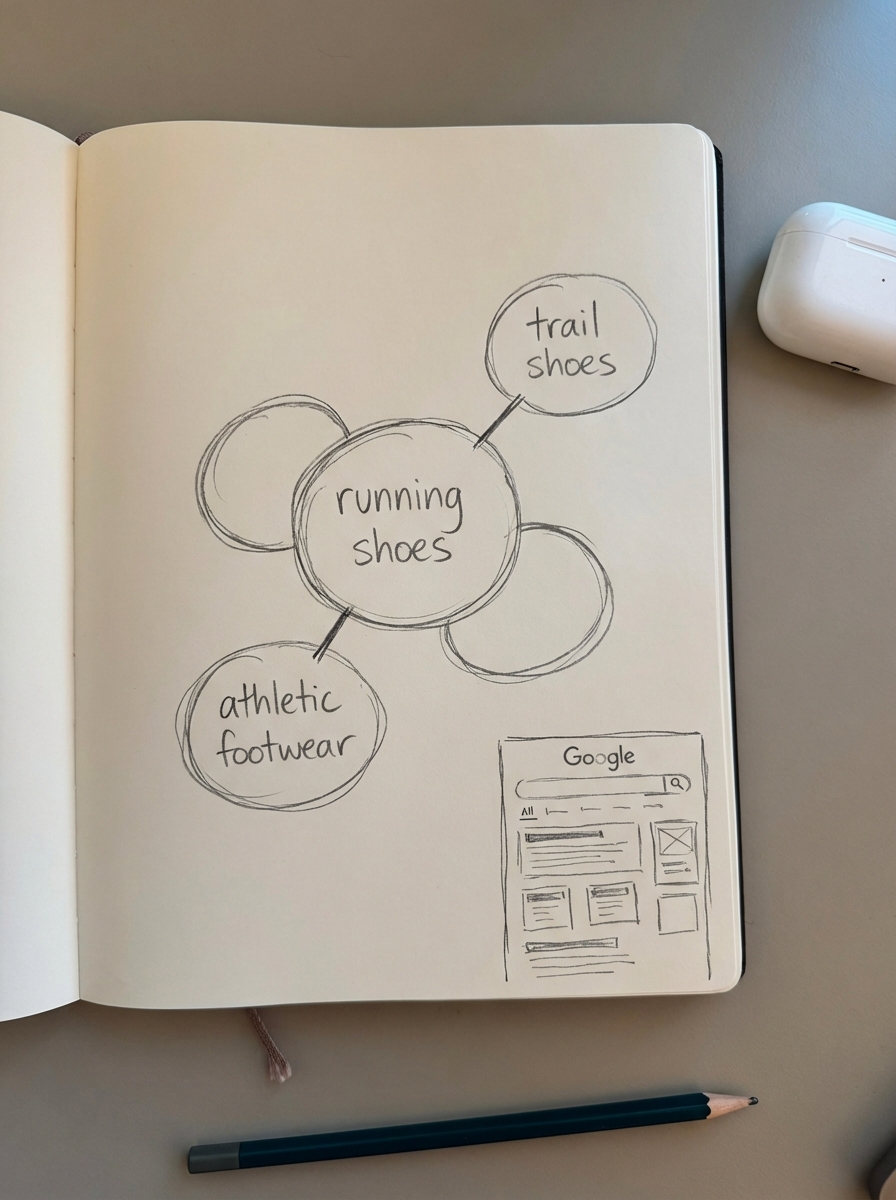
When two terms share a high percentage of the same results, they belong in one cluster. This is the only reliable way to avoid content cannibalization across a massive ecommerce catalog. The free version clusters up to 200 keywords instantly, providing a clear roadmap for your category and blog strategy without the guesswork of 3rd party keyword databases.
ContentGecko free AI SEO content writer
Generic LLMs like ChatGPT often hallucinate product specs or cite outdated information, which is a significant liability for ecommerce brands. You need an SEO content production workflow that prioritizes factual accuracy and search intent over simple word counts.
Our free AI SEO content writer differs from basic chat interfaces by performing deep SERP analysis before drafting. It researches current facts via Perplexity and DeepSeek, ensuring your buying guides and how-to articles are backed by reliable citations. This tool allows you to launch high-quality articles quickly, which you can then refine if they start gaining organic traction.
Rank Math
While many tools in this space focus on gamified SEO scores that often have little impact on actual results, Rank Math remains the most technically sound plugin for WordPress. Many merchants struggle with WooCommerce SEO tools like Yoast, which can experience performance lag on stores with over 5,000 products.
Rank Math stays lightweight while providing robust schema markup capabilities. This is essential because merchants using rich results see up to a 23% higher CTR in search results. It is the best “set and forget” tool for managing your basic on-page technicals, such as GTIN identifiers and breadcrumbs, which are vital for both Google and modern AI search engines.
ContentGecko ecommerce category optimizer
I hold a somewhat contrarian belief that optimizing category names is a much higher-leverage activity than tweaking individual product pages. Most stores use vague, non-descriptive names like “Accessories” when they should be targeting more specific, high-intent queries like “Waterproof Camera Accessories for Hiking.”
This free tool crawls your store and suggests specific, buyer-friendly titles based on your actual inventory. It is a massive low-hanging fruit for any store owner who wants to rank for middle-funnel queries. By making your category names more specific, you improve discoverability for potential customers who are searching for solutions rather than specific brand names.
WooCommerce product image generator
Visual content is just as important as copy for driving conversions, yet most stores neglect their lifestyle imagery due to the cost of photoshoots. Research into the WooCommerce product image generator shows that deploying AI-generated lifestyle images can lead to a 24% increase in click-through rates and a 12% reduction in bounce rates on product pages.
If you have a catalog of 1,800 SKUs, you cannot afford 1,800 individual photoshoots. This tool allows you to generate high-quality, consistent lifestyle photos from basic product shots directly within your WordPress media library. It is the fastest way to make your catalog look premium and improve the user experience without an enterprise-level budget.
Grammarly free browser extension
I do not use Grammarly for its SEO suggestions; I use it strictly for content quality assurance. Even the most advanced AI writers require a human layer of oversight to ensure brand voice consistency and factual clarity.
The free version effectively catches basic syntax and spelling errors that can make an ecommerce store look amateurish. In the world of online shopping, trust is the primary currency. A simple typo on a blog post or a product description can immediately kill your conversion rate by signaling a lack of attention to detail.
ContentGecko content calendar template
You cannot scale your production if you are living in your inbox or trying to manage tasks through Slack. A strategic content calendar is necessary to coordinate the moving parts between your SEO leads, writers, and editors.
We provide a free Google Sheets template that maps keywords to specific publishing dates and product clusters. This is vital for maintaining a consistent publishing frequency, as we generally recommend 6–8 posts per month for new blogs to build topical authority. Using a template is a zero-cost way to solve content production bottlenecks caused by manual planning and misalignment.

Google Search Console
If you are not using Google Search Console, you are not doing SEO. It is the only source of truth for how search engines actually perceive and index your site. While GSC provides the raw data, the ContentGecko ecommerce SEO dashboard takes it a step further by segmenting your metrics by page type.
This segmentation allows you to see if your potential additional clicks are coming from your blog, your category pages, or your product pages. Identifying these trends helps you prioritize your writing time toward the pages that have the highest likelihood of driving incremental revenue.
Claude 3.5 Sonnet
While I prefer specialized SEO tools for the actual drafting phase, Claude is excellent for style ingestion and brand voice refinement. You can feed it your brand style guide and several top-performing product descriptions, and it will help you brainstorm hooks or social snippets that match your specific tone.
This is incredibly useful for scaling content production when you need to repurpose one long-form blog post into multiple formats for different channels. It feels more intuitive and “human” than many other general-purpose LLMs, making it a strong partner for the human-led editing phase.
AnswerThePublic
To build a truly catalog-aware blog, you must understand the specific questions your customers are asking at the top of the funnel. AnswerThePublic visualizes the “Who, What, Why” questions related to your core product terms.
This data is essential for creating the FAQ blocks and schema needed to capture featured snippets in search results. Even with the daily search limits on the free plan, it provides enough raw material to fuel a month’s worth of informational blog topics that support your transactional product pages.
Screaming Frog SEO Spider
For stores with fewer than 500 pages, the free version of Screaming Frog is the gold standard for your on-page SEO process. It quickly identifies broken internal links, missing headers, and duplicate meta descriptions that might be hiding in your catalog.
Technical debt is a silent killer of ecommerce rankings. If your site is bloated with duplicate pages or broken paths, Google will struggle to crawl your new content. Using a crawler ensures that the high-quality content you write is actually accessible to search engines.
ContentGecko WordPress connector plugin
Automation is only useful if it is fully integrated into your existing site architecture. This secure bridge allows our platform to publish directly to your WooCommerce site without compromising your security settings.
The plugin handles the heavy lifting of markdown-to-HTML conversion and featured image management. It serves as the final piece of the SEO content automation puzzle, removing the manual labor from the publishing process. This allows your team to focus on high-level strategy rather than the tedious mechanics of the WordPress editor.
TL;DR
The best free tools for WooCommerce merchants focus on intent and automation rather than just word counts. Use ContentGecko for keyword clustering and AI drafting, Rank Math for technical schema, and Google Search Console for performance tracking. Scaling a blog to 50+ pieces a month is impossible with manual effort; adopt these tools to let automation handle the execution while you focus on the ROI of your catalog.