


Most WooCommerce stores lose revenue not because they lack content, but because they are invisible for the specific terms their competitors have already validated. A competitor keyword gap analysis is the most direct way to stop guessing and start capturing the traffic your rivals are currently siphoning away. By identifying the terms where they rank and you do not, you create a roadmap based on proven commercial intent rather than arbitrary search volume metrics.
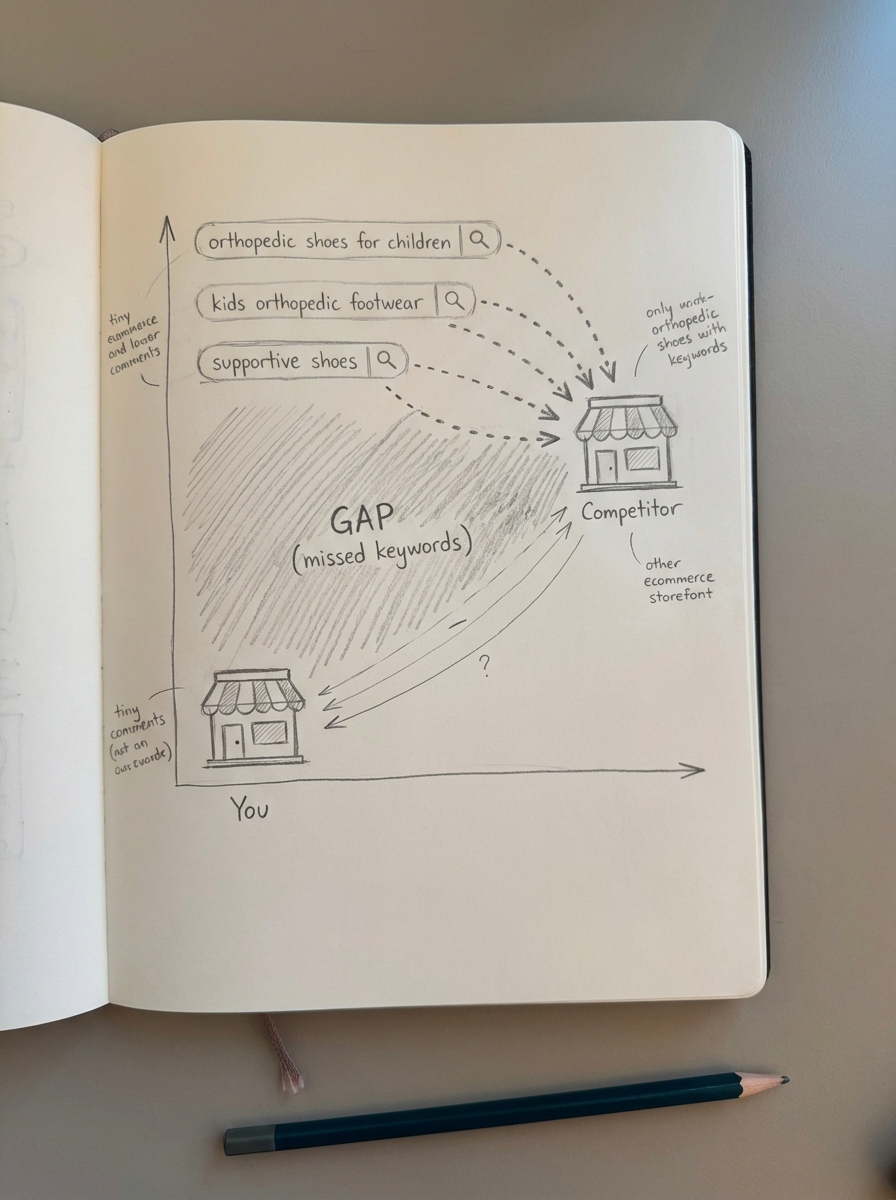
In my experience, the biggest mistake in ecommerce SEO isn’t a lack of output – it’s producing content that has zero catalog alignment. I frequently see stores chasing high-volume “thought leadership” pieces that never convert, while they completely ignore specific category-level gaps that their competitors use to dominate the SERPs. If you want to scale, you need to find where your competitors are ranking for transactional and commercial queries that your site structure doesn’t even target yet.
What is an ecommerce keyword gap?
A keyword gap represents the search terms your competitors rank for in the top 10 or 20 results, but for which your store has no visibility. For a WooCommerce merchant, these gaps aren’t just missing blog topics; they are missing revenue opportunities that usually fall into three specific buckets.
- Category Gaps: This occurs when competitors have specific sub-categories – such as “Organic Cotton Yoga Mats” – while you only have a broad “Yoga Mats” page.
- Attribute Gaps: Competitors often rank for long-tail modifiers like “waterproof,” “heavy-duty,” or “under $50” that are missing from your site’s faceted navigation or category naming.
- Content Gaps: Competitors use topic clusters and buying guides to capture users in the research phase – users who eventually buy the products you also stock.
Focusing on these gaps is mathematically superior to chasing head terms. Research shows that long-tail keywords convert at roughly 25%, compared to just 12% for broad terms. A gap analysis is essentially a hunt for these high-precision, high-conversion opportunities that align with what you actually sell.
Why you should prioritize category pages over product pages
The most common technical mistake in ecommerce SEO is over-optimizing product pages at the expense of categories. Individual products are volatile; they go out of stock, URLs change, and SKUs are retired. Category pages, however, are your permanent SEO assets. If you want to close a keyword gap, mapping it to a category is almost always the higher-ROI move.
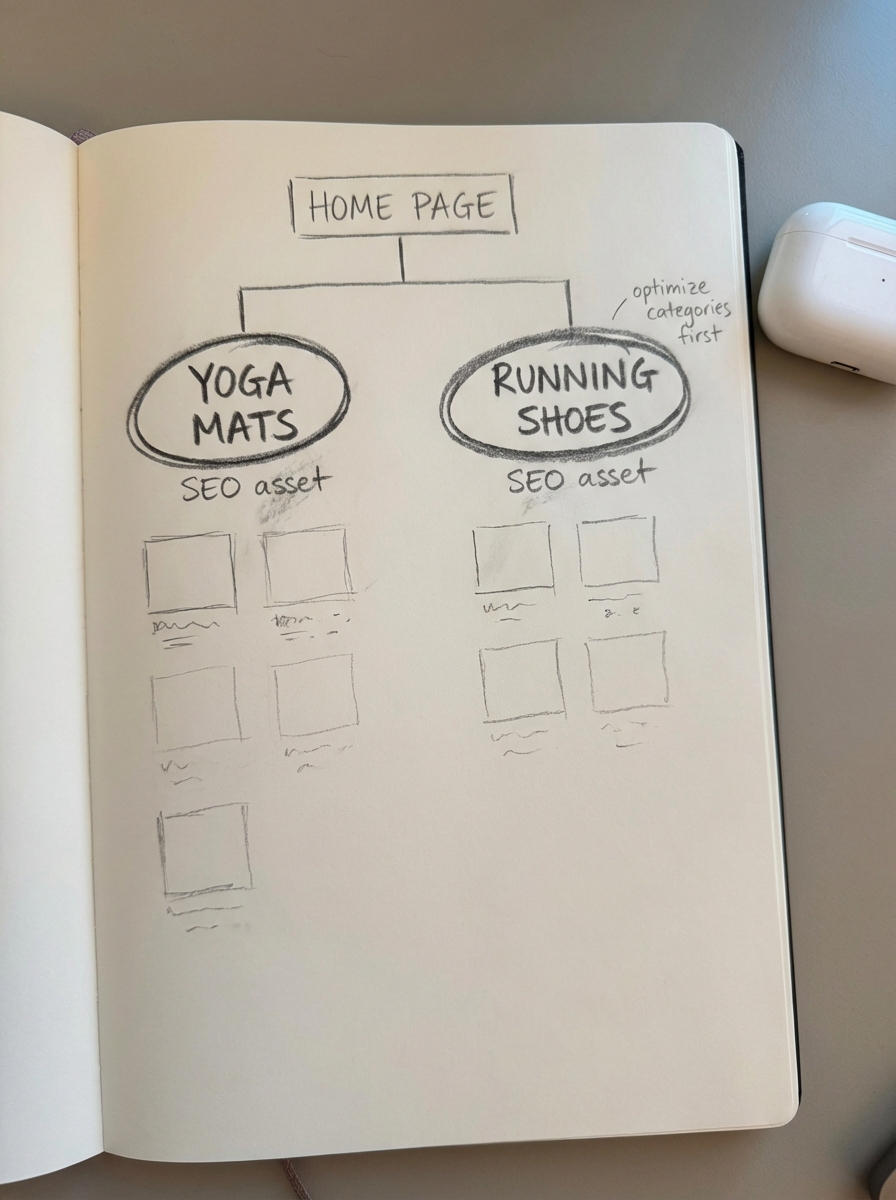
When I run a gap analysis, I am looking for keywords that can be fed into a free ecommerce category optimizer. If a competitor ranks for “leather hiking boots for wide feet” and you do not, you shouldn’t just write a blog post; you should likely create a specific sub-category. Specificity is a superpower for smaller stores.
Evidence for this approach is clear in real-world performance. For instance, a children’s shoe brand achieved a 45% increase in organic traffic and a 71% increase in sales simply by closing gaps in long-tail category phrases like “orthopedic shoes for children.” By expanding their site structure with category-specific filters, they met the exact search intent that competitors were previously monopolizing.
Practical workflow to find and prioritize gaps
Do not get bogged down in “gamified” SEO tools that give you meaningless proprietary scores. Most 3rd party keyword data is flawed because the databases are too small to accurately represent every long-tail opportunity. Use these tools to spot patterns and catalog structures rather than treating their volume estimates as gospel.
Identify your actual SEO competitors
Your true competitors aren’t necessarily the massive retailers like Amazon or Walmart. Your real rivals are the niche sites that consistently beat you for specific product categories. I recommend using an ecommerce SEO dashboard to see which domains frequently appear alongside you in the SERPs for your top-performing categories. This helps you narrow your keyword competition research to sites whose catalog structure you can actually emulate or outperform.
Run the gap analysis with commercial intent filters
Use a tool like Semrush or Ahrefs to compare your domain against three to five top niche competitors. You should filter the results to find the most actionable data: target keywords where the competitor ranks in the top 10, your site is not in the top 100, and the intent is marked as transactional or commercial. This ensures you are looking at “missing” gaps that have a direct path to a checkout page.
Cluster findings by SERP similarity
Once you have a list of several hundred gap keywords, the worst thing you can do is try to create a separate page for every single one. Instead, you must group them based on how Google actually views them. If “waterproof hiking boots” and “rainproof boots for hiking” show a significant overlap in the top 10 results, they belong in the same cluster.
By using SERP-based keyword clustering, you can ensure you aren’t creating duplicate content or causing keyword cannibalization. I suggest using a free SERP keyword clustering tool to automate this process, as manual grouping is both slow and prone to human error.
Score opportunities by catalog fit
Before you start writing or building pages, ignore raw search volume and score your gaps based on “Catalog Fit.” You need to ask if you have enough inventory depth to support a new category page and if the keyword is tied to a high-margin product line. You should also check if the keyword difficulty is manageable, typically under a score of 40 or 50 for most growing stores, to ensure your efforts result in a ranking within a reasonable timeframe.
Closing the gap with content automation
Once you have identified the gaps, you generally have two paths: building new category pages for transactional terms or launching a blog for informational ones. For those “how-to” and “best of” queries where competitors are capturing your audience early in the buyer journey, you need a strategy that links directly back to your products.
Most stores fail here because they cannot keep blog content updated with changing prices, stock levels, or new SKUs. This is why we built ContentGecko. Our platform doesn’t just write articles; it syncs with your WooCommerce catalog via a secure connector plugin.
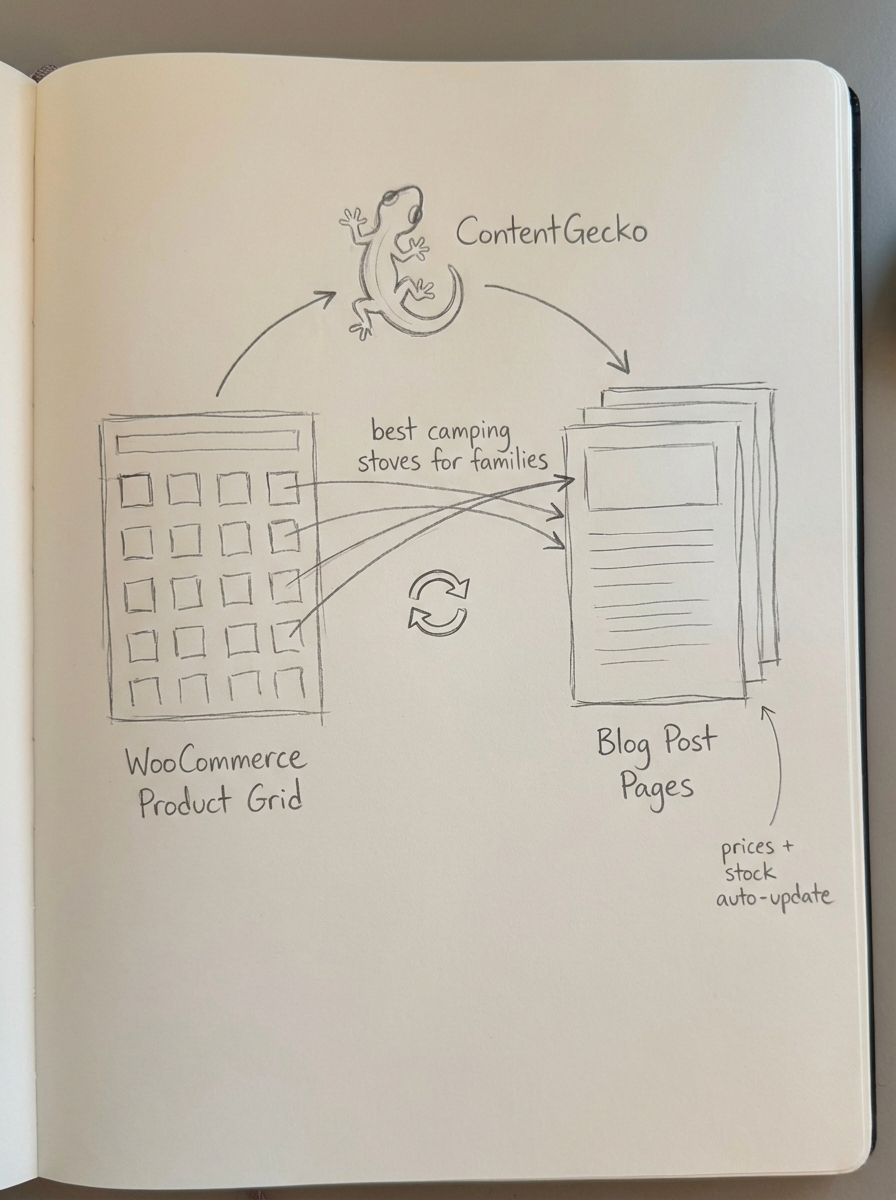
When you find a keyword gap for a term like “best camping stoves for families,” you can use our automated content planning to publish a guide that automatically pulls in your current inventory. If a stove goes out of stock or the price changes, the blog post updates itself, ensuring your SEO efforts always lead to a conversion-ready product page.
Common objections to gap analysis
Many store owners believe they don’t have the budget for expensive SEO tools to run this analysis. However, you can find massive gaps just by using Google Search Console for keyword research. Look for queries where you have high impressions but low click-through rates; these are often “accidental” rankings for gaps you haven’t intentionally filled yet with a dedicated page.
Another common concern is that competitors are too large to beat. While a giant retailer might target a broad term like “Running Shoes,” they often have bloated, generic sites. You can beat them by being more specific. You can close the gap by dominating a term like “Neutral Cushioning Trail Running Shoes,” which is often too niche for a massive corporate site to optimize for effectively.
TL;DR
- Focus on Categories: Category pages are your most stable SEO assets; optimize them with specific names before focusing on individual product pages.
- Intent Over Volume: A keyword gap for a transactional term is worth significantly more to your bottom line than an informational “thought leadership” term.
- Cluster Your Findings: Use keyword clustering methods to group gap keywords and avoid creating duplicate pages that compete with each other.
- Automate the Fix: Use ContentGecko to bridge informational gaps with blog content that remains synced to your actual WooCommerce inventory and pricing.
- Iterate Quickly: Launch an MVP version of your new pages or articles quickly, then improve the content once it starts showing life in the search results.