
January 20, 2026
Best long-tail keyword tools for WooCommerce SEO

Long-tail keywords are the only way for growing WooCommerce stores to compete with massive retailers like Amazon or Walmart. While high-volume head terms are dominated by massive domain authority, long-tail queries represent roughly 70% of all search traffic and convert at nearly double the rate of broad terms. To capture these high-intent queries, I have found that you must look beyond generic search volume and focus on actual SERP volatility and first-party data.
Most third-party keyword data is fundamentally flawed because the databases are often too small to capture the hyper-specific queries that drive actual sales. Search volume estimates are frequently off by a factor of ten, and relying on them exclusively is a recipe for missed opportunities. The most effective strategy involves combining first-party data from your own store with tools that analyze real-time search engine results.

Why long-tail research is different for ecommerce
In the context of ecommerce, a long-tail keyword is more than just a long phrase; it is a specific search that signals exactly where a user sits in the buying journey. For a WooCommerce manager, the term “leather boots” is often a waste of budget and effort. However, a term like “waterproof men’s leather hiking boots size 12” is a high-intent query that matches a specific SKU in your catalog.
The goal is to find low competition keywords that your competitors have overlooked because the estimated volume looked too low in their generic SEO tools. I firmly believe that if the basics of ecommerce SEO are done well, the remaining opportunity lies entirely in producing a great blog that targets these specific niches.
Top free long-tail keyword tools
Free tools are often superior for finding long-tail gems because they pull directly from Google’s own suggestion engines rather than a static, outdated database.
- Google Search Console (GSC): GSC is the only tool that provides 100% accurate first-party data. It shows you keywords you are already ranking for on pages two or three that you haven’t even targeted yet. I recommend exporting your performance report and filtering for queries with high impressions but low CTR. These are often long-tail variations that your page is accidentally ranking for. If you see a specific question appearing in GSC, you should add it as a dedicated section on your ecommerce category page to capture that traffic. This is one of the best ways to conduct keyword research with Google Search Console.
- AnswerThePublic and Answer Socrates: These tools scrape “People Also Ask” and autocomplete data to visualize the questions users are asking. When you plug in a seed keyword like “coffee grinder,” the tool returns specific queries such as “how to clean a burr coffee grinder” or “best coffee grinder for French press.” These are perfect for your blog because they allow you to build topical authority with long-tail keywords that support your main product pages.
- Google Autocomplete and Related Searches: Never underestimate the search bar. When you start typing a product name and Google finishes the sentence, you are looking at real-time data on what people are searching for right now. These suggestions are frequently missing from the major paid databases. For more options, you can explore other free keyword research tools that leverage these same engines.
Best paid long-tail keyword tools
If you have the budget, paid tools allow you to perform competitor keyword gap analysis at a scale that is impossible to achieve manually.
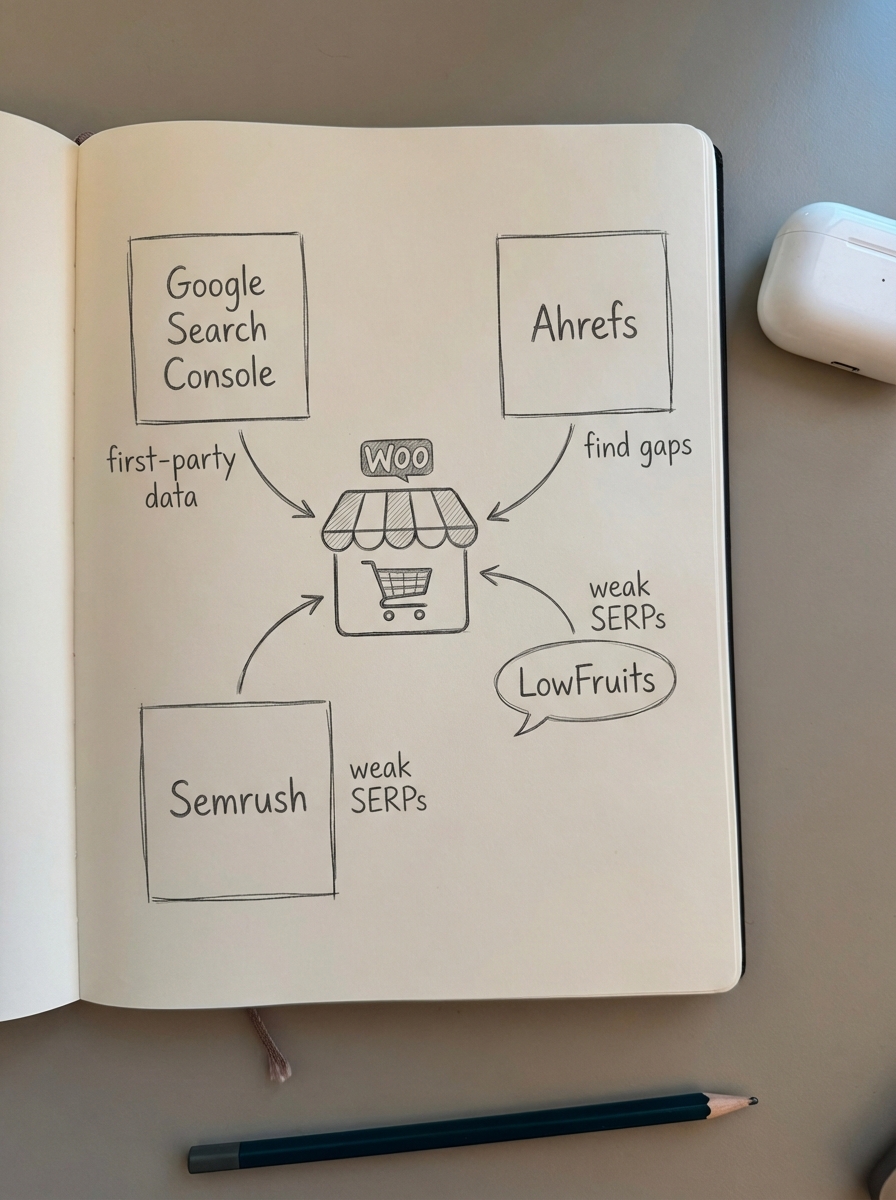
- Ahrefs (Keywords Explorer): Ahrefs is my preferred tool for its “Matching terms” and “Questions” reports. Its “Parent Topic” feature is particularly useful for seeing if a long-tail keyword can rank on its own or if it is just a variation of a larger topic. One of its most powerful features is the “Lowest DR” filter, which allows you to find keywords where a site with low domain authority is ranking in the top five – the ultimate signal of a low-competition opportunity.
- Semrush (Keyword Magic Tool): Semrush excels at analyzing keyword difficulty in SEO. Their KD% metric is often more nuanced than other tools because it considers SERP features and the intent of the ranking pages. I find their “Intent” labels (Informational, Navigational, Commercial, or Transactional) to be vital for mapping queries to your WooCommerce funnel correctly.
- LowFruits: This is a specialized tool designed specifically for finding “weak spots” in the SERPs. It identifies keywords where forums like Reddit or Quora, or low-authority blogs, are ranking on page one. If a Reddit thread is ranking #2 for a product-related query, you can usually take that spot with a well-optimized category or blog page.
How to group long-tail keywords to avoid cannibalization
One of the most common mistakes I see in WooCommerce SEO is creating a separate page for every long-tail keyword. If you have “men’s blue running shoes” and “blue sneakers for men,” they likely serve the exact same intent. Splitting these into two pages creates a bloated website with duplicate content, which is a significant technical SEO error.
You should use a SERP-based keyword clustering tool to see which keywords Google treats as the same topic. If two keywords share three or more of the same URLs in the top 10 results, they should be targeted on a single page. This prevents your own pages from competing against each other and helps you understand exactly how to group keywords for maximum impact.
When to use ContentGecko instead of manual tools
Manual keyword research is manageable if you have ten products. However, if you are managing a WooCommerce store with 1,000 or more products, doing this manually becomes an impossible task. Traditional keyword research tools give you a list of words; ContentGecko gives you a finished asset that is already ranking and driving sales.
ContentGecko is built specifically for WooCommerce merchants who need to automate the discovery and execution of their SEO strategy. The platform syncs directly with your product catalog via our WordPress connector plugin to understand what you actually sell. It then identifies high-intent long-tail keywords your competitors are missing and automatically writes, publishes, and updates catalog-aware blog posts that link directly to your products.
We also provide a dedicated Ecommerce SEO Dashboard that breaks down performance by page type. This allows you to see exactly which long-tail clusters are driving revenue, separating the performance of your category pages, product pages, and blog posts so you can make data-driven decisions.
Concrete workflow for finding buyer-intent long-tail keywords
If you want to execute this manually today, I recommend a streamlined three-step process. First, find the “weak” SERPs using a tool like LowFruits or Ahrefs to find queries where a forum is in the top three results. For example, look for “Best [product category] for [specific use case] reddit.”

Next, you must analyze the intent of the top 10 results. Are they product pages or blogs? If the SERP is dominated by blogs, don’t try to rank a product page there; you will need a comprehensive guide instead. Finally, use a keyword clustering tool to group these variations together. You can then use our Free AI SEO Content Writer to generate a draft that addresses the specific pain point identified by that long-tail query.
TL;DR
Long-tail keyword research is about finding intent, not just volume. Use Google Search Console for first-party “quick wins,” LowFruits to find weak competitors, and Ahrefs or Semrush for identifying competitive gaps. If you’re managing a large WooCommerce catalog, manual research does not scale. In that case, use ContentGecko to automate the discovery, clustering, and creation of content that turns those long-tail queries into customers.