


Most ecommerce marketing teams waste their time focusing on vanity metrics like total organic sessions or aggregate keyword rankings, but for WooCommerce stores, the only data that matters is organic revenue attribution segmented by page type. To grow a store effectively, you need to understand which content clusters drive the highest average order value (AOV) and which categories are underperforming despite high search visibility.
Connecting search visibility to revenue
The foundation of any serious ecommerce SEO strategy is a unified data ecosystem. You cannot make informed decisions if your keyword data from Google Search Console (GSC) lives in a separate silo from your conversion data in Google Analytics 4 (GA4). I have found that most stores miss out on significant revenue because they can’t see that a large portion of their sales – often up to 40% – comes from search terms they aren’t actively optimizing for.
By linking Google Analytics 4 and Search Console for WooCommerce stores, you can see exactly how a high-impression keyword in GSC translates into a purchase event in GA4. This integration allows you to identify “low-hanging fruit,” such as keywords ranking in positions 8–20 that already drive some revenue. These are your prime candidates for a content refresh or better internal linking.
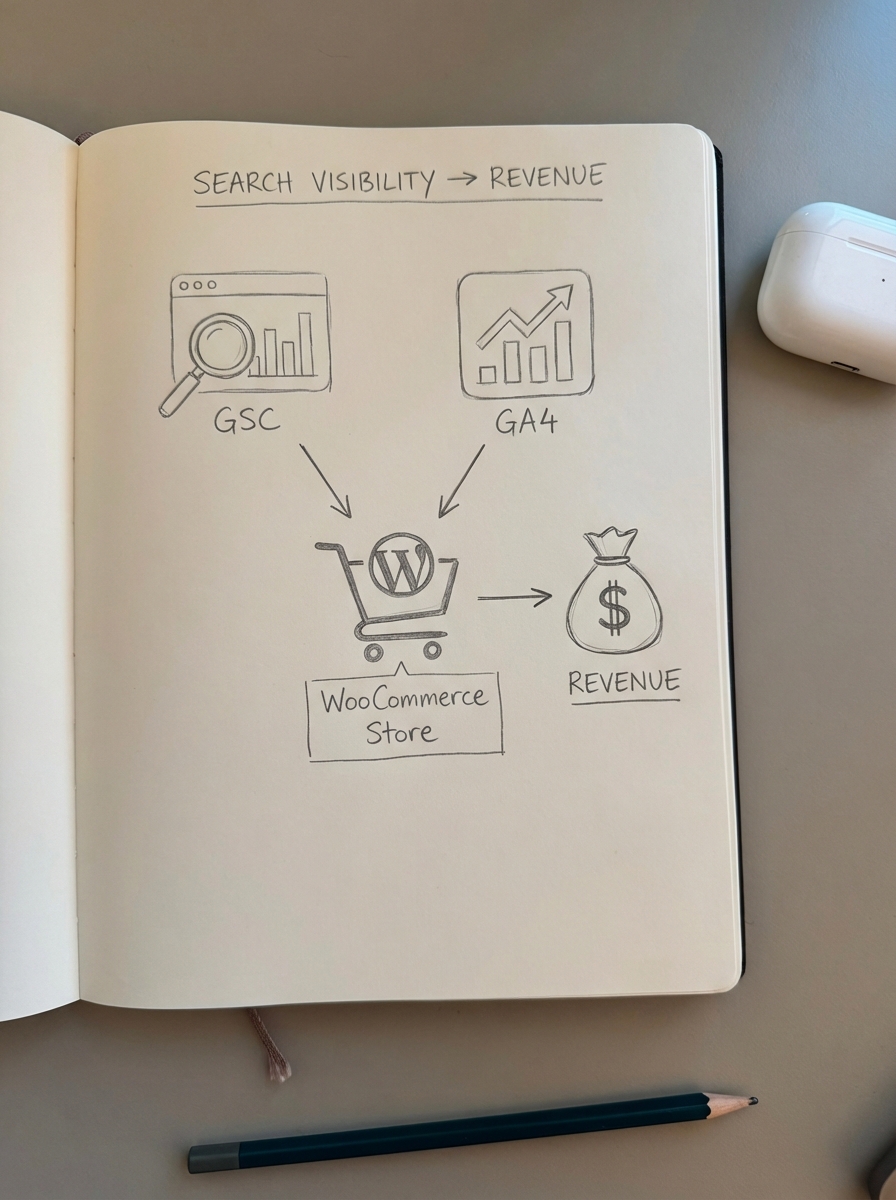
This process is supported by the GA4 event-based data model, which tracks individual actions like add_to_cart and begin_checkout. In my experience, this gives you a much clearer picture of the conversion funnel compared to old session-based metrics, as you can pinpoint exactly where potential customers are dropping off in the buying journey.
Segmenting by page type for better visibility
One of my biggest gripes with standard reporting is that it lumps all organic traffic together. This is a massive mistake. Category pages, product pages, and blog posts serve entirely different purposes in the buyer’s journey and require distinct KPIs. I firmly believe it is far more important to optimize category pages than product pages. Most stores use vague category names; making them more specific can drastically improve rankings and CTR.
To track these properly, you must set up page type filters to isolate performance. Use URL patterns – such as /product-category/ for categories and /blog/ for articles – to see how each segment contributes to your bottom line.
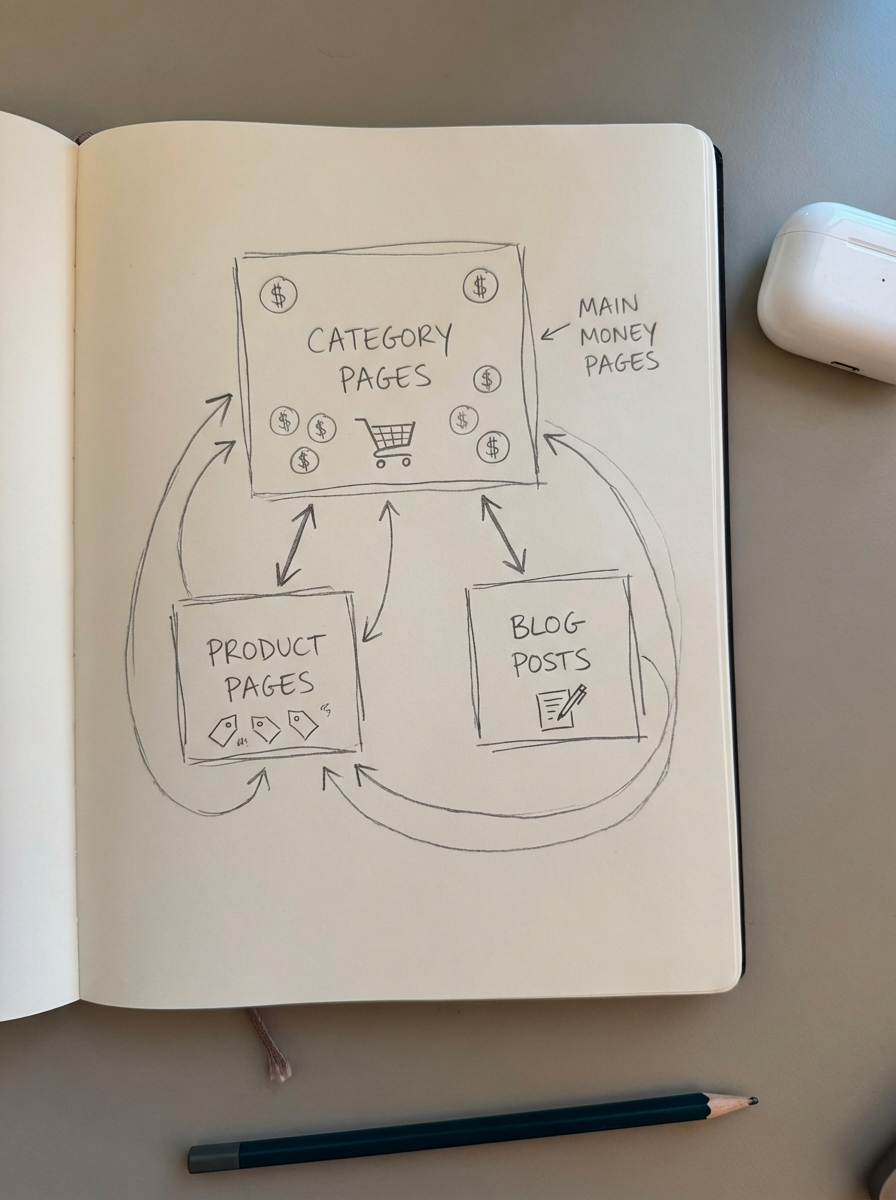
- Category pages represent your primary “money pages” and should be optimized for broad, transactional intent.
- Blog content drives top-of-funnel discovery; if an article benefits your users, publish it regardless of what third-party keyword research says, as those databases are often too small to accurately represent real-world search volume.
- Product pages are vital for long-tail search but often suffer from technical bloat or duplicate content if not managed correctly.
If you are struggling to identify which categories need help, using a free ecommerce category optimizer can analyze your store’s structure and suggest more specific, buyer-friendly titles that improve searchability almost immediately.
Mastering GA4 ecommerce events for SEO
Standard GA4 tracking isn’t enough for WooCommerce stores. You need to ensure your item_id in GA4 exactly matches your WooCommerce SKU, allowing you to track SKU-level performance back to the organic landing page. One critical limitation to keep in mind is that GA4 tends to over-credit direct and organic search due to its attribution handling. While it’s the best tool available, I don’t treat it as the absolute truth for media mix decisions; I use it to compare the relative performance of SEO efforts over time.
For advanced analysis, I recommend leveraging event tracking for SEO insights to monitor behaviors like scroll depth on long-form blog guides. If I see users dropping off at 40% scroll depth before they reach the product recommendations, I know the content structure is failing, no matter how high the page ranks.
Automating the reporting workflow
Manual reporting is a complete waste of time. I’ve seen teams spend 10 or more hours a week building spreadsheets that no one reads. Instead, you should automate your SEO reports to pull data directly from GA4 and GSC into a unified view. An effective SEO performance dashboard should highlight critical business metrics rather than vanity data.
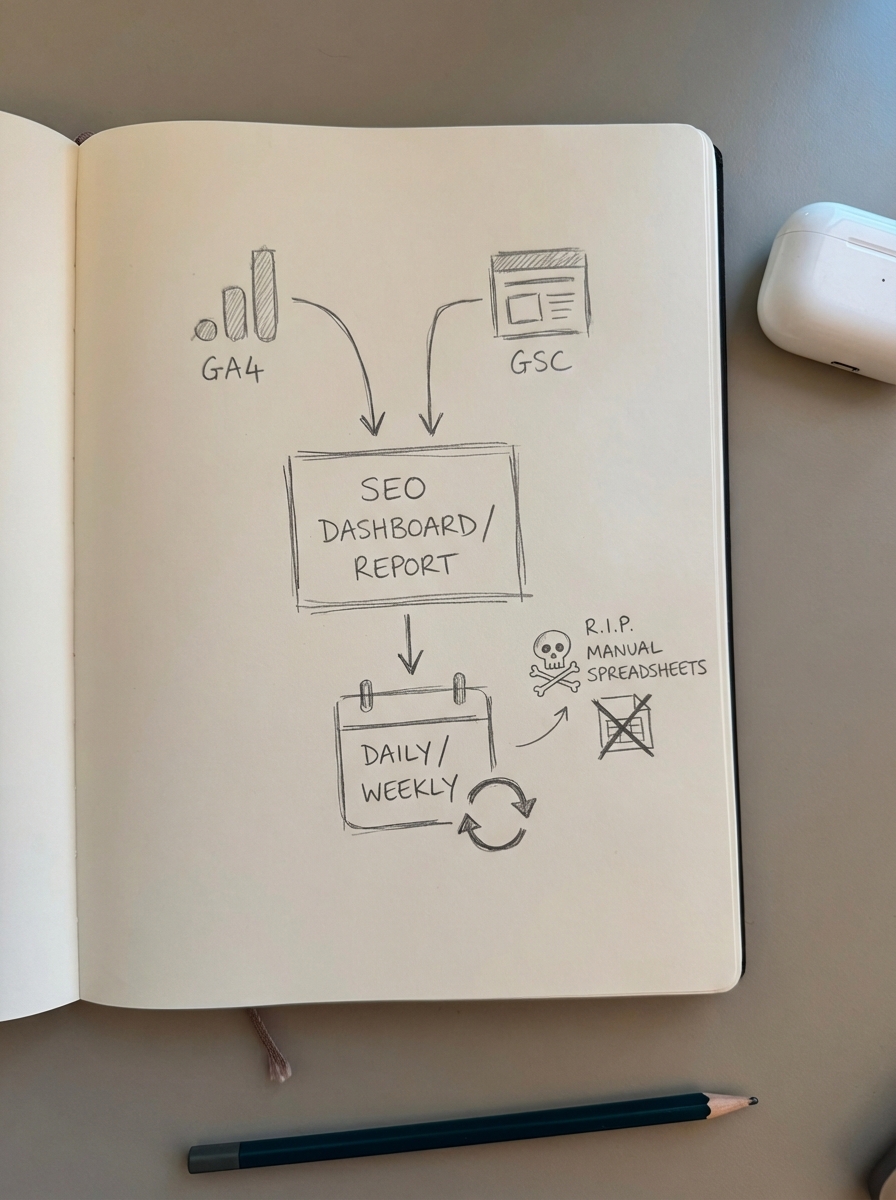
- Revenue by landing page type to determine if categories or blogs drive the most growth.
- Non-branded vs. branded traffic to distinguish brand awareness from new-customer discovery.
- CTR anomalies where high impressions but low clicks suggest your meta titles need work.
I wouldn’t spend a second worrying about meta descriptions in 2026. Google will likely rewrite them anyway, so your effort is better spent on titles and high-quality content structure that actually influences the user’s decision to click.
Scaling with AI-driven insights
Once you have the data, the challenge is execution. At ContentGecko, we use this data to plan and update a catalog-aware blog for your store. Our WordPress connector plugin for WooCommerce syncs with your categories and inventory, ensuring that the blog posts we generate are always referencing in-stock products and relevant categories.
Instead of guessing what to write, I believe in iterating content like a product. We launch an AI-assisted MVP quickly and then use GA4 data to see what starts getting traffic. Once a page shows signs of life, we double down and improve it. This is the only way to scale SEO in a world where AI has made content production cheap but high-quality, data-driven optimization more valuable than ever.
TL;DR
Stop looking at total organic traffic and start segmenting by page type. Link GSC and GA4 to track SKU-level revenue, prioritize optimizing your category pages over individual product pages, and use automated dashboards to identify “breakout” keywords in the position 8–20 range. Use tools like ContentGecko to automate the content production and reporting loop so you can focus on strategy rather than manual spreadsheets.