


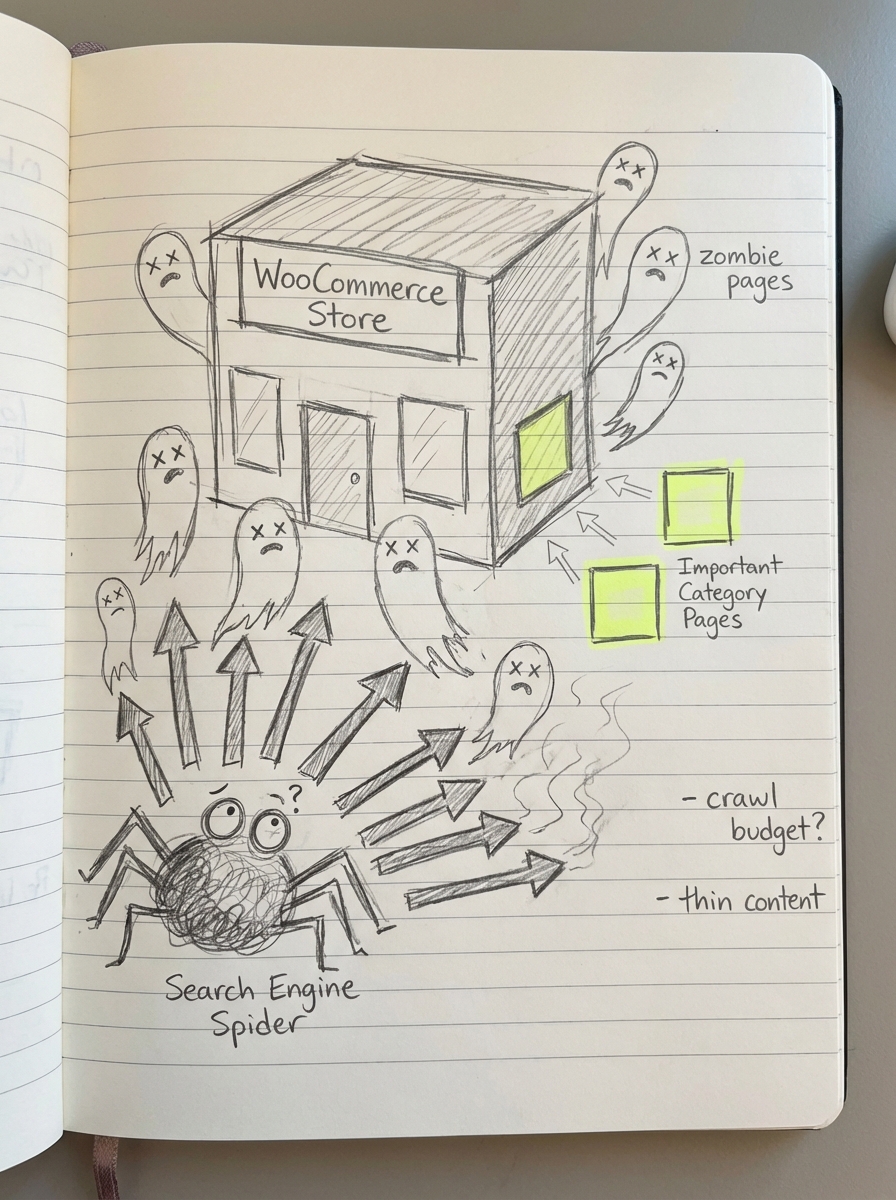
Most WooCommerce stores waste 30-40% of their crawl budget on “zombie pages” that generate zero revenue while cannibalizing rankings for high-intent category pages. A systematic SEO content audit is the only way to prune these low-performing assets and ensure your blog and catalog are mapped correctly to buyer intent. If you don’t audit, you’re essentially operating on a bloated site where multiple pages compete against each other for the same keywords, diluting your domain authority.
Why manual audits are the “silent killer” of ecommerce growth
I’ve seen marketing teams spend three weeks building massive spreadsheets only for the data to be obsolete the moment they finish. The primary objection to regular auditing is the sheer time commitment, yet ignoring content decay is far more expensive. In my experience, a lean site with 50 high-performing pages will always out-earn a bloated site with 5,000 thin pages that confuse both users and search engines.
Without regular audits, you are likely suffering from keyword cannibalization, where multiple blog posts and category pages fight for the same term. This tells Google that none of your pages are the definitive authority on a topic. To scale a WooCommerce store effectively, you must move away from “thought leadership” that hits zero search volume and move toward a data-driven structure that prioritizes conversion-intent keywords.
Building an inventory and mapping URL structures
You cannot audit what you cannot see. Your first task is to generate a comprehensive list of every indexed URL on your store to establish a baseline for your technical SEO health. I suggest using a crawler like Screaming Frog to export a full CSV of your site’s architecture. Once you have the raw data, you need to filter your URLs into three specific buckets: Products, Categories, and Blog Posts.
Categorizing by page type is crucial because the “fix” for each is different. A “thin” blog post might need more depth, but a “thin” category page usually requires a more robust internal linking strategy to surface your best products. During this stage, you should also evaluate your permalinks. If your URLs still contain /product-category/ or unnecessary subdirectories, you are wasting valuable crawling real estate. I always recommend a flat WooCommerce URL structure to keep your hierarchy shallow and easily crawlable by search engine bots.
Merging GSC and GA4 data for performance insights
Raw URLs are useless without performance context. You need to know which pages are “dead wood” and which are your “workhorses.” I recommend creating a master spreadsheet – or adapting a content calendar template – to track metrics such as impressions, clicks, word count, and conversion rates.
To get the most accurate picture, you must combine Google Analytics and Search Console data into a single view. This allows you to spot pages with high impressions but low click-through rates (CTR). This is a clear signal that your title tag is failing or that the search intent for that keyword has shifted since the article was originally published. By looking at conversion data alongside traffic, you can identify “unicorn” pages that deserve more internal links or a complete content refresh.
The Keep, Refresh, Merge, or Delete framework
Once your performance data is populated, you must apply a ruthless logic to every row in your spreadsheet. I categorize every piece of content into one of four buckets to ensure the audit results in actionable work.
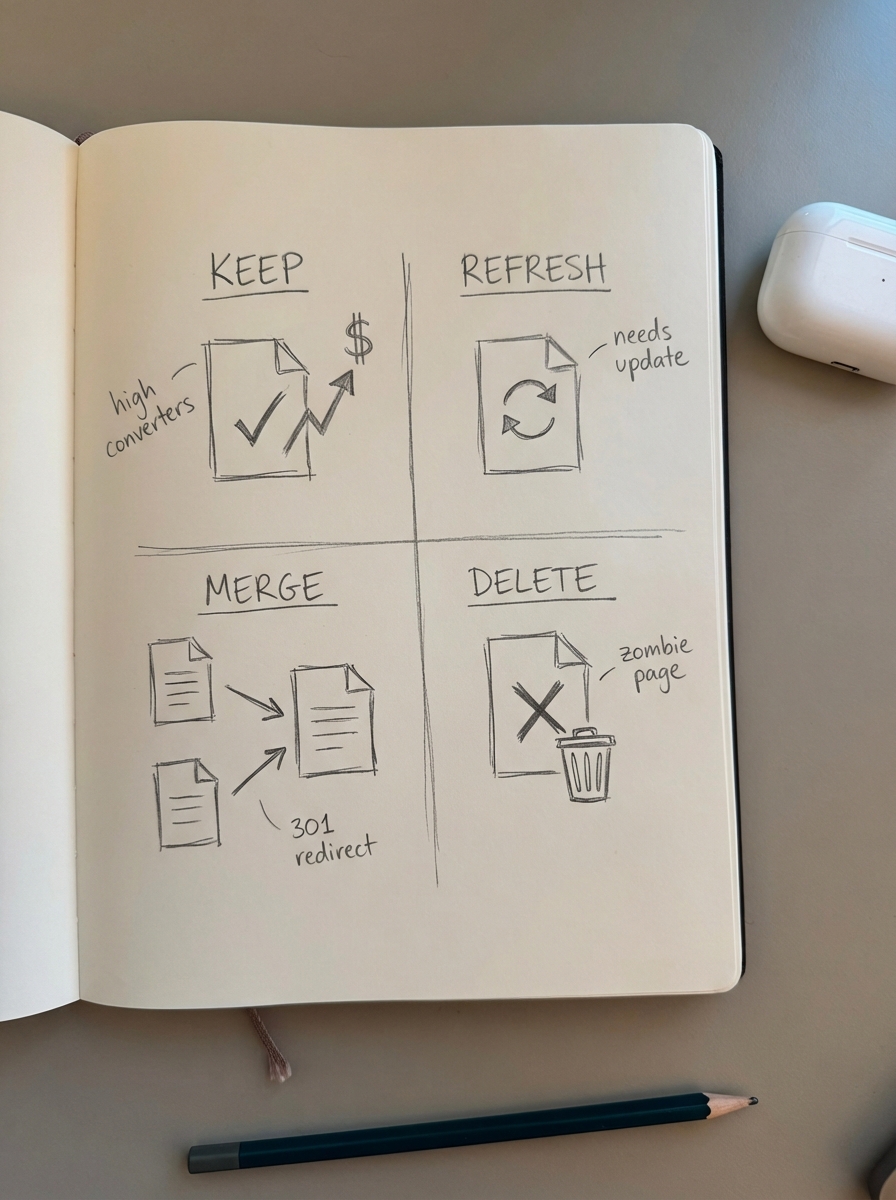
- Keep: These are your high-traffic, high-conversion pages. Leave these alone, but ensure they are fortified with proper schema markup like FAQ or Product snippets to maintain their SERP real estate.
- Refresh: This is your biggest opportunity. Focus on pages with high impressions but declining clicks. Updating just five articles a month with fresh facts and better internal links can often boost organic traffic by 45%.
- Merge (Consolidate): If you find three different blog posts all targeting “best hiking boots,” pick the strongest one and move the unique value from the others into it. You must then set up 301 redirects for the old URLs to consolidate link equity.
- Delete (Remove): If a page has fewer than 10 clicks in six months and zero conversions, it is a “zombie page.” Delete it and redirect the URL to the most relevant parent category page to reclaim your crawl budget for more important content.
Prioritizing category page optimization
I hold the contrarian view that category pages are significantly more important than product pages for ecommerce SEO. While product pages are often ephemeral – going in and out of stock or being replaced by newer SKUs – category pages act as your evergreen hubs. They accumulate the most internal link authority and target the broadest commercial keywords.
During your audit, check if your category names are too vague. Using our free ecommerce category optimizer can help you identify if a generic “Accessories” category should actually be “Waterproof Hiking Accessories” to better match buyer search patterns. Furthermore, ensure these high-value pages aren’t suffering from WooCommerce duplicate content issues caused by messy pagination or faceted filters, which can result in thousands of thin URLs that confuse Google.
Scaling with automated content maintenance
The biggest mistake I see leads make is treating an audit as a one-time project. SEO is a product that requires continuous iteration, not a project with a finish line. This is where ContentGecko changes the game for WooCommerce managers. Instead of manually checking if a blog post about “Top 10 Blue Widgets” still links to in-stock products, our platform uses a WordPress connector plugin to sync directly with your live catalog.
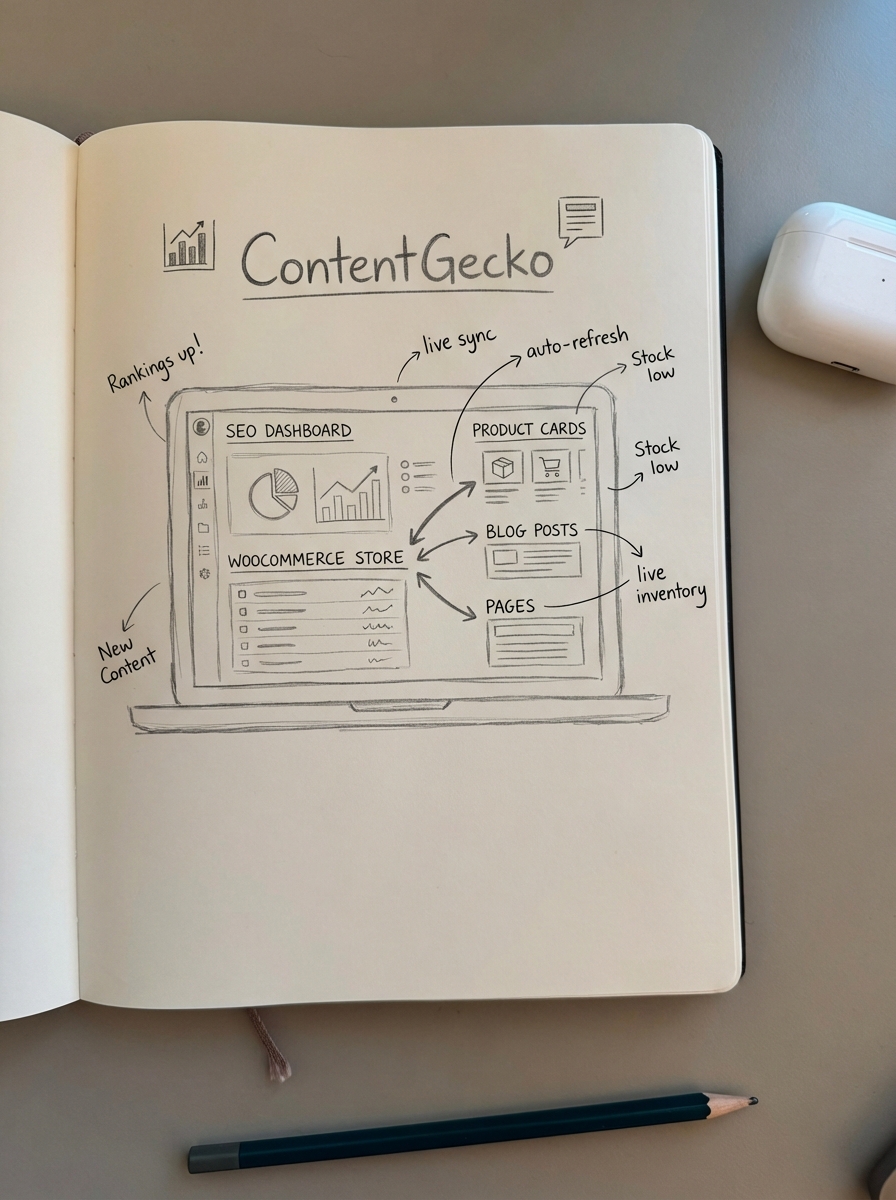
Our catalog-aware updates ensure that when a product goes out of stock or a price changes, your blog content updates automatically to reflect that live data. We eliminate the need for manual spreadsheets by providing an ecommerce SEO dashboard that breaks down performance by page type automatically. By using our free keyword clustering tool to map content to buyer intent, you can stop guessing what to write and start building a content engine that refreshes itself based on your actual inventory.
TL;DR
Stop letting outdated, thin content dilute your domain authority. Audit your WooCommerce store by exporting your URLs, merging GSC/GA4 data, and ruthlessly deleting or merging “zombie” pages. Prioritize category page optimization over individual products to capture high-volume search traffic, and leverage ContentGecko to automate the content refresh cycle so your blog always reflects your live inventory and current buyer intent.