


Most SEO reports are a waste of time because they treat a complex WooCommerce store like a simple brochure site. If your reporting focuses on vanity metrics like “total organic traffic” without tying that data back to specific SKUs or category performance, you aren’t providing insights; you’re just documenting noise.
In my experience managing SEO for high-volume ecommerce stores, the only reports that stakeholders actually read are those that translate search visibility into revenue. I have put together this pack of real-world reporting examples – ranging from Looker Studio dashboards to executive PDF summaries – to show you how to structure data that justifies your budget and drives strategy.
The four-layer framework for ecommerce reporting
An effective WooCommerce SEO report must bridge the gap between technical execution and business outcomes. I structure my reports into four distinct layers, moving from high-level revenue down to the granular technical factors that influence your crawl budget.
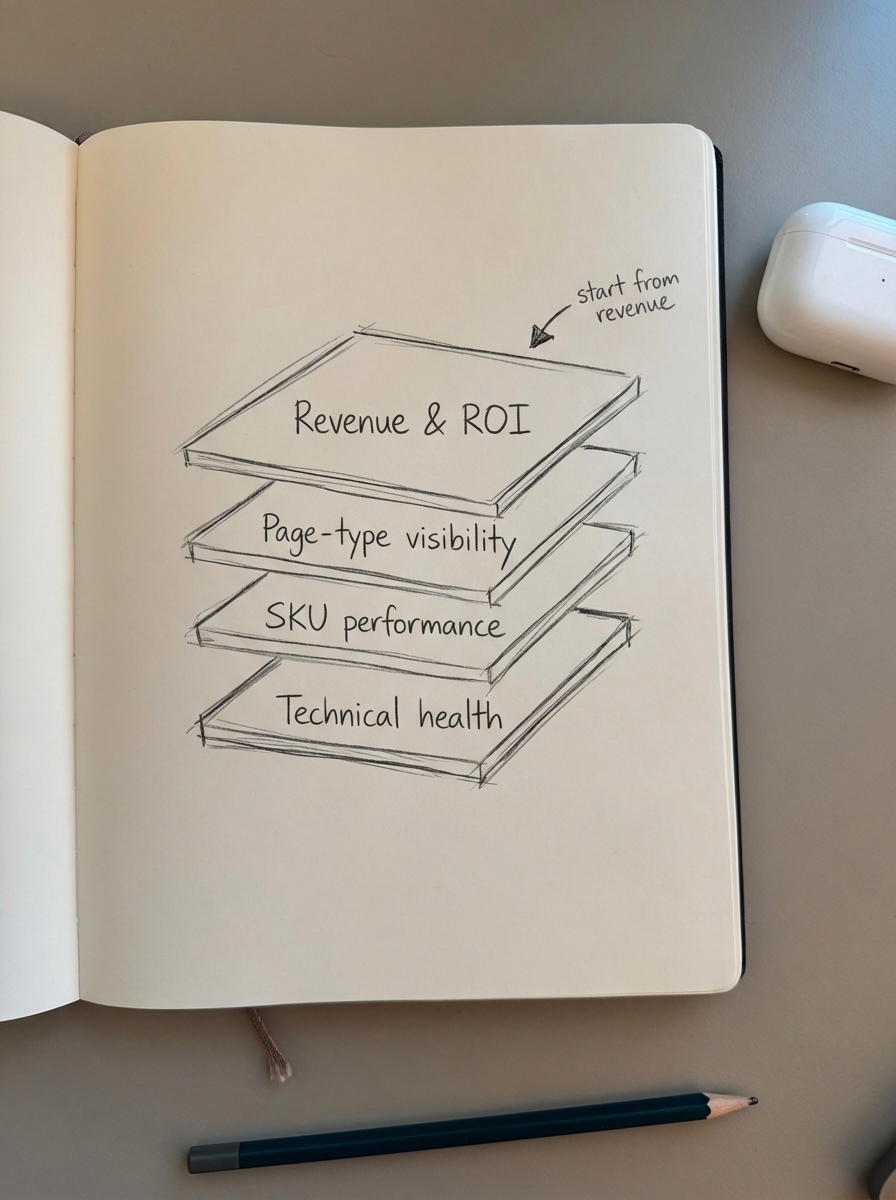
Executive summary of revenue and ROI
Stakeholders rarely care about your backlink velocity or minor ranking fluctuations; they care about how much money the channel is making. In this layer, we focus on calculating SEO ROI by looking at organic revenue and revenue per organic session. If revenue is increasing while traffic remains flat, it is a clear signal that you have improved the quality of the audience, which is a major win for the strategy.
Visibility segmented by page type
This is where many agencies struggle. You cannot group blog posts, product pages, and category pages together and expect to find actionable insights. I have found that optimizing category pages is significantly more important for growth than focusing on individual product pages, which often have high turnover and volatile stock levels. By segmenting clicks and impressions by URL structure – separating your shop and category paths from your blog – you can identify whether your growth is coming from high-intent shoppers or top-of-funnel readers.
SKU-level performance tracking
For WooCommerce specifically, the item_id parameter in GA4 must match your SKU exactly to get the data you need. This allows you to see which specific products are winning in the SERPs. We track the top 10 products by organic revenue and flag products with high impressions but low click-through rates (CTR). This data allows the merchandising team to ensure those high-traffic products remain in stock and helps us identify where titles or rich snippets need optimization.
Technical health and crawl budget
Large ecommerce sites, especially those with thousands of variations, often suffer from bloated indexes and duplicate pages that waste crawl budget. This technical layer of the report monitors indexed versus non-indexed pages and schema validation. It flags “silent killers” like broken breadcrumbs or missing WooCommerce review schema, which can tank your organic click-through rate by 5-7% almost overnight.
Real-world SEO report examples
I have curated these templates based on the workflows we use at ContentGecko to manage enterprise-level catalogs. They are designed to be practical, not just pretty.
Looker Studio live dashboard
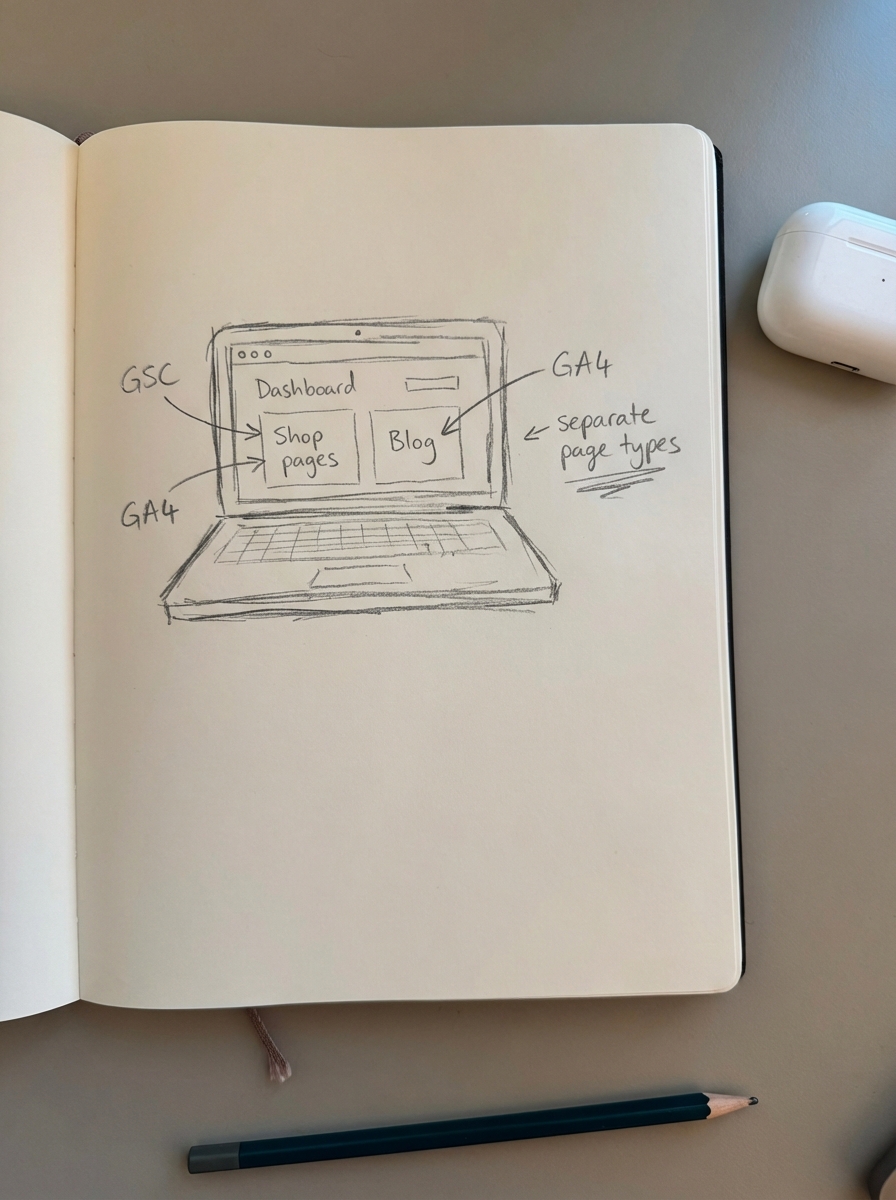
This is your “live” environment, ideal for day-to-day monitoring. It pulls data directly from Google Search Console and GA4 to show real-time fluctuations. I recommend using Regex filters to separate your blog from your shop pages, giving you a clear view of how different sections of the site are performing. You can find more details on setting this up in our guide to Google Data Studio SEO reports.
Monthly executive PDF summary
Never send a raw dashboard to a client or CEO without context. We use a PDF summary to provide the “narrative” behind the numbers. If CTR dropped slightly, I use this space to explain that a competitor captured a featured snippet and outline our plan to regain it. When drafting your action items, do not waste time on meta descriptions – Google will rewrite them anyway. Instead, focus your efforts on substantive content updates and internal linking.
Building your own reporting framework
When you are setting up your own reporting logic, your priorities should shift based on your catalog size and site age. If you have over 1,000 SKUs, you should prioritize crawl budget and category visibility. If your brand is new, non-branded traffic growth is the best way to prove you are reaching new customers. For those investing in content marketing, we always track how automated blog posts lead to assisted conversions, showing the path from an informational guide to a final product sale.
Why third-party data is useless for reporting
I see too many agencies reporting “estimated traffic” from third-party tools. While these platforms are great for competitive research, their databases are far too small to represent your actual WooCommerce opportunity accurately. Search volume and competition data in these tools are often off by a significant margin.
For your internal reporting, Google Search Console is the only source of truth for rankings and impressions. If your report relies on “visibility scores” from a third-party tool, you are reporting on a guess. We always recommend integrating GSC directly into your SEO dashboards to ensure you are working with 100% accurate first-party data.
Automating the reporting workflow
Reporting should not be a manual, 15-hour-a-week task. If you are still copying data into spreadsheets, you are wasting time that should be spent on strategy. We built the ContentGecko Ecommerce SEO Dashboard to automate this exact workflow for WooCommerce users.
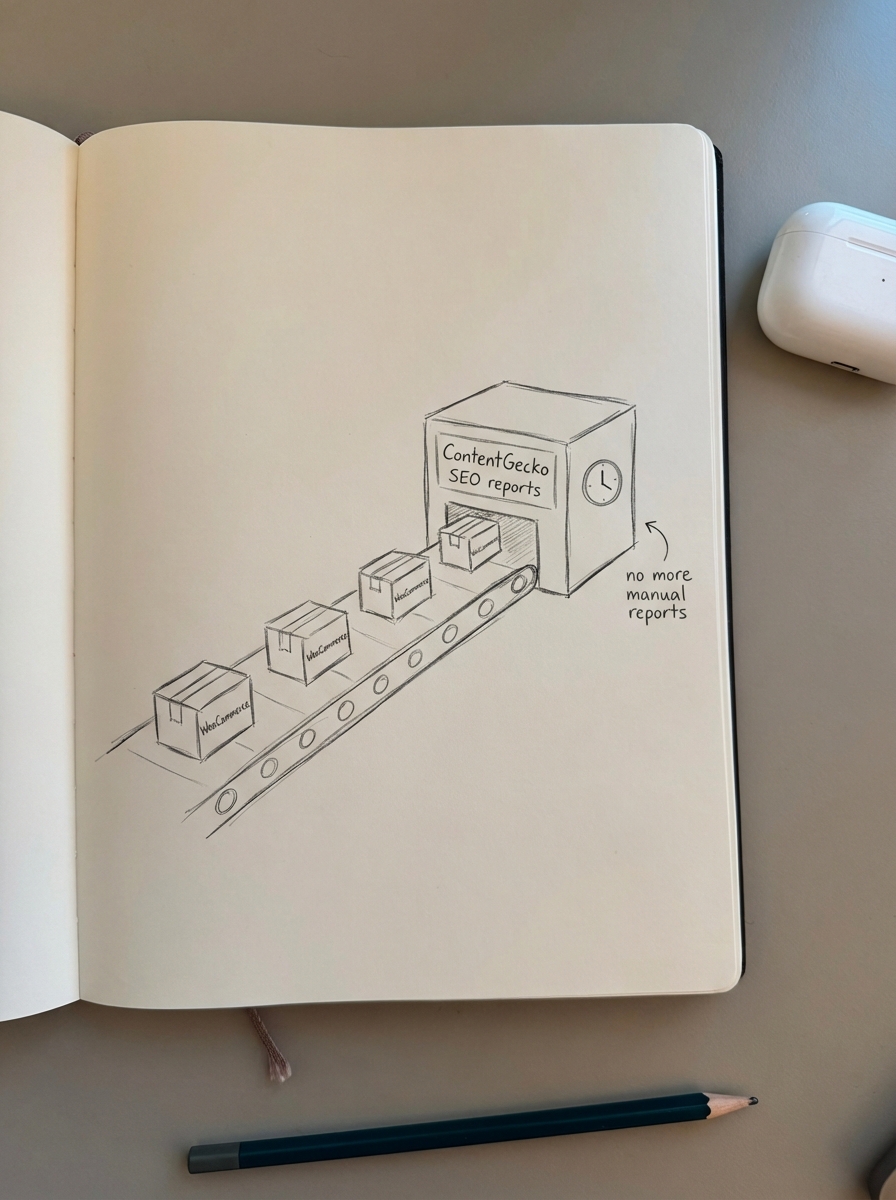
By using our WordPress Connector plugin, the platform automatically syncs with your catalog, breaks down traffic by page type, and tracks revenue at the SKU level. Instead of just showing that traffic is up, our automated SEO reports tell you which product categories are underperforming and which pages need an update to stay competitive in the era of AI search.
TL;DR
- Prioritize category pages over product pages, as they drive the most sustainable growth for ecommerce.
- Always segment your data by page type to see the distinct performance of your blog, products, and categories.
- Trust first-party data from Google Search Console and GA4 over third-party estimates for accurate reporting.
- Use tools like ContentGecko to link search visibility directly to WooCommerce sales and save hours of manual data entry.
- Provide context in every report; a dashboard without a summary of “what to do next” is just a math problem.