


Most WooCommerce merchants waste hours copying data between Google Analytics, Search Console, and rank trackers to build reports that still don’t answer the one question stakeholders care about: which content is driving sales?
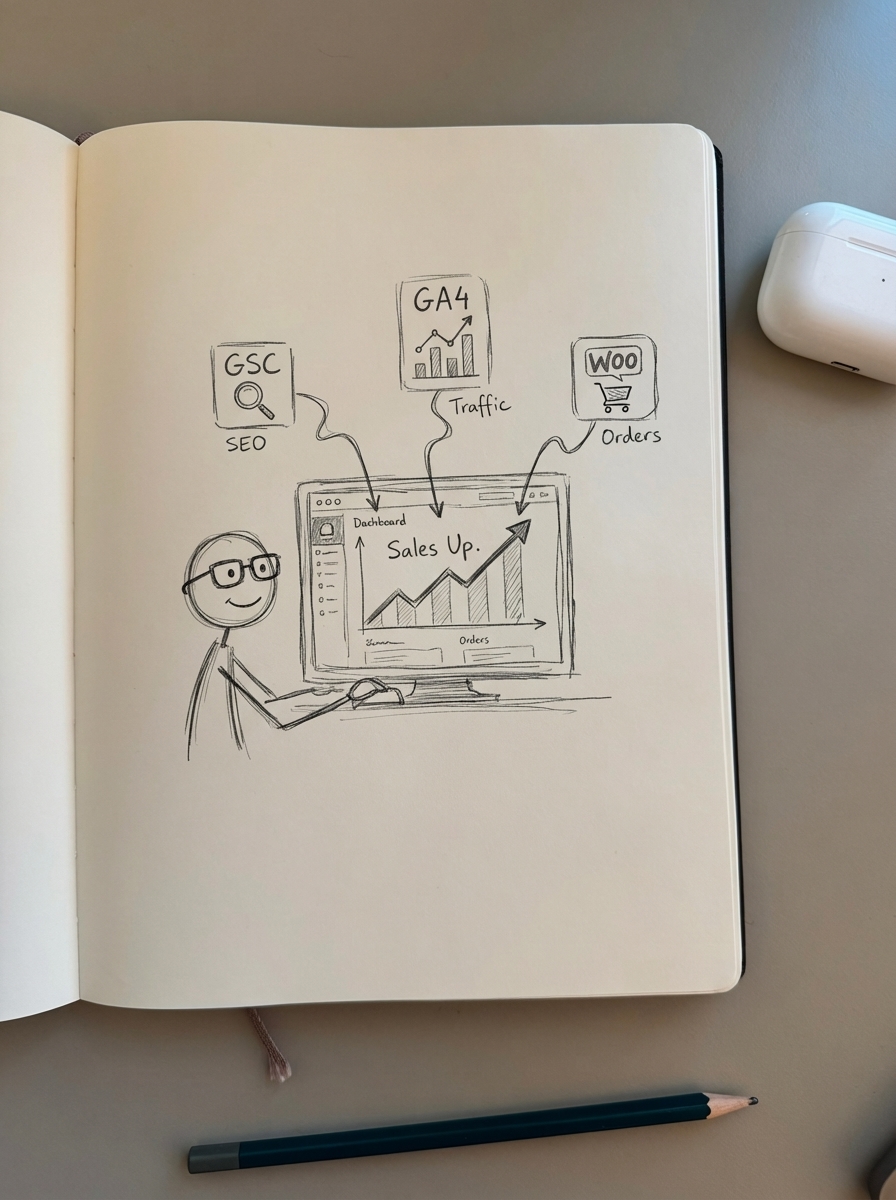
The right SEO reporting tool eliminates manual reporting, connects traffic data to revenue, and scales with your store – from starter shops to enterprise catalogs. After testing dozens of platforms for WooCommerce-specific needs, I’ve narrowed it down to the tools that actually deliver ROI.
What makes a good SEO reporting tool for WooCommerce
Before diving into specific platforms, understand what separates useful SEO dashboards from vanity metric generators.
Data source integration matters more than features. Your reporting tool needs clean API connections to Google Search Console, GA4, and WooCommerce itself. Combining Search Console with Analytics data reveals which keywords drive engagement and conversions – not just impressions.
Ecommerce-specific tracking is non-negotiable. Generic SEO tools miss critical WooCommerce metrics like product page performance, category indexation rates, and SKU-level traffic attribution. You need schema validation, structured data monitoring, and the ability to segment reports by page type.
Automation determines whether you’ll actually use it. Manual report assembly takes 15+ hours per week for most marketing teams. Automated SEO reporting reduces that to under 2 hours while improving accuracy by eliminating copy-paste errors.
ContentGecko: Automated catalog-aware SEO reporting
I’m biased, but ContentGecko’s ecommerce SEO dashboard was built specifically because WooCommerce merchants kept asking for reporting that understands products.
The dashboard segments Search Console data by page type – products, categories, and blog posts display separately with their own KPI trends. When your category pages tank while product pages climb, you know exactly where to focus optimization effort.
What differentiates ContentGecko from generic SEO tools:
Catalog synchronization tracks which products appear in which articles and monitors when SKUs change, prices update, or URLs shift. When WooCommerce inventory moves, reporting stays accurate without manual intervention.
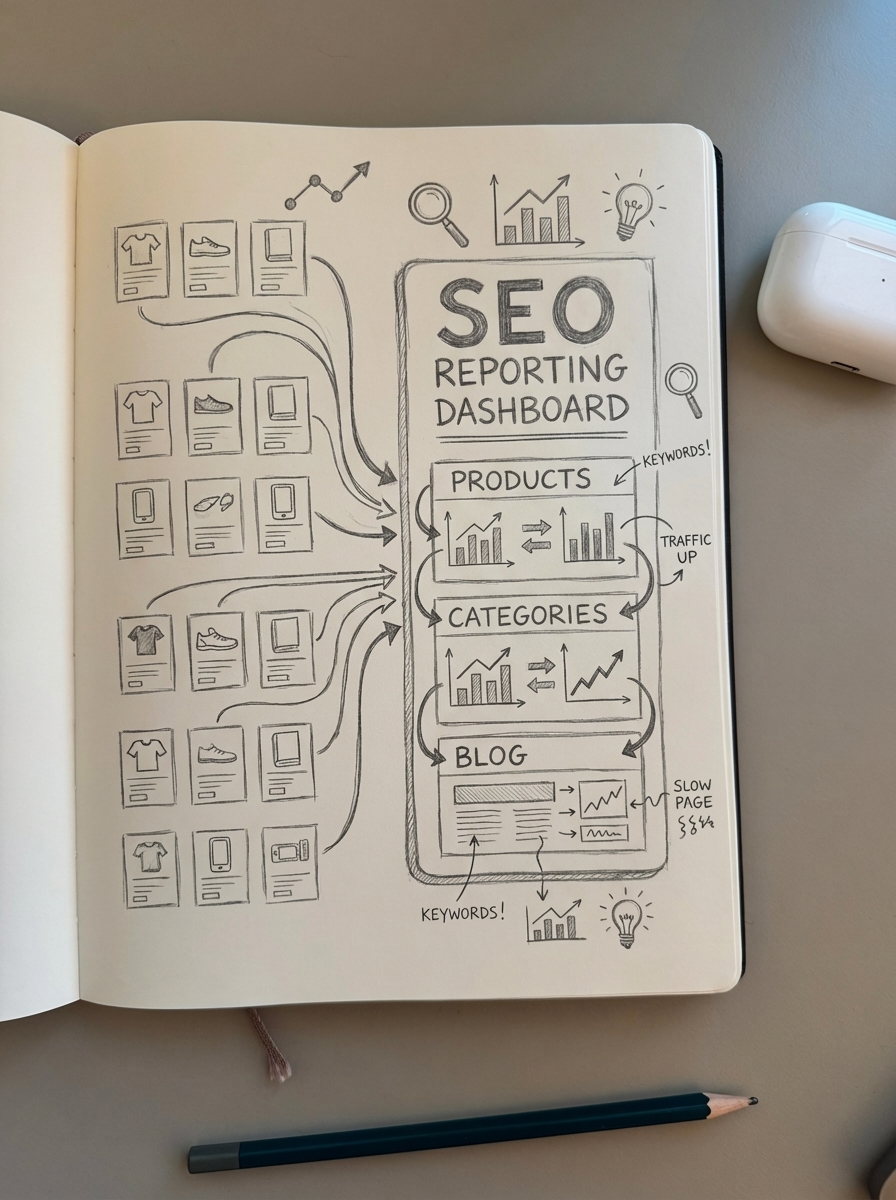
Cluster-Match™ competitor benchmarking automatically aggregates competitor ranking data to show where you’re gaining or losing share within your product verticals. No manual competitor list maintenance required.
Content performance ties directly to conversions. Blog post reports include downstream product page traffic and conversion attribution. You finally see which content types actually drive sales versus generic “top traffic” vanity metrics.
Built-in technical SEO monitoring runs robots.txt analysis and structured data validation automatically. The dashboard flags when category pages get accidentally blocked or product schema breaks.
All plans include automated content generation that publishes directly to WordPress. Pricing scales by catalog size: Starter (up to 1,000 products), Professional (up to 10,000 products), Enterprise (10,000+ products).
Best for growing to enterprise WooCommerce stores that need catalog-synced reporting and automated content updates. Overkill if you just want basic rank tracking.
Google Looker Studio: Free custom dashboards
Every SEO should start with Looker Studio because it’s free and integrates directly with Search Console and GA4.
Build custom dashboards that combine search performance with engagement metrics. Data visualization for SEO reports works best when you control exactly which metrics appear and how they’re segmented.
The main advantage is complete customization. You decide which charts appear, how data segments, and which audience sees what. Executive dashboards show revenue impact; technical dashboards display crawl stats and Core Web Vitals correlation.
Key limitations for WooCommerce stores:
No native ecommerce segmentation means Looker Studio doesn’t automatically understand the difference between product pages and blog content. You’ll need to configure URL filters by page type manually using regex patterns.
Manual template updates become necessary when you add new product categories or restructure your WooCommerce URL hierarchy. Dashboard filters break until you manually reconfigure them.
Real-time updates lag – GA4 data appears within 24-48 hours but Search Console can delay up to 72 hours. For stores running aggressive promotional campaigns, that latency hides problems until after the sale ends.
Best for budget-conscious merchants comfortable with technical setup and ongoing dashboard maintenance. Terrible if you need white-label client reporting or multi-store comparisons.
MonsterInsights: GA4 for WordPress users who avoid dashboards
Most WooCommerce merchants never log into Google Analytics because the interface intimidates them. MonsterInsights brings GA4 SEO reports directly into the WordPress admin dashboard.
The plugin tracks product impressions, add-to-cart actions, checkout completions, and revenue attribution without requiring GA4 expertise. Reports appear in WordPress alongside your usual WooCommerce analytics.
MonsterInsights mitigates GA4’s data sampling issues by simplifying complex datasets into WooCommerce-specific metrics. You see the analytics that matter without drowning in GA4’s interface complexity.
Ecommerce tracking includes enhanced ecommerce tracking with product performance reports, cart abandonment monitoring and recovery insights, coupon usage analytics and payment method breakdown, and UTM campaign tracking for promotional attribution.
The Plus plan ($99.50/year) includes basic WooCommerce analytics. Pro ($199.50/year) adds conversion rate optimization features, cart abandonment tracking, and revenue reports segmented by traffic source.
Limitations: Reporting lives in WordPress only – no external dashboards for stakeholders. Search Console integration requires separate configuration. Multi-site reporting costs extra.
Best for solo WooCommerce operators who want analytics without leaving WordPress. Skip it if you need agency-grade reports or automated PDF delivery.
SEMrush: Comprehensive SEO suite with built-in reporting
SEMrush positions itself as an all-in-one SEO platform. The reporting features are solid but you’re paying for rank tracking, backlink analysis, and competitive intelligence whether you need them or not.
Position tracking dashboards show keyword movement across 200+ locations. The platform employs a proprietary Keyword Difficulty score from 0-100 that evaluates organic competition based on SERP analysis, backlink profiles, and domain strength.
WooCommerce-relevant features include on-page SEO checker with WooCommerce compatibility, automated competitive product tracking, backlink gap analysis for category pages, and content audit tools that flag outdated product descriptions.
The reporting interface generates white-label PDFs with custom branding. Schedule automated delivery to clients or stakeholders without manual exports.
Major drawback: SEMrush doesn’t understand ecommerce catalogs. It tracks URLs as generic pages without distinguishing products from categories or blog posts. You’ll manually tag page types or use SERP-based clustering to group similar content.
Pricing starts at $129.95/month for Pro plan (500 tracked keywords). Business plan ($249.95/month) includes API access and extended limits.
Best for agencies managing multiple WooCommerce clients who need centralized rank tracking and competitive intelligence. Expensive overkill for single-store operators.
Ahrefs: Backlink-focused reporting with rank tracking
Ahrefs built its reputation on backlink analysis. The reporting features are secondary but surprisingly good for WooCommerce stores focused on link building and content gap analysis.
Site Explorer shows which product pages and category guides earn the most referring domains. Content Explorer identifies link-worthy topics in your niche that competitors rank for but you don’t.
Reporting capabilities include Rank Tracker with SERP feature monitoring, Site Audit reports for technical SEO issues, content gap analysis by comparing your catalog to competitors, and backlink profile health monitoring with toxic link identification.
Ahrefs provides backlink analysis, competitor traffic estimation, and link-building opportunities relevant to ecommerce starting at $99/month for the Lite plan.
The reporting dashboard lacks ecommerce-specific segmentation. Like SEMrush, Ahrefs treats all URLs equally. You’ll need manual filtering or custom tags to separate product performance from blog content.
One advantage: Ahrefs’ traffic estimation methodology provides competitive intelligence when competitors hide their analytics. The algorithm estimates monthly organic traffic based on keyword rankings and click-through rate models.
Best for stores where link building drives growth and you need competitive backlink intelligence. Skip it if technical SEO or conversion tracking matters more than links.
Pricing: Lite plan $99/month, Standard $199/month, Advanced $399/month.
Rank Math SEO: Built-in analytics for WordPress
Rank Math positions itself as the Yoast alternative with better WooCommerce support and built-in analytics. The premium version ($59/year) includes Search Console integration and content analysis directly in the WordPress editor.
Analytics appear in WordPress admin without requiring separate dashboard logins. The interface shows impressions, clicks, CTR, and position for every product and category page.
Rank Math includes built-in WooCommerce support, content analysis, and keyword placement suggestions that help optimize product pages during editing.
WooCommerce-specific features include product schema markup with automatic price updates, category page optimization suggestions, image SEO automation with alt text generation, and internal linking suggestions between products and content.
Reporting limitations mirror Rank Math’s WordPress-only nature. No external dashboards, no white-label PDFs, no multi-site consolidation. Advanced users hit the ceiling quickly.
The analytics module tracks trends but provides minimal segmentation. You’ll see overall site performance without the ability to compare product page health against category page indexation.
Best for budget-conscious WooCommerce merchants who want basic SEO analytics bundled with on-page optimization tools. Not suitable for agencies or stores needing detailed reporting.
AIOSEO: Beginner-friendly with Search Console integration
AIOSEO delivers Search Console data inside WordPress with a focus on non-technical users. The interface explains metrics in plain language rather than assuming SEO expertise.
AIOSEO offers WooCommerce-specific schema markup, internal linking, and Google Search Console integration starting at $49.60/year.
The Search Statistics module shows top-performing content by impressions and clicks, keyword rankings with position tracking, SEO score recommendations per page, and content decay alerts for outdated articles.
WooCommerce integration highlights include automatic product schema with price sync, category breadcrumb optimization, smart internal linking between products, and local SEO features for stores with physical locations.
Reporting stays basic. AIOSEO focuses on actionable recommendations rather than comprehensive analytics. You won’t get competitive analysis, backlink tracking, or advanced segmentation.
The platform excels at automating technical SEO tasks that typically require developer intervention – schema generation, XML sitemaps, and robots.txt management.
Best for WooCommerce beginners who need simplified reporting with clear next steps. Advanced users will outgrow it within 6 months.
Pricing: Plus plan $49.60/year, Pro plan $99.60/year.
Yoast SEO Premium + WooCommerce SEO: Established ecosystem
Yoast dominates WordPress SEO with 5+ million active installations. The WooCommerce SEO add-on adds product-specific optimization features.
Reporting comes through the Search Console integration. The dashboard displays impressions, clicks, and rankings for products and categories alongside blog content.
Yoast premium costs $99/year with the WooCommerce add-on priced at $178.80/year total for product-specific optimizations.
WooCommerce-specific features include product schema with variant support, category page optimization workflow, duplicate content prevention for filters, and structured data validation.
Yoast’s reporting focuses on content quality over comprehensive analytics. The Readability Analysis and SEO Analysis scores guide optimization but don’t provide competitive intelligence or conversion tracking.
One technical limitation: Yoast doesn’t support the Crawl-delay directive, requiring FTP access for large stores needing granular crawl budget management.
Best for merchants who value Yoast’s established ecosystem and content optimization workflow over advanced analytics. Expensive for what you get compared to alternatives.
Schema Pro: Structured data without reporting
Schema Pro ($68/year) doesn’t offer reporting – it solves one problem exceptionally well: automated schema markup for WooCommerce stores.
The plugin generates Product, AggregateRating, Offer, Review, and BreadcrumbList schema without code. When products update, schema stays synchronized automatically.
Schema Pro auto-generates product schema, review schema, and FAQ schema to enhance rich snippets for WooCommerce stores.
Why I’m including a non-reporting tool: proper structured data increases SERP visibility by 35-45% in my testing. That traffic improvement shows up in every reporting tool listed above.
Schema Pro pairs well with Looker Studio or MonsterInsights. Generate the technical infrastructure with Schema Pro, then measure the impact through your preferred reporting platform.
Best for stores struggling with structured data implementation who need automation without learning JSON-LD syntax. Combine it with a separate reporting solution.
How to choose the right tool for your store size
Starter stores (up to 1,000 products) should start with free Looker Studio templates and add AIOSEO or Rank Math for WordPress-based analytics. Budget: $50-100/year. Your reporting needs are straightforward – track organic traffic growth and identify top-performing products.
Professional stores (1,000-10,000 products) should invest in ContentGecko for catalog-aware reporting or MonsterInsights Pro if you prefer WordPress-only tools. Budget: $200-500/year. At this scale, manual report assembly wastes too much time and you need automated content updates.
Enterprise stores (10,000+ products) need SEMrush or Ahrefs combined with ContentGecko’s catalog synchronization for comprehensive intelligence. Budget: $2,000-5,000/year. You need competitive tracking, technical SEO automation, and white-label reporting for stakeholders.
Consider integration requirements: stores using WPML or Polylang need tools that support multilingual reporting. The ContentGecko WordPress connector handles translations automatically while maintaining consistent analytics across language variants.
What about Google Search Console alone?
Search Console is free and provides raw SERP data – impressions, clicks, CTR, and average position. It’s essential but insufficient for WooCommerce reporting.
The interface doesn’t understand ecommerce. You’ll manually filter product URLs versus blog content every time you analyze data. No conversion tracking, no revenue attribution, no competitive intelligence.
Most merchants use Search Console as a data source, not a reporting platform. Connect it to Looker Studio, MonsterInsights, or ContentGecko to transform raw clicks into business insights.
The value comes from combining Search Console with Analytics data to see which keywords drive engagement beyond the initial click. High impressions with low engagement indicates metadata fixes; high engagement with low impressions suggests content expansion opportunities.
Common reporting mistakes WooCommerce stores make
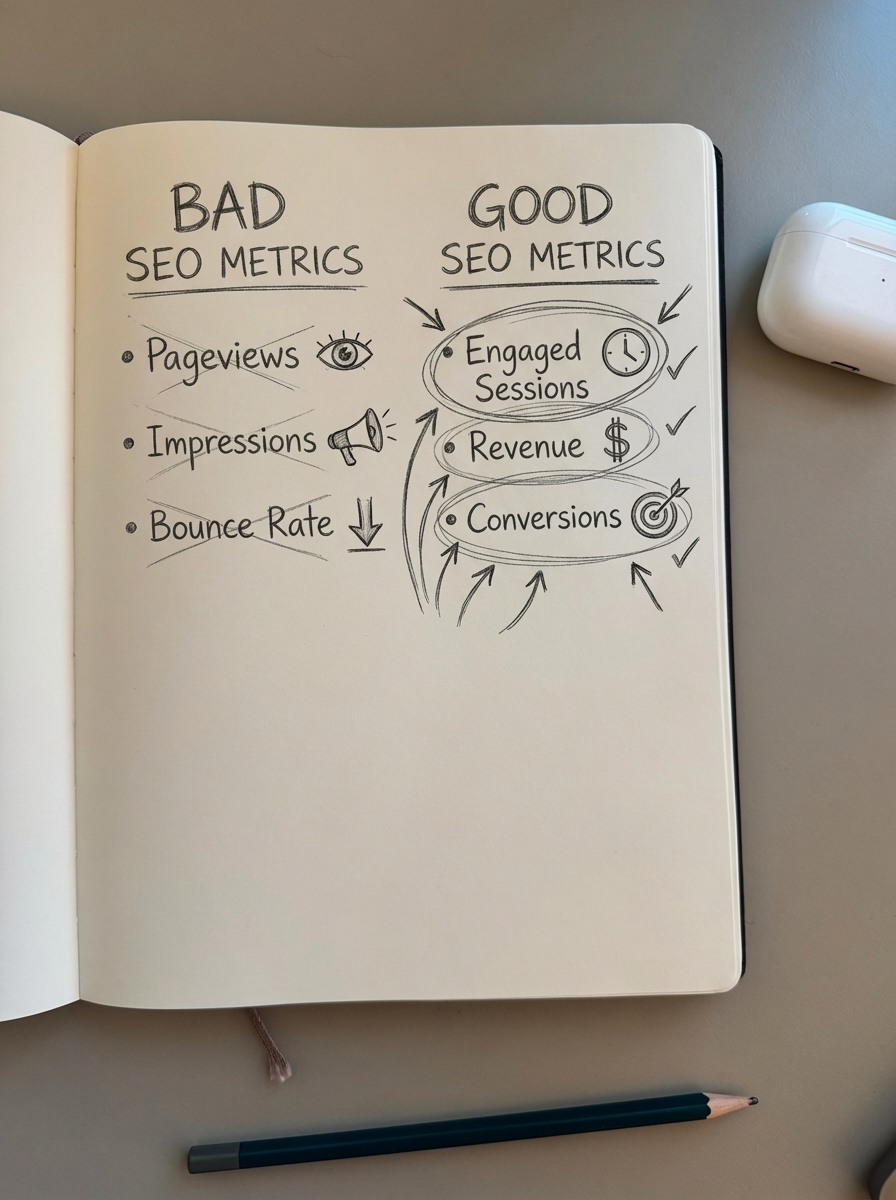
Tracking pageviews instead of engaged sessions ignores the reality that GA4’s engagement metrics (average engagement time, engaged sessions per user) predict conversions better than raw traffic. A product page with 1,000 low-quality visits performs worse than 200 engaged visits.
Ignoring mobile segmentation misses that mobile commerce represents over 50% of US ecommerce traffic. Your reporting must separate mobile from desktop to identify device-specific optimization opportunities. Mobile visitors typically spend 40% less time than desktop – is that acceptable for your category pages?
Forgetting about content decay leaves you blind to gradual declines. Rankings don’t stay static. Tools that only show current performance miss the slow erosion until it’s too late. Look for solutions with trend analysis and automated alerts that flag 10%+ drops before they compound.
Missing the conversion path happens when reporting focuses on individual page performance and ignores how users actually shop. Track the full journey from blog content to category pages to product pages to checkout. ContentGecko’s catalog-aware reporting connects content to downstream SKU performance automatically.
TL;DR
Start with Google Looker Studio for free custom dashboards, then graduate to catalog-aware platforms as manual reporting consumes too much time.
For growing WooCommerce stores, ContentGecko delivers the best ROI by combining automated reporting with content generation that stays synchronized to your catalog. The platform understands products, categories, and blog content as distinct entities rather than generic URLs.
Budget-conscious merchants get solid results from MonsterInsights Pro ($199.50/year) or AIOSEO Plus ($49.60/year) if they’re comfortable with WordPress-only reporting. These tools simplify GA4 complexity without requiring separate dashboard logins.
Agencies managing multiple clients need SEMrush ($129.95+/month) or Ahrefs ($99+/month) for white-label reporting and competitive intelligence, though neither platform understands ecommerce catalogs natively.
The reporting tool matters less than the action you take with the data. Pick one platform, commit to weekly reviews, and focus on measuring SEO ROI through conversion attribution rather than vanity metrics like impressions or rankings alone.