


Choosing between a subdomain like blog.example.com and a subfolder like example.com/blog/ shouldn’t be a coin toss. My experience with hundreds of WooCommerce stores leads to one definitive conclusion: unless you are managing entirely separate business units with different tech stacks, subfolders are the superior choice for consolidating authority and driving revenue. While the technical setup might seem minor, the long-term impact on your domain’s visibility is substantial.
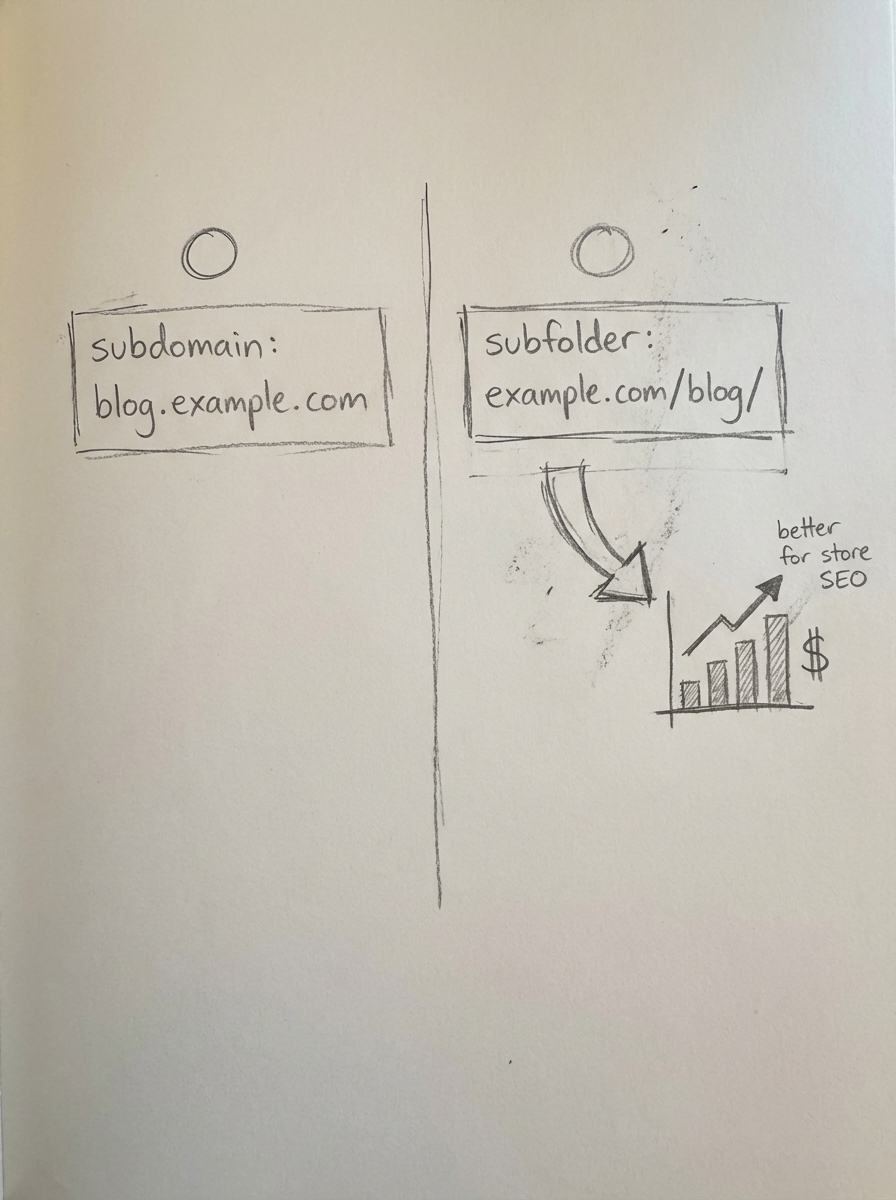
Google’s official stance, often repeated by representatives like John Mueller, is that their systems are generally fine with either and that they are roughly equivalent from an indexing perspective. Mueller has noted that it is really a question of which configuration is easier for your specific CMS. However, in the trenches of ecommerce, we rarely see this play out as a neutral choice. Picking a structure you can maintain for the long haul is vital, as changing your URL architecture later causes significant search visibility fluctuations.
The Google stance vs search reality
Google maintains that its algorithms have evolved to recognize that subdomains are often part of the same website, treating them as a single entity for ranking purposes in many modern cases. They essentially view subdomains and subfolders as the same when they clearly belong to the same site. Despite this, the SEO community has produced numerous case studies suggesting that the algorithm doesn’t always see it that way. When major brands have moved content from a subdomain to a subfolder, they have frequently reported almost immediate spikes in rankings.
In my view, while Google can treat them the same, subfolders are the “safer” bet. They ensure that link equity – the ranking power earned by your product and category pages – flows directly to your content and vice versa without any ambiguity. For most WooCommerce merchants, your SEO site structure should prioritize this consolidation to avoid the common mistake of a bloated, fragmented web presence that confuses both users and crawlers.
Why subfolders are the default choice for WooCommerce
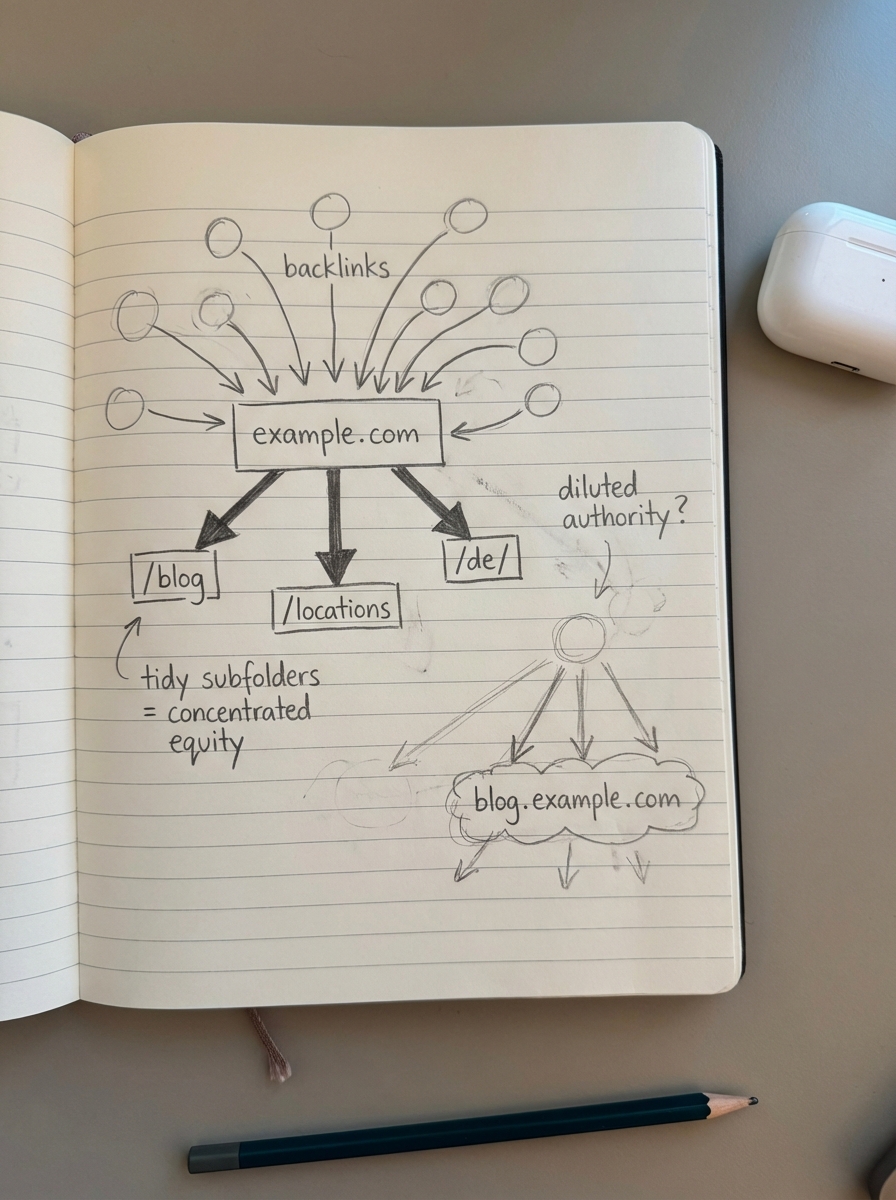
For the vast majority of stores, subfolders (also called subdirectories) are the superior choice because they consolidate link equity. Backlinks are expensive and difficult to earn; if you earn a high-authority link to a blog post located at a subfolder, that authority stays on your primary domain. This directly benefits your category pages, which I believe are the most important pages to optimize for actual revenue. On a subdomain, that equity is sometimes diluted or treated as belonging to a separate entity, requiring you to work twice as hard to build authority for both.
Furthermore, managing a subfolder structure significantly simplifies your technical SEO checklist. Googlebot allocates a specific WooCommerce crawl budget to every site, and managing a single hostname is much easier than tracking multiple hostnames. When everything resides in subfolders, you can monitor how Google discovers your URLs via a single WooCommerce XML sitemap and a unified robots.txt file, reducing the risk of indexing errors.
Beyond the technical crawl, subfolders make your Google Analytics SEO reporting much cleaner. Tracking user journeys across subdomains in GA4 is notoriously finicky. Users moving from a blog subdomain to the main store domain can sometimes be treated as referral traffic rather than a single session, which makes it harder to combine Google Analytics and Search Console data to prove the actual ROI of your content.
When subdomains actually make sense
I don’t hate subdomains; they just have specific, limited use cases. You should consider a subdomain if your main store runs on WooCommerce, but your community forum or customer support portal runs on a completely different platform like Zendesk. In these instances, a subdomain is often the only practical technical solution to avoid messy server-level conflicts.
Massive marketplaces also find value in subdomains for isolation. If you are a giant entity where different sections are essentially separate businesses, a subdomain helps isolate that entity from a management perspective. For everyone else, subdomains should be reserved for staging environments. Never use subfolders for testing; always use a subdomain and ensure it is blocked in your WooCommerce robots.txt to prevent WooCommerce duplicate content issues from surfacing in the SERPs.
Internationalization: Subfolders vs subdomains
When expanding into new markets, the choice of structure becomes even more critical. In WooCommerce international SEO, you generally choose between country-coded top-level domains, subdomains, or subfolders. Most websites have broken hreflang setups, and subdomains often exacerbate this by making the technical implementation more demanding.
I almost always recommend subfolders for international expansion because they allow you to leverage your existing domain authority to rank in new languages faster. If you use subfolders for international versions, you can still use WooCommerce canonical tags effectively to manage regional variations of the same product without confusing search engines. This structure keeps your authority centralized while clearly signaling to Google which language version belongs to which audience.
Local SEO and location pages
For multi-location stores, the same logic of consolidation applies. If you are building out WooCommerce local SEO assets, keeping location landing pages in subfolders like /locations/london/ is far more effective than creating city-specific subdomains. I’ve seen merchants try to use subdomains for every city they serve, but this usually turns into a nightmare for WooCommerce internal linking.
By keeping location pages in subfolders, your specific city pages benefit from the global authority of your brand. This makes it much easier to rank for competitive local keywords because the page isn’t starting from zero. It also allows you to link from your high-traffic blog posts directly to your local pages without crossing domain boundaries, which search engines treat more favorably.
Technical implementation and migrations
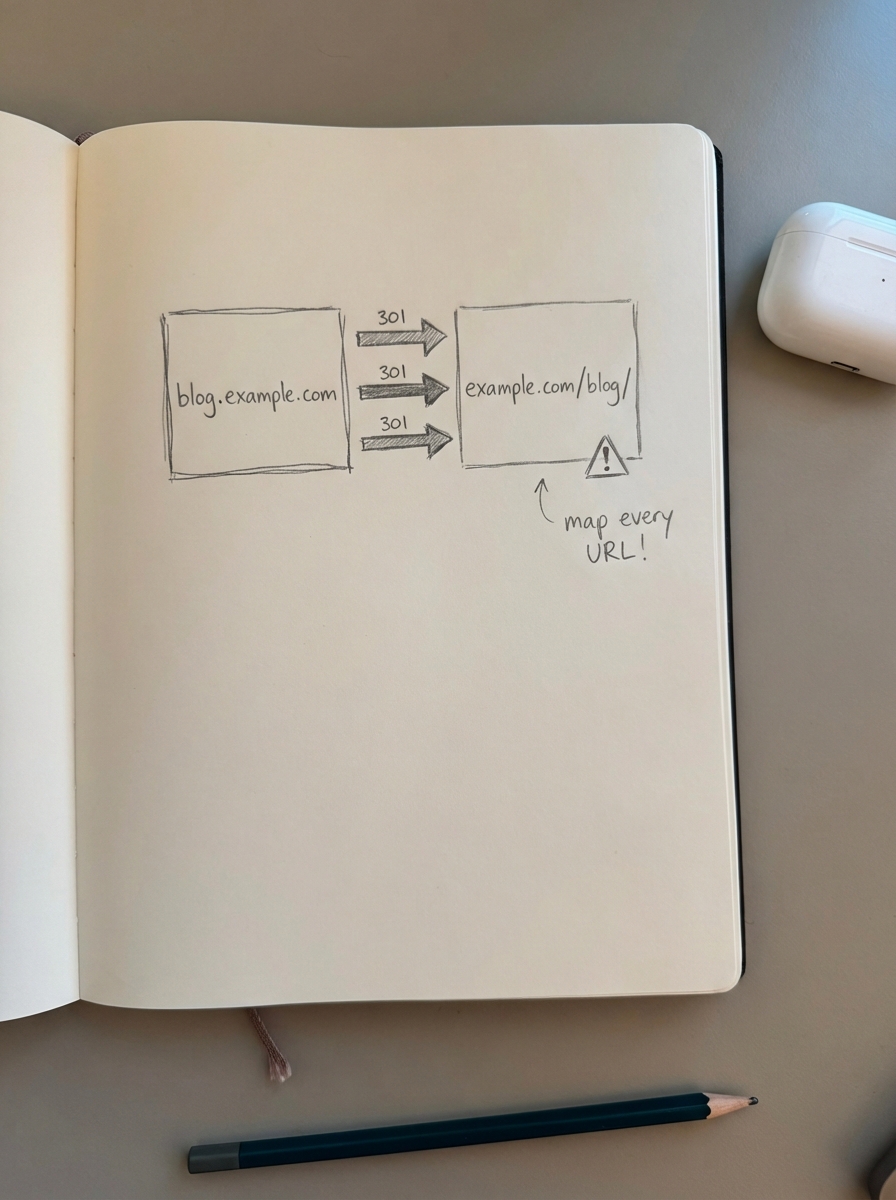
If you are currently on a subdomain and want to move to a subfolder, you must proceed with extreme caution. A WooCommerce migration SEO project of this nature requires a meticulous WooCommerce redirects strategy. Every single URL on the subdomain must point to its exact equivalent on the subfolder via a 301 redirect to preserve link equity and ensure users don’t land on 404 pages.
At ContentGecko, we typically integrate with stores via our WordPress connector plugin, which allows us to publish catalog-synced content directly into your chosen subfolder structure. This ensures that your blog content is natively part of your domain from day one. By viewing your performance through an ecommerce SEO dashboard, you can see exactly how this consolidated structure drives authority back into your product categories, allowing you to scale without the technical headaches of managing multiple hostnames.
TL;DR
- Use subfolders for almost everything to consolidate link equity and simplify your technical SEO setup.
- Reserved subdomains for completely separate technical platforms, massive marketplace segments, or staging environments.
- Prioritize subfolders for international and local expansion to leverage existing domain authority.
- Ensure a meticulous 301 redirect strategy is in place if you are migrating from a subdomain to a subfolder.
- Avoid the fragmentation that comes with subdomains to keep your analytics clean and your crawl budget optimized.