


Most WooCommerce marketing teams spend more time managing spreadsheets than actually shipping content. If you are managing a catalog of 1,000+ SKUs, a generic calendar that doesn’t account for stock levels, price changes, or category-level SEO is just another administrative burden. You need a planning system that understands your products, not just a list of dates on a grid.
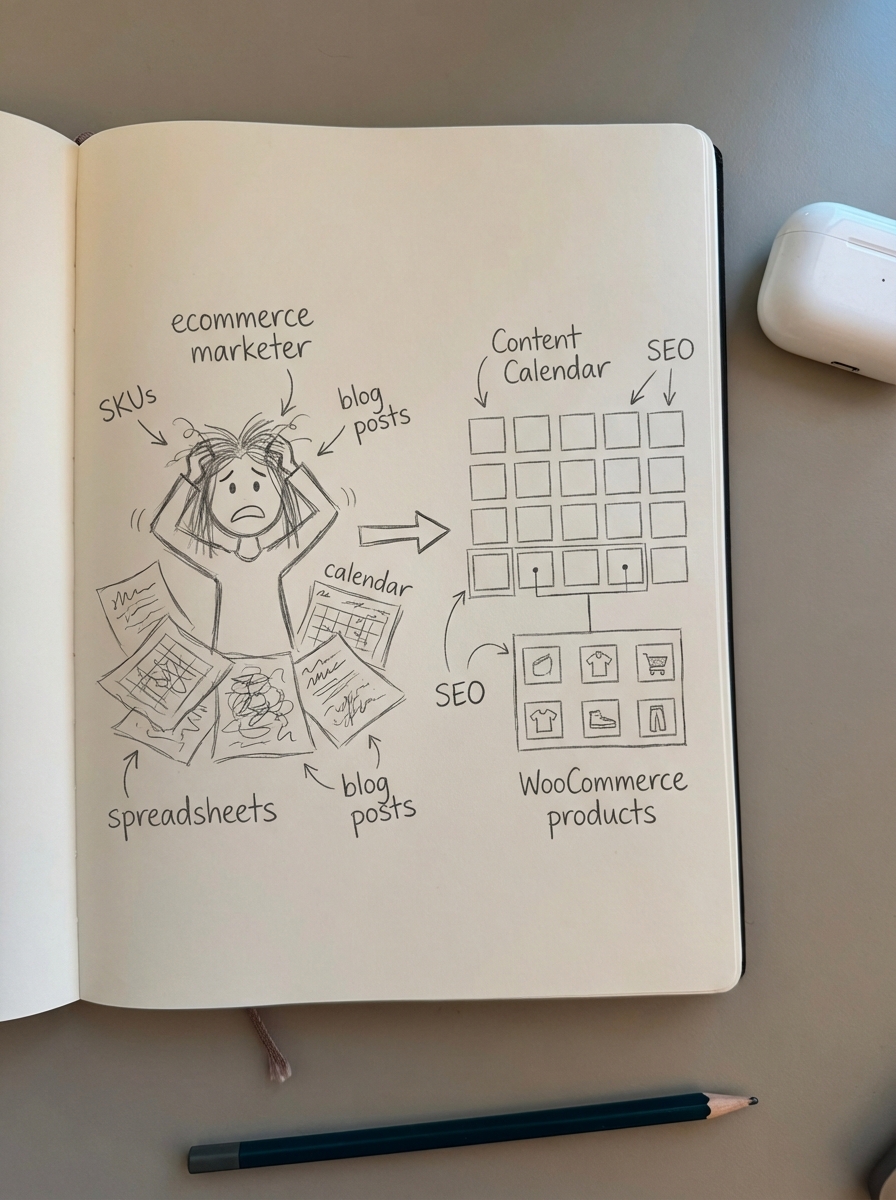
The goal of a content calendar shouldn’t be organization for its own sake. It should be about maintaining a consistent publishing frequency – ideally six to eight posts per month – to build the topical authority your category pages need to rank. When you fall behind on your schedule, you lose the momentum required to compete for high-intent keywords.
ContentGecko (The automated alternative)
If your primary goal is driving organic traffic to your WooCommerce store without the manual overhead of planning every individual post, you might not need a traditional calendar at all. I’ve seen too many teams get stuck in content production bottlenecks where planning meetings take two hours just to decide on three topics. This is time that could be spent on high-level strategy or conversion optimization.
ContentGecko is a catalog-aware platform that automates the planning, writing, and updating of your blog. Instead of manually dragging cards on a Trello board, you sync your WooCommerce store via a secure connector plugin. This allows the system to build a content plan based on your actual inventory, ensuring that every article serves a commercial purpose.
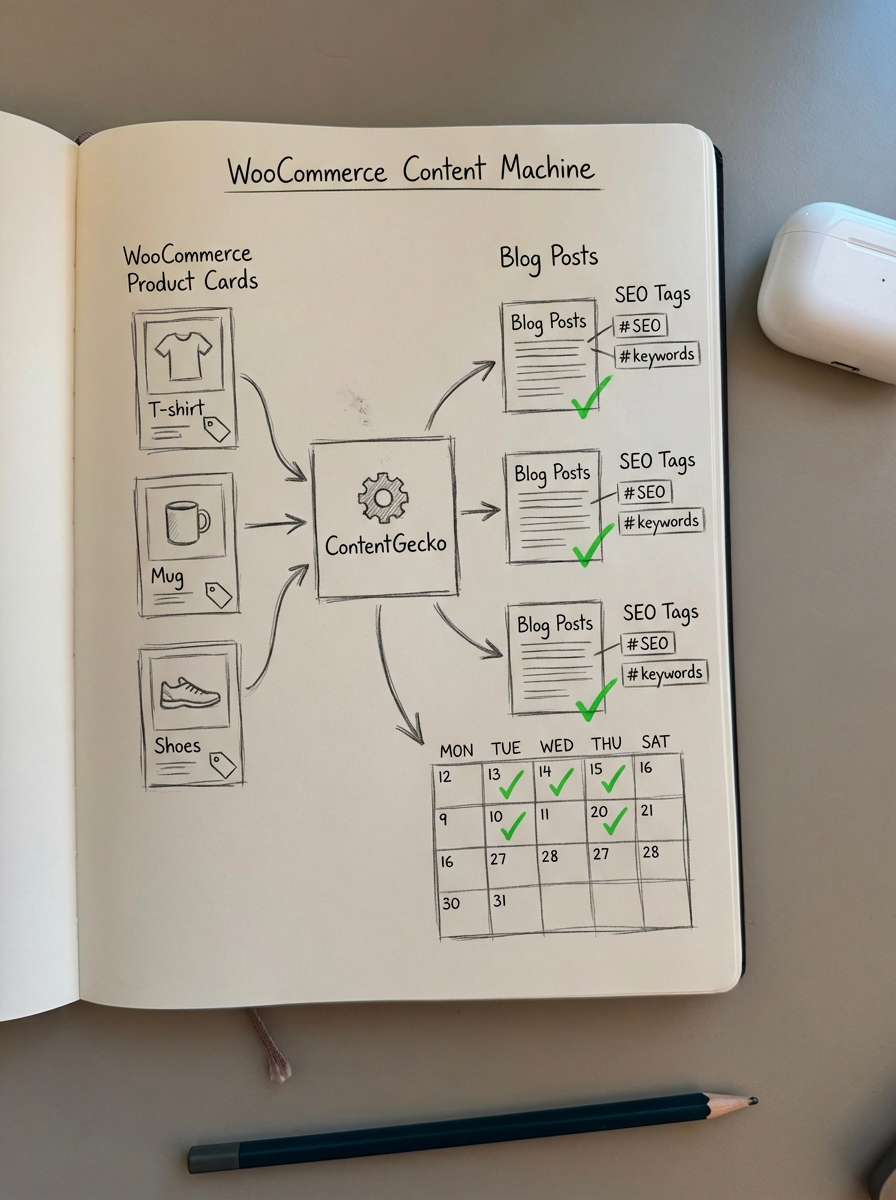
- Best for stores with 500+ products that want SEO growth on autopilot.
- Key Feature: Catalog-sync. If a product goes out of stock or the price changes, ContentGecko automatically updates the relevant blog posts or replaces out-of-stock items with available alternatives.
- Pricing: Tiered plans are available based on catalog size, spanning Starter, Professional, and Enterprise options.
CoSchedule
CoSchedule is the gold standard for marketing teams that need a comprehensive marketing suite rather than just a task manager. It excels at unifying your blog schedule with your social media promotion, providing a single source of truth for cross-channel campaigns. I like their “ReQueue” feature because it aligns with my belief that you should repurpose content aggressively rather than always chasing new ideas.
If you have a winning angle on a topic like “How to choose the right hiking boot,” CoSchedule can keep that piece in rotation across your social channels automatically. This helps you extract the maximum ROI from every asset you create. B2B teams using the platform have reported cutting production time by 30% simply by centralizing their communication and scheduling in one place.
- Best for mid-to-large marketing teams coordinating complex cross-channel campaigns.
- Key Feature: The “Marketing Calendar” view provides a unified drag-and-drop interface for blog posts, social updates, and email campaigns.
- The platform integrates project management with marketing analytics to help teams keep their publishing frequency consistent.
monday.com
For ecommerce brands, monday.com is often superior to general project management tools because of its retail-specific custom fields. You can create dedicated columns for store locations, product categories, and seasonal themes, which makes it much easier to filter your views during peak periods like Black Friday or Cyber Monday.
I often advise my clients that optimizing category pages is significantly more important than focusing solely on product pages. You can use monday.com to map your content clusters directly to your WooCommerce categories, ensuring every blog post is actually supporting a high-value internal link. This prevents you from creating “orphaned” content that doesn’t contribute to your store’s SEO hierarchy.
- Best for large ecommerce operations that need to connect high-level programs to specific activations.
- Pricing: Plans typically start around $9–$10 per user per month.
- Pros: Highly visual interface with over 200 integrations including Google Analytics, Mailchimp, and various ecommerce platforms.
SocialBee
SocialBee is a specialized social media tool that uses an AI Copilot to generate entire content calendars in minutes. For WooCommerce marketers, the category-based scheduling is a game-changer. You can set up specific buckets like “Product Spotlights,” “Educational How-Tos,” and “Customer Reviews” to ensure your feed remains balanced.
This approach ensures you aren’t just shouting “Buy Now” at your audience all day, which is a common mistake that kills engagement. It is a highly effective way to scale content production by letting AI handle the initial distribution schedule while your team focuses on community management and creative direction.
- Best for social-heavy brands that need to maintain a diverse posting mix without manual daily scheduling.
- Highlight: The unified inbox helps you manage customer engagement and comments across all platforms from a single dashboard.
- The AI tools can help identify content gaps and suggest new post ideas based on your existing categories.
Asana or Trello
If you are just starting out and need to launch an “MVP” of your content strategy, Asana and Trello are the most accessible choices. They are task-based tools that can be easily adapted for content planning without a steep learning curve. I generally prefer the Kanban view in Trello for visualizing the content production workflow.
Moving a card from “Keyword Research” to “Drafting” to “Published” provides immediate visibility into where your team is stalling. However, keep in mind that these tools are strictly for project management. They lack built-in SEO data or social scheduling, so you will eventually need to plug them into something like our Ecommerce SEO Dashboard to verify if your publishing efforts are actually translating into revenue.
- Best for small teams or solo founders who need a free or low-cost starting point.
- Flexible enough to handle everything from blog production to product launch checklists.
- Small teams can use these tools to visualize bottlenecks and streamline approval cycles before investing in more expensive software.
Why most calendars fail ecommerce teams
The biggest mistake I see in ecommerce marketing is teams producing “thought leadership” content that has zero search volume. A calendar is just a container; if the ideas inside it are based on 3rd party keyword data – which is notoriously inaccurate – you are just wasting time and resources.
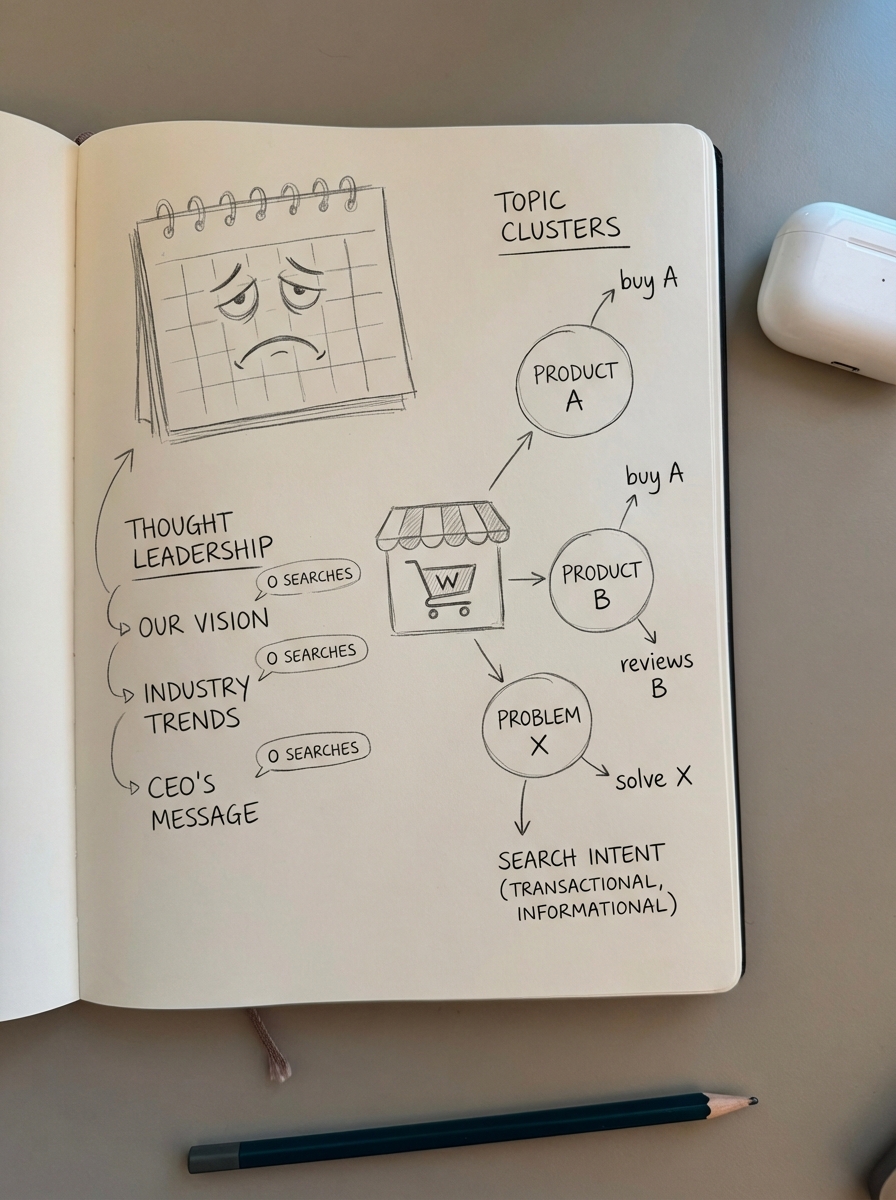
Before you commit to a specific tool or schedule, use a free keyword clustering tool to group your topics by search intent. This prevents you from scheduling five different articles that all end up competing for the same keywords, a common form of duplicate content bloat that can hurt your WooCommerce site’s rankings.
If you find that manual planning is taking more than 30 minutes of your week, it is usually a sign that your process is broken. It may be time to look at automated SEO content solutions like ContentGecko. We handle the research, technical SEO, and execution so your team can focus on high-level brand strategy rather than micromanaging spreadsheets.
TL;DR
- ContentGecko is the best choice for WooCommerce stores that want to automate the entire blog lifecycle from planning to publishing.
- CoSchedule is ideal for coordinating blog and social media in one unified marketing suite with powerful repurposing tools.
- monday.com offers the best retail-specific customization for teams managing large catalogs and complex seasonal campaigns.
- SocialBee excels at category-based social scheduling and using AI to maintain a diverse posting mix.
- Trello and Asana are effective “MVP” tools for visualizing your production pipeline at a low cost before you scale.