


Most SEO content editors are effectively video games for marketers. You spend hours chasing a green “100/100” score, tweaking word counts and stuffing NLP entities until the UI gives you a pat on the back. But Google isn’t a content editor, and a high tool score has a surprisingly low correlation with actual revenue. For WooCommerce store owners, the goal isn’t a perfect score; it is a workflow that identifies high-intent clusters and keeps content synced with moving inventory.

The problem with gamified SEO editors
I have sat in rooms where content leads spent hours debating whether to add five more instances of a secondary keyword just to move a tool score by a few points. It is a massive waste of time. Most editors operate on averages – they look at the top 10 search results and tell you to mimic them. However, mimicry rarely leads to outranking. If you simply copy the average length and keyword density of your competitors, you are essentially aiming for a tie rather than a win.
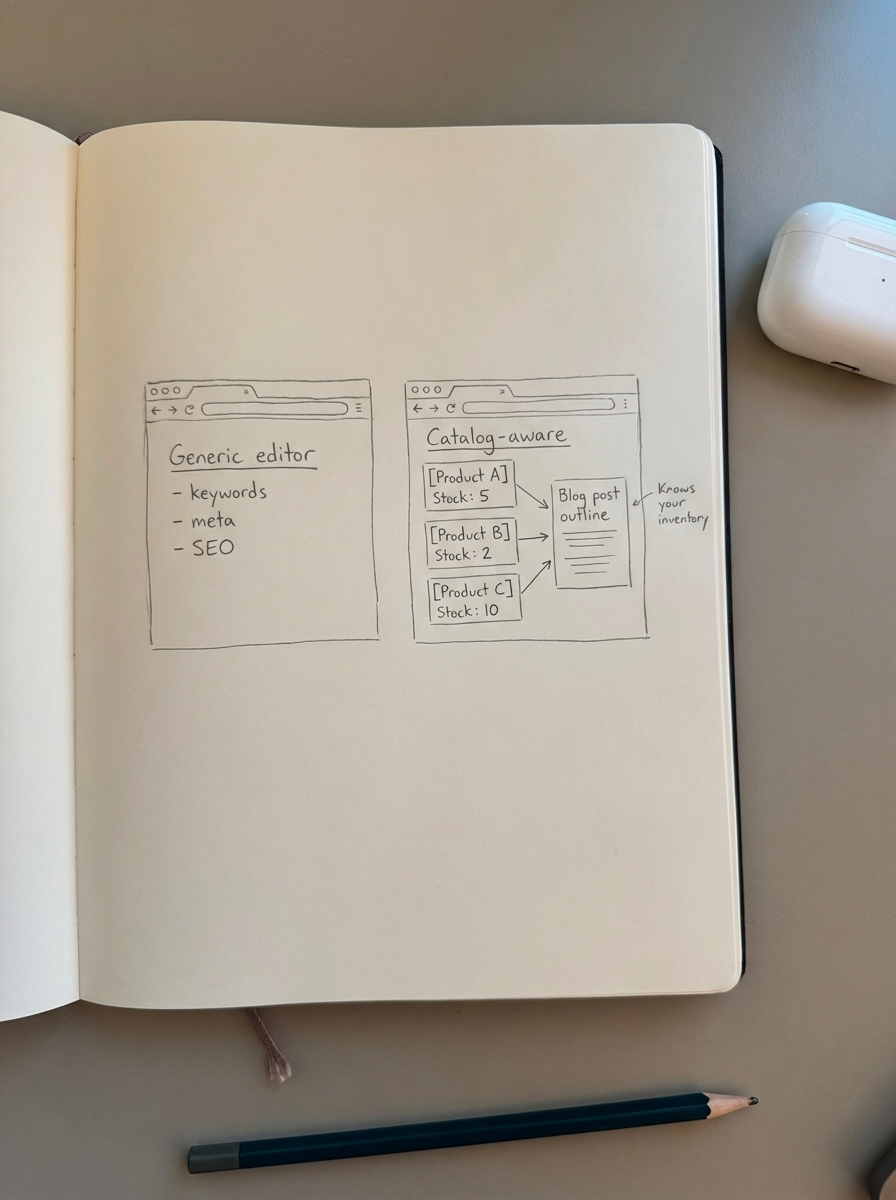
For ecommerce, this reliance on averages is even more dangerous because standard editors do not understand your product catalog. They might encourage you to write a massive guide on hiking boots but fail to notice that 40% of the products you are linking to are currently out of stock. For a profitable on-page SEO process, you should use these editors as a loose guide for search intent, not a rigid checklist. I have found that prioritizing the user experience over a tool’s grade consistently leads to better long-term rankings.
Best SEO content editors for WooCommerce marketers
Selecting the right tool depends on whether you are optimizing technical metadata or trying to scale a content library across thousands of SKUs.
- Rank Math is the current gold standard for on-site metadata. It is significantly less bloated than other plugins and handles large catalogs – up to 20,000+ products – without slowing down your admin dashboard. While it provides AI suggestions, its real value lies in schema management. It handles GTIN, MPN, and variation schema out of the box, which is critical for getting your products into Google’s “Popular Products” carousels.
- Clearscope excels at identifying the “must-have” topics for a specific query and detecting content decay. If an old blog post is losing traffic, Clearscope helps you identify what new entities competitors are covering that you have missed. While it is a premium investment, the precision is often worth it for high-revenue category pages that require frequent refreshes.
- ContentGecko solves the content production bottlenecks that occur when managing more than 500 SKUs. It is built differently than traditional editors; instead of just giving you a score, it uses a WordPress connector plugin to plan and write content that is fully aware of your catalog. It utilizes a free AI SEO content writer that researches via Perplexity and DeepSeek to ensure factual accuracy. Crucially, it auto-updates blog posts when prices change or items go out of stock, ensuring you never waste organic traffic on a sold-out item.
- Surfer SEO is useful for visualizing how your headers compare to top-ranking pages. I use it to quickly identify the “structural gap” between my page and the leader. However, I always advise against getting obsessed with the gamified content score. If your content provides more value to the user but has a lower score, you should follow your content quality assurance process and publish it anyway.
How to use these tools profitably for ecommerce
To move the needle on a WooCommerce store, you need to stop treating every blog post like a standalone masterpiece and start treating content like a product. This means iterating based on performance data rather than perfectionism.
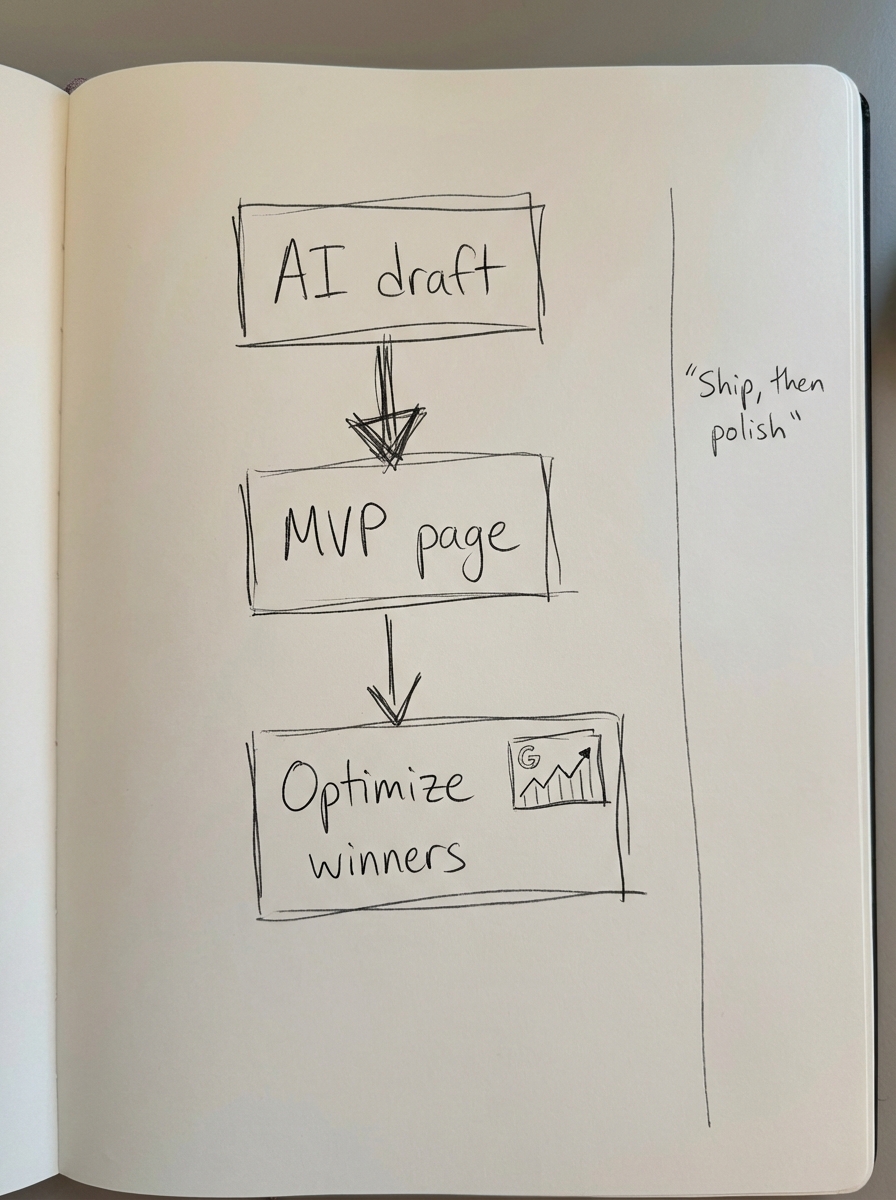
I recommend starting with a “Minimum Viable Page.” Do not spend days drafting a single post. Instead, use automated SEO content tools to launch an AI-generated draft that covers the basics. If that page starts getting impressions in Google Search Console, that is your signal to invest human effort into adding expert touches, custom photography, or specific product recommendations.
Most ecommerce marketers spend far too much time on product descriptions when category pages are the heavy hitters. You should use your SEO editor to ensure your category names are specific and buyer-friendly. For example, replacing a vague “Shoes” category with “Waterproof Trail Running Shoes” helps with keyword clustering and prevents your own pages from competing against each other.
Finally, you must group your keywords by intent rather than just search volume. Before opening an editor, run your list through a free SERP-based keyword clustering tool. If two different queries return 80% of the same URLs in Google, do not write two separate articles. Write one comprehensive guide that addresses both terms. Standard editors will not tell you this; they will happily let you write two high-scoring articles that eventually cannibalize each other in the search results.
TL;DR
- Stop score-chasing because a green 100/100 in an editor does not guarantee a top ranking.
- Rank Math is the best plugin for managing WooCommerce technical schema and product metadata at scale.
- ContentGecko is the only platform that syncs with your product catalog to automate both writing and ongoing updates.
- Focus on your category pages by using a category optimizer to win broader, high-volume search terms.
- Launch AI drafts as an MVP and only spend human time refining pages that show initial traffic potential.